













공식 공급 업체
200 이상의 소프트웨어 개발처와 판매 계약을 맺은 공인 디스트리뷰터로서 합법적인 라이선스를 제공합니다.
모든 브랜드 보기.
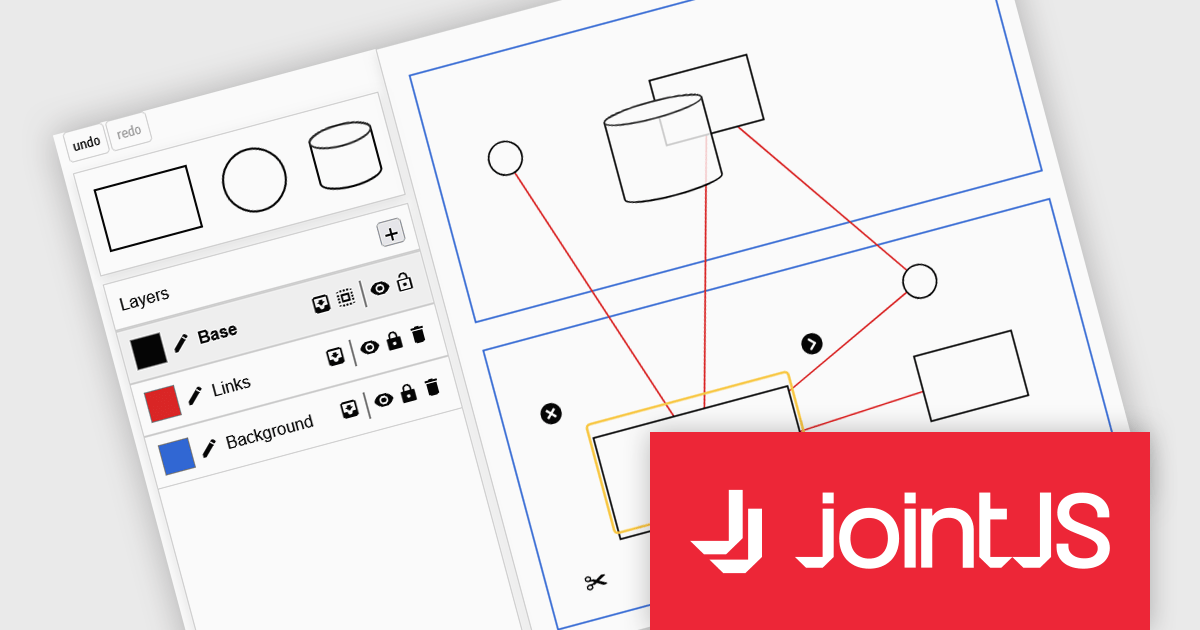
JointJS+ is a diagramming library that offers advanced features like custom shapes, data binding, and advanced layout algorithms, enabling you to create complex, interactive, and visually appealing diagrams. It includes a ready-to-use demo application that showcases its functionality and serves as a starting point for your own diagramming projects.
The JointJS+ 4.2 update introduces a redesigned Layers API that gives developers more control over diagram structure, interaction, and presentation by allowing cells to be grouped into independent layers with their own attributes, stacking context, and event flow. This enables clearer organization of complex graphs, more predictable z-index behavior, and the ability to apply targeted styling, filters, and animations at the layer level, all while maintaining backward-compatible event handling for smoother integration into existing applications.
To see a full list of what's new in v4.2, see our release notes.
JointJS+ is licensed per developer and is available as a Perpetual license with 1 year support and maintenance. See our JointJS+ licensing page for full details.
Learn more on our JointJS+ product page.
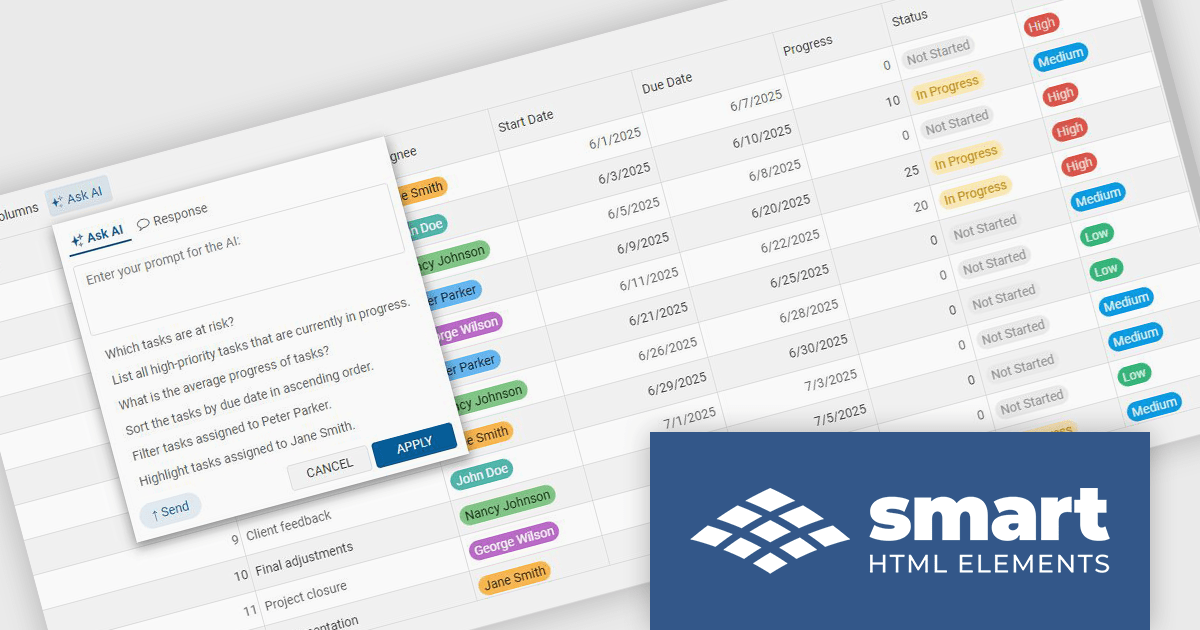
Smart UI by Smart HTML Elements is an enterprise-grade UI library offering pre-built web components for developers in Angular, React, Vue, Blazor, and JavaScript. It boasts over 60 ready-to-use components like grids, charts, schedulers, and editors, all featuring two-way data binding, responsiveness, accessibility, and theming capabilities. This library helps developers rapidly build dynamic and modern web applications with consistent look-and-feel and rich functionalities, accelerating development time and ensuring professional quality.
The Smart UI v25.0.0 release introduces a MCP Server that enables developers to generate production-ready UI components directly inside their editor using their preferred AI models. This feature improves implementation of complex elements such as grids, charts, and schedulers, reduces reliance on documentation, and maintains full control over data and privacy by allowing the use of personal API keys. It supports multiple leading AI providers, and integrates into existing processes, helping teams deliver consistent, high-quality interfaces more efficiently.
To see a full list of what's new in v25.0.0, see our release notes.
Smart UI (Smart HTML Elements) is licensed per developer and is available as a perpetual license with 1 year support and maintenance. It includes distribution to unlimited Web applications, SaaS projects, Intranets and Websites. Team, OEM and Enterprise licensing options are also available. See our Smart UI (Smart HTML Elements) licensing page for full details.
Learn more on our Smart UI (Smart HTML Elements) product page.

Froala Editor is a lightweight, modern WYSIWYG (What You See Is What You Get) rich text editor designed for web applications, offering a clean interface, fast performance, and extensive customization options. Built with a focus on usability and developer flexibility, it provides a wide range of formatting tools, media management capabilities, and advanced features such as inline editing, collaborative functionality, and mobile responsiveness. Its modular architecture, robust API, and broad framework integrations make it suitable for embedding into enterprise-level platforms as well as smaller applications requiring a polished content-editing experience.
The Froala Editor 4.7.1 update improves the video plugin by adding support for the latest Vimeo link formats, allowing the editor to automatically recognize and embed new Vimeo URLs without manual adjustments. This enhancement ensures that videos reliably render and play directly inside the WYSIWYG editor, giving authors an immediate, accurate preview while reducing issues with incompatible or broken links and improving overall embedding consistency.
To see a full list of what's new in v4.7.1, see our release notes.
Froala Editor is licensed per product and domain. It is available as an annual or perpetual license with version upgrades and support. See our Froala Editor licensing page for full details.
For more information, visit our Froala Editor product page.

For the past two years, ComponentSource has proudly partnered with MDBootstrap to bring high quality UI tools to developers worldwide. Through this partnership, customers gain easy access to MDB’s rich collection of responsive, modern components and templates that help teams build polished and efficient web applications.
Material Design for Bootstrap, widely known as MDB, is a leading front end framework created for developers, by developers. It offers more than five thousand UI components and templates that help teams create visually appealing and fully responsive applications that follow Material Design principles. Trusted by a global community of more than three million developers and designers, and chosen by organizations such as NASA, Amazon, Nike and IKEA, MDB continues to be a reliable and influential tool within the ComponentSource catalog.
The collaboration between ComponentSource and MDBootstrap delivers real benefits to the developer community by combining MDB’s high-quality design tools with ComponentSource’s global reach, licensing expertise, and dedicated customer service. Together, they simplify the adoption of MDB solutions, supporting teams as they build faster and deliver modern, consistent digital experiences. ComponentSource looks forward to the future and to many more years of helping developers create exceptional web applications.
Learn more about MDBootstrap.
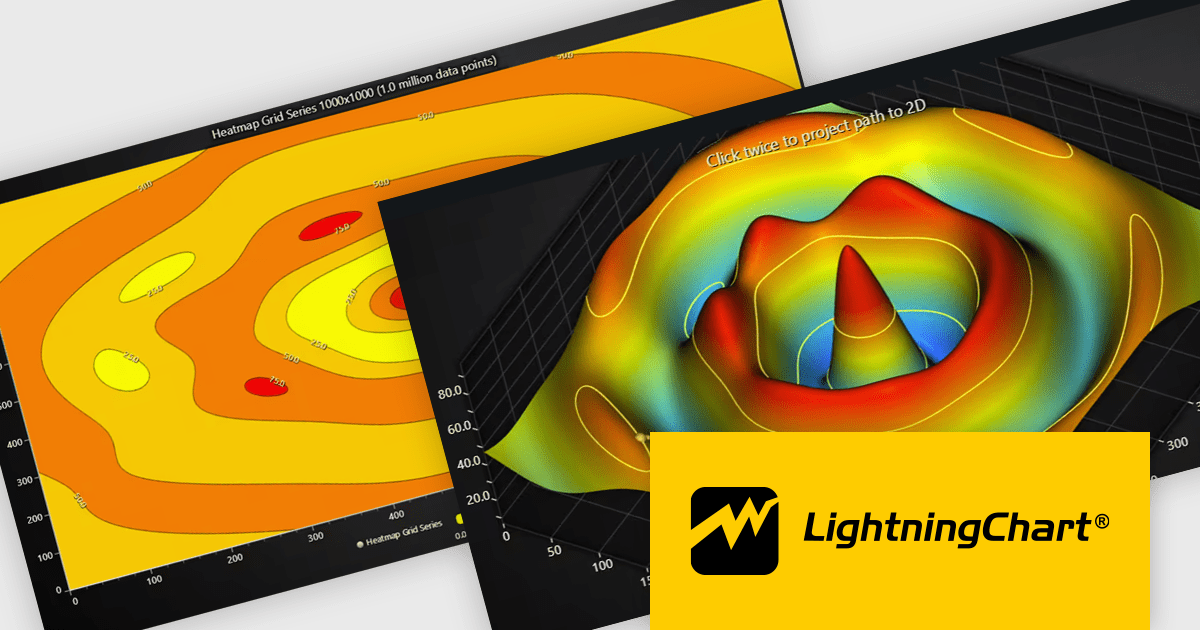
LightningChart JS is a high-performance JavaScript charting library that utilizes WebGL rendering and GPU acceleration to deliver exceptional performance for a wide range of data visualization needs. It is designed to handle large datasets and complex visualizations with ease, enabling developers to create interactive and visually appealing 2D and 3D charts. Ideal for applications demanding smooth real-time data updates, such as financial platforms, engineering tools, scientific research dashboards, and industrial monitoring systems, LightningChart JS provides a comprehensive API for customization and integration into web-based projects.
The LightningChart JS v8.1 update introduces built-in contour rendering for heatmap and surface charts, giving developers a straightforward way to highlight value transitions and gradients within complex datasets. The new contour capabilities automatically generate level lines and labels, while offering control over stroke and text styling for each contour level. This improves the clarity and interpretability of dense numerical data, reduces the need for custom rendering logic, and maintains high performance even when working with detailed datasets.
To see a full list of what's new in v8.1, see our release notes.
LightningChart JS is licensed per developer and is available as an annual license with 1 year support. See our LightningChart JS licensing page for full details.
For more information, see our LightningChart JS product page.
전화 : 00798 14 800 6332
팩스 : +1 770 250 6199


