













공식 공급 업체
200 이상의 소프트웨어 개발처와 판매 계약을 맺은 공인 디스트리뷰터로서 합법적인 라이선스를 제공합니다.
모든 브랜드 보기.
Accusoft is a privately held software company headquartered in Tampa, Florida, that specializes in document processing, conversion, and automation solutions. It offers a variety of software products focused on tasks like Optical Character Recognition (OCR), document capture, barcode recognition, and image compression, all backed by a culture of innovation and a commitment to customer success. ComponentSource has been in partnership with Accusoft since 1998, helping to distribute its award-winning products to the global developer community.
Congratulations to Accusoft on winning a Top 50 Publisher Award in this year's ComponentSource Awards. We're pleased to once again recognize Accusoft's ongoing excellence in developing document solutions.
Each year, the ComponentSource Awards leverage real global sales data to identify the top 100 bestselling software components and development tools. This recognition not only reflects real-world adoption by developers but also provides valuable insights into current market trends and preferred solutions, making it a trusted source for gauging developer preferences. For full details on this year's awards see:
Sparx Systems, an Australian software company founded in 1996, specializes in developing visual tools to aid in planning, designing, and developing software-intensive systems. Its core product, Enterprise Architect, is a recognized industry leader in Unified Modeling Language (UML) modeling, but it also supports other key notations like SysML and BPMN. ComponentSource has been in partnership with Sparx Systems since 2016, helping to distribute its award-winning products to the global developer community.
Congratulations to Sparx Systems on winning a Top 25 Publisher Award in the annual ComponentSource Awards for 2025. We're pleased to once again recognize Sparx Systems's ongoing excellence in developing modeling tools.
Each year, the ComponentSource Awards leverage real global sales data to identify the top 100 bestselling software components and development tools. This recognition not only reflects real-world adoption by developers but also provides valuable insights into current market trends and preferred solutions, making it a trusted source for gauging developer preferences. For full details on this year's awards see:
Revenera is a company focused on software lifecycle management solutions, with a core product line built around InstallShield. InstallShield offers tools for developers to create efficient and user-friendly installation packages for Windows environments, including traditional MSIs and modern MSIX formats, streamlining the software deployment process. ComponentSource has been in partnership with Revenera since 2020, helping to distribute its award-winning products to the global developer community.
Congratulations to Revenera on winning a Top 25 Publisher Award along with two Top 50 Product Awards in the annual ComponentSource Awards for 2025. We're pleased to once again recognize Revenera's ongoing excellence in developing high-quality software lifecycle management solutions.
Each year, the ComponentSource Awards leverage real global sales data to identify the top 100 bestselling software components and development tools. This recognition not only reflects real-world adoption by developers but also provides valuable insights into current market trends and preferred solutions, making it a trusted source for gauging developer preferences. For full details on this year's awards see:
Redgate Software is a Cambridge-based company with a focus on empowering developers and data professionals. It accomplishes this by developing a suite of database management tools that cater to various platforms including Microsoft SQL Server, Oracle, MySQL, and even Microsoft Azure. These tools streamline tasks across the entire database DevOps lifecycle, allowing for smoother software delivery and more efficient data management. ComponentSource has been in partnership with Redgate Software since 2005, helping to distribute its award-winning products to the global developer community.
Congratulations to Redgate Software on winning a Top 25 Publisher Award along with three Top 100 Product Awards in the annual ComponentSource Awards for 2025. We're pleased to once again recognize Redgate Software's ongoing excellence in developing high-quality database management solutions.
Each year, the ComponentSource Awards leverage real global sales data to identify the top 100 bestselling software components and development tools. This recognition not only reflects real-world adoption by developers but also provides valuable insights into current market trends and preferred solutions, making it a trusted source for gauging developer preferences. For full details on this year's awards see:
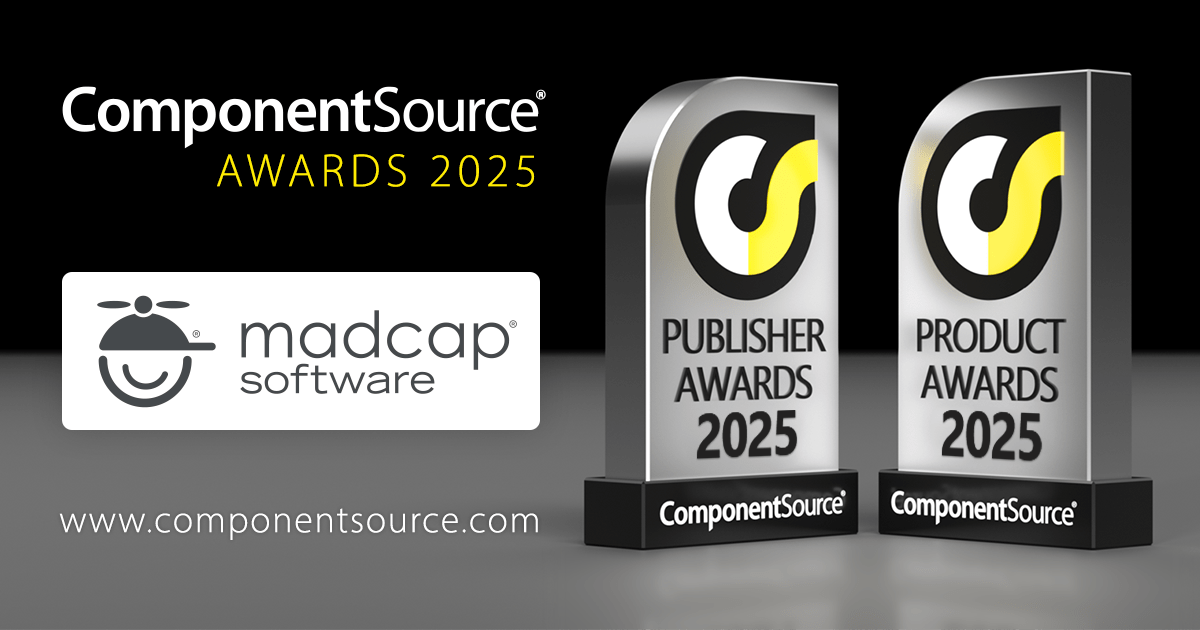
MadCap Software is an American company focusing on technical communication solutions. It provides a suite of tools for technical writers and documentation teams, including MadCap Flare, a versatile content authoring platform that outputs to various formats, and MadCap Central, a cloud-based solution for project management, collaboration, and content delivery. ComponentSource has been in partnership with MadCap Software since 2013, helping to distribute its award-winning products to the global developer community.
Congratulations to MadCap Software on winning a Top 25 Publisher Award and Top 50 Product Award for MadCap Flare in the annual ComponentSource Awards for 2025. We're pleased to once again recognize MadCap Software's ongoing excellence in developing high-quality technical documentation solutions.
Each year, the ComponentSource Awards leverage real global sales data to identify the top 100 bestselling software components and development tools. This recognition not only reflects real-world adoption by developers but also provides valuable insights into current market trends and preferred solutions, making it a trusted source for gauging developer preferences. For full details on this year's awards see:
전화 : 00798 14 800 6332
팩스 : +1 770 250 6199


