













공식 공급 업체
200 이상의 소프트웨어 개발처와 판매 계약을 맺은 공인 디스트리뷰터로서 합법적인 라이선스를 제공합니다.
모든 브랜드 보기.
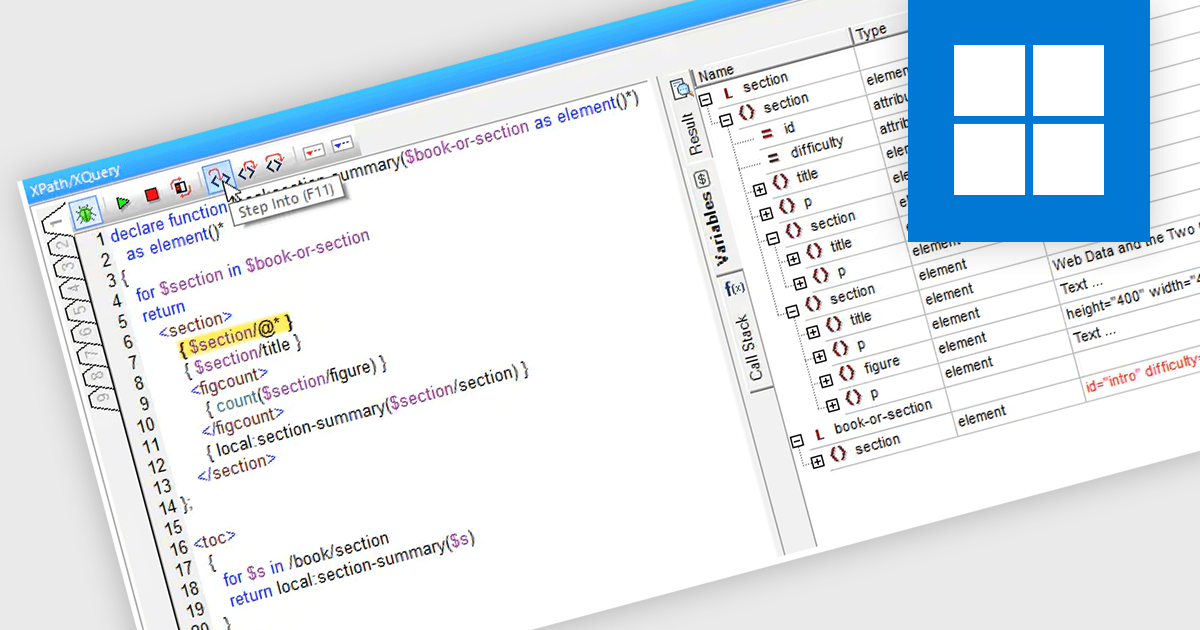
An XQuery debugger is a software tool designed to aid in the development and troubleshooting of XQuery expressions. Similar to debuggers used for traditional programming languages, it allows you to step through your XQuery code line by line, set breakpoints to pause execution at specific points, and inspect the values of variables during execution. This helps pinpoint errors in logic and data handling within your XQuery expressions, ensuring they manipulate XML data as intended.
Several structured document tools offer XQuery debugging functionality including:
For an in-depth analysis of features and price, visit our structured document tools comparison.

PDF security and standards play a critical role in ensuring the integrity, confidentiality, and accessibility of digital documents. With PDFs widely used for business, legal, and government purposes, maintaining compliance with security protocols and industry standards is essential. Modern PDF components provide robust protection mechanisms, allowing organizations to safeguard sensitive information while ensuring documents meet regulatory requirements such as ISO 32000, PDF/A for archiving, and PDF/UA for accessibility. These features help prevent unauthorized access, support legal validity, and enable secure document exchange across different platforms.
Common features include:
For an in-depth analysis of features and price, visit our .NET Core PDF components comparison.
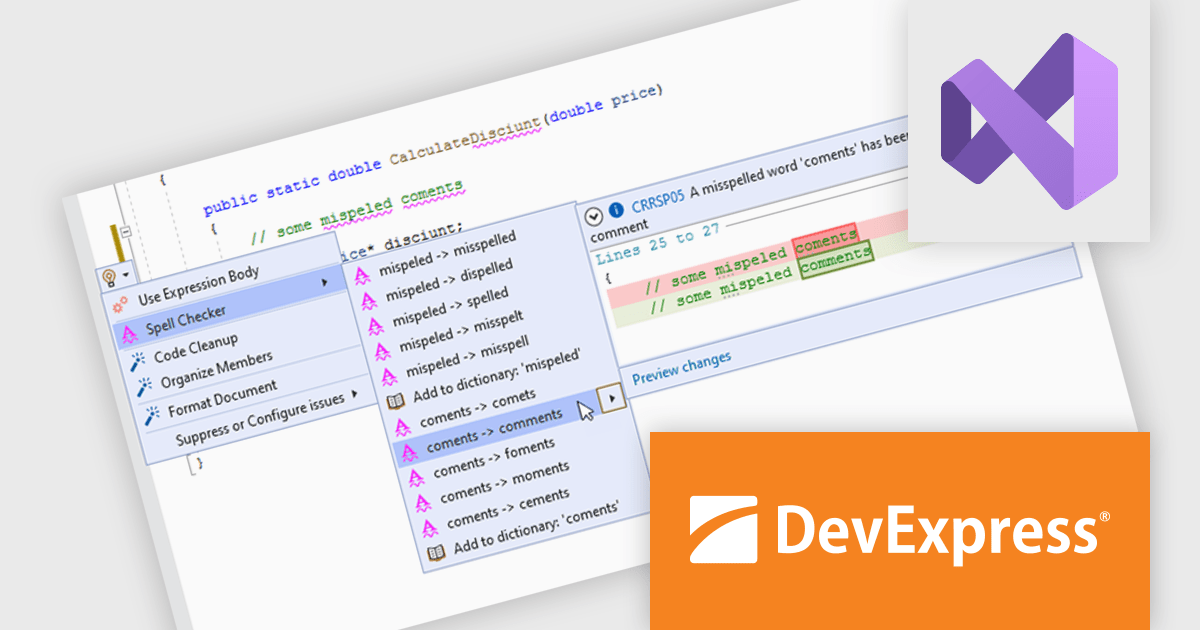
CodeRush Ultimate is a Visual Studio extension designed to improve developer productivity and creativity. It empowers you to generate sophisticated code, automate tedious tasks, and navigate your codebase effortlessly, all while boosting code quality and readability. By eliminating repetitive coding and providing intelligent assistance, CodeRush Ultimate frees you to focus on the big picture, helping you deliver more features faster and with higher quality.
CodeRush optimizes code visualization and readability by improving structure, clarity, and maintainability within Visual Studio. It helps developers quickly identify and correct misspellings in code, comments, and strings, ensuring accuracy and professionalism. In-place expression value previews streamline debugging by allowing immediate verification of values without disrupting workflow. Code block and region highlighting improve navigation and comprehension, while a right margin indicator helps maintain consistent formatting for better readability across different screen sizes. By simplifying code interaction and improving visual structure, CodeRush enables developers to write, review, and debug code more efficiently.
CodeRush Ultimate is licensed per developer and is available as a Perpetual License with a 12 month support and maintenance subscription. See our CodeRush Ultimate licensing page for full details.
CodeRush Ultimate is available to buy in the following products:
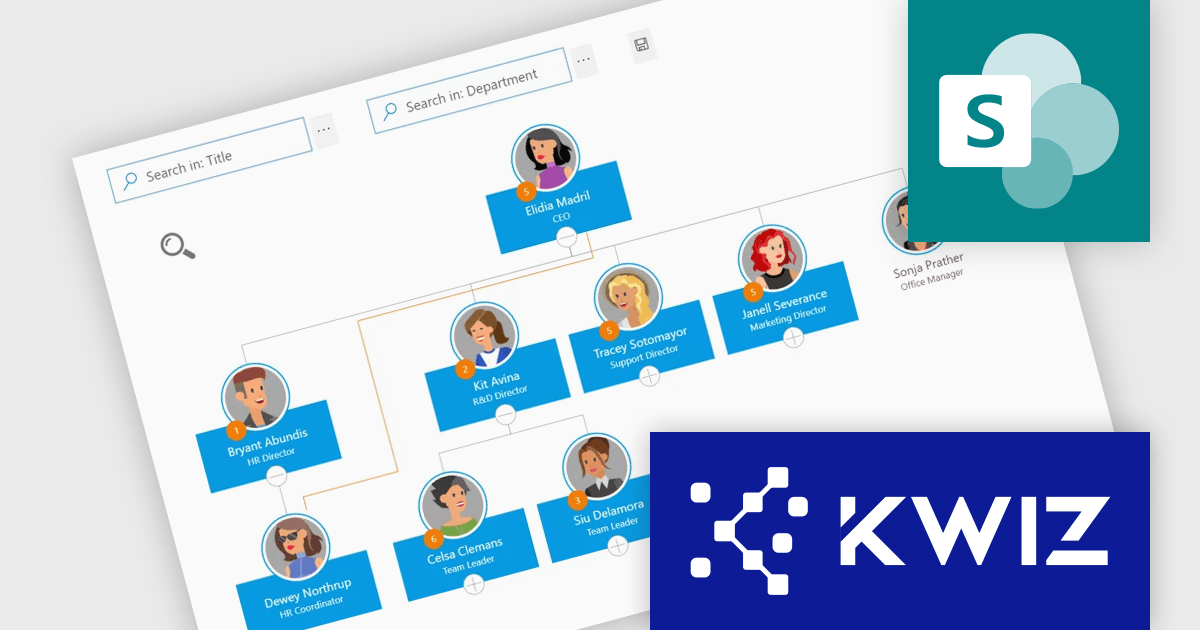
KWIZ Organization Chart enhances organizational management by integrating data from various sources to display dynamic breakdown structures in tree, grid, or custom views. Unlike static charts, KWIZ offers real-time, interactive visuals with a user-friendly interface for easy customization. Users can quickly locate and connect with colleagues, enhancing accessibility and collaboration. Ideal for HR and management teams, it provides clear insights and fosters efficiency across the organization.
The KWIZ Org Chart boosts data accessibility and usability by allowing software developers to implement personalized custom filters and formatting, enabling precise searches and tailored data visualizations. This feature empowers users to create logic-based conditions to dynamically highlight specific employees or attributes using icons, colors, and other visual cues. By integrating these capabilities, developers can deliver highly customizable, user-friendly tools that adapt to diverse organizational needs, streamline workflows, and provide actionable insights in real time.
KWIZ Organization Chart is licensed on an annual basis, requiring each user in your organization to be covered by an Annual Subscription license. Different levels are available to cater for different numbers of users. See our KWIZ Organization Chart licensing page for full details.
For more information, visit our KWIZ Organization Chart product page.
Stimulsoft BI Designer is a powerful reporting tool designed to create visually appealing and interactive reports. It empowers users to design and develop complex reports with ease, integrating data from various sources and presenting it in a clear, concise, and informative manner. With its rich feature set, Stimulsoft BI Designer is widely used in diverse industries, including finance, healthcare, retail, and manufacturing, to generate reports for analysis, decision-making, and compliance purposes. Key benefits include its intuitive interface, extensive customization options, and support for multiple data sources, making it an essential tool for organizations seeking to enhance their reporting capabilities and gain valuable insights from their data.
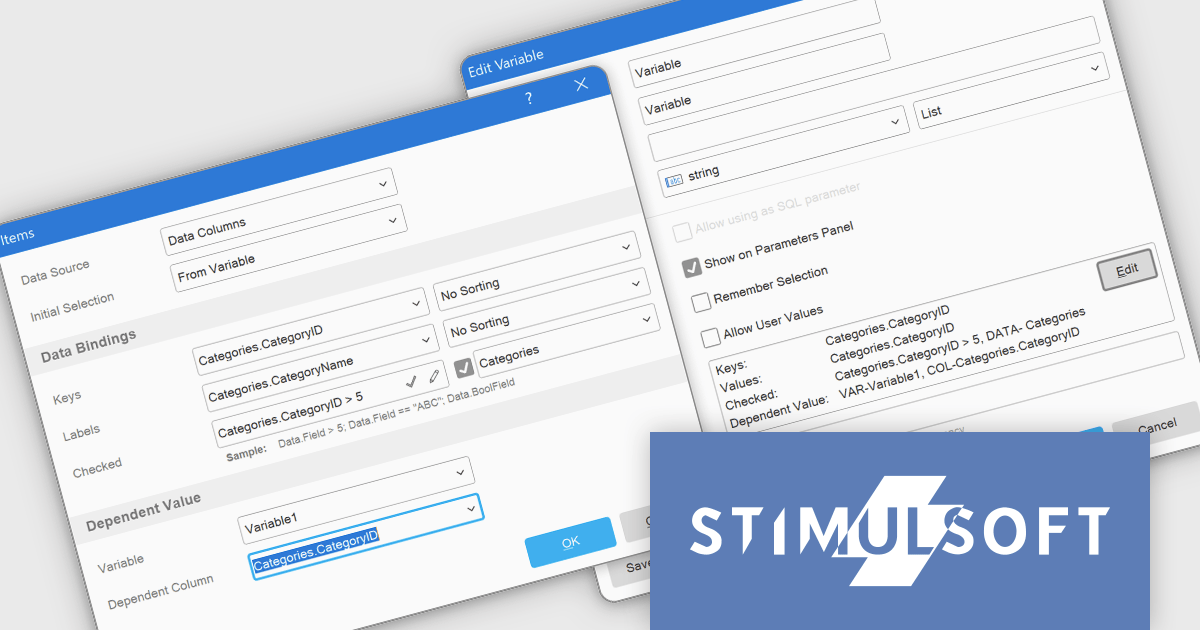
The Stimulsoft BI Designer 2025.1.1 update introduces an optimized variable editor that enhances the process of creating and managing report variables. This improvement streamlines parameter configuration by moving it to a dedicated window, offering developers a more organized and efficient workspace. The ability to enable the "Show on parameter panel" option and directly edit variable elements in the Items field simplifies customization, making it faster and more precise. By reducing complexity and improving usability, this update enables developers to create and adjust reports with greater efficiency and control, supporting more dynamic and tailored reporting solutions.
To see a full list of what's new in 2025.1.1, see our release notes.
Stimulsoft BI Designer is available as a perpetual license and is licensed per creator. A creator has an account on the server, has access from the client-side, registered as an editor, and uses the product to work with report templates and dashboards - create, edit, view, delete, etc. See our Stimulsoft BI Designer licensing page for full details.
Stimulsoft BI Designer is available individually or as part of Stimulsoft Ultimate.
전화 : 00798 14 800 6332
팩스 : +1 770 250 6199


