ShellTreeListBox - The ShellTreeListBox control presents a shell folder hierarchy in a tree structure, similar to what you see in the left side of Windows Explorer. It is designed as a standalone control, so it can be used to build 'Browse for Folder' dialogs or can be paired with other shell controls to build a robust folder browser UI.
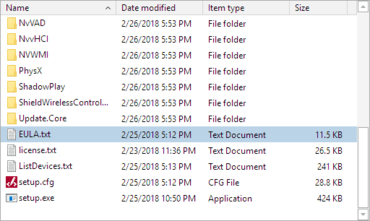
ShellListView - The ShellListView control shows the contents of a selected folder using column-based property display, similar to what you see in the right side of Windows Explorer. Sorting by column is supported. It even accounts for the column's property type when comparing shell objects.
Shell Object Framework - The Shell Object Framework provides a managed way to access a file system shell. Shell objects represent a folder, file, or link from a shell service. For instance, our included Windows shell service implementation creates shell objects to represent the folders, files, and links found on your PC, even the virtual ones like 'This PC.' The built-in Windows shell service functionality can be customized/extended. Or in other cases, completely custom shell objects and services can be written to support non-Windows shells (i.e. a remote file system in a FTP client).