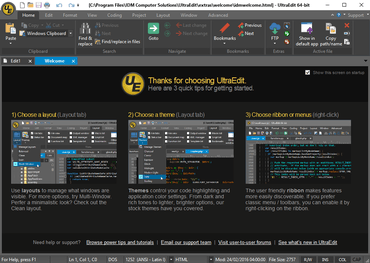
UltraEdit v27.10

무제한 선 길이 옵션을 추가하고 전체 화면 모드로 전환할 때 디스플레이를 향상시킵니다.
9월 28, 2020
신규 버전

기능

  • File properties:
    • Dockable window displays information about active file.
    • File attributes, encoding, line/character statistics, etc.
    • Copy one or all file properties to clipboard.
    • Collapsible information sections.
  • Image preview for HTML / web files:
    • Hover over image reference in source to see preview in tooltip.
    • Supported in HTML, CSS, JavaScript, JSON, Markdown, PHP, Python, Ruby, Perl.
    • Supports BMP, GIF, JPE/JPG/JPEG, PNG, and TIFF image formats.
    • See original image size and color mode.
  • UAC administrator override prompt for modifying and saving system files.
  • Unlimited line length – no forced wrap:
    • Unlimited line length option added (Settings - Editor display - Miscellaneous).
    • Set max columns before wrap to values greater than 20,000.
  • Hide / show unchanged lines (View - Hide/show drop down).
  • Combine multiple files:
    • Accessible via Edit tab - File (Insert group) - Insert multiple files.
    • Select one or more files from multiple locations.
    • Set order of inserted files.
    • Option to add new line if missing from inserted file(s).
    • Line terminators automatically normalized if "On paste convert line endings" set (Settings - File handling - Conversions).
  • Jump to function definition:
    • Ctrl + Right-click on function call in source to jump to its definition.
    • Function must be listed in function list.
  • Eliminated view shift when selecting all (Ctrl + A).
  • Manually set syntax highlighting type now remembered between sessions.
  • Syntax highlighting preserved for HTML / XML matching tag highlights.
  • Improved performance for JavaScript Lint.
  • Added Unicode BOM indicator to encoding value in status bar.
  • Improved display when toggling full screen mode.
  • Window framework update to improve performance and display.
  • Improved handling of literal caret (^) in templates.
  • Improvements for inserting files of different encodings and line terminator formats.
  • Various other minor improvements.
UltraEdit

UltraEdit Core

신뢰할 수 있는 강력한 텍스트 편집기 및 비교 도구.

UltraEdit Core 도 구매할 수 있습니다:

궁금한 점이 있으세요?

UltraEdit 사 제품 라이선스 담당자와 라이브 채팅