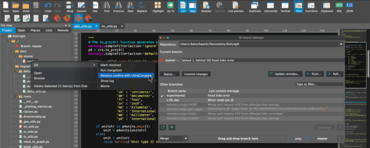
UltraEdit - UltraEdit for Mac v21.00.0.12 포함

다중 인스턴스 및 Git 컨텍스트 작업에 대한 지원을 추가합니다.
8월 25, 2021
신규 버전

기능

  • Added support for multi-instances (multiple UltraEdit windows).
    • Instances will now remember and reload files.
  • Added Git integration.
    • Added support for automated detection of Git on first run, with import of existing Git settings.
    • Added Git status icon overlays for repos in Places and Project tabs in File View.
  • Added support for Git contextual actions (Places/Project tab).
    • You can now right-click on a repository folder to add new files, commit, push, pull, blame, show log, and more.
    • You can now right-click on a file in a repo to commit it only, diff, revert, blame, and more.
    • You can now diff or merge conflicts directly in UltraCompare.
    • You can now access .gitconfig and .gitignore files from the context menu.
  • Added support for Git Branch Manager.
    • You can now open/access via Git context menu in Places or Project tab.
    • You can now see list of branches within repository.
    • You can now update current branch's status, commit and push.
    • You can now create, checkout and delete branches.
    • You can now drag-and-drop to merge or rebase.
  • Added support for Git Shell.
    • You can now open/access via Git context menu in Places or Project tab.
    • You can now run Git commands and see output directly within UltraEdit.
    • You can now access Git command history.
  • Added support for Git toolbar.
    • You can now add, commit, stash, push and pull.
    • You can now toggle between Git Shell and Git Branch Manager.
  • Key mapping support has been added for various Git actions (commit, push, pull, etc.).
  • Added new Git configuration options in UltraEdit > Preferences.
UltraEdit for Mac

UltraEdit Core

신뢰할 수 있는 강력한 텍스트 편집기 및 비교 도구.

UltraEdit Core 도 구매할 수 있습니다:

궁금한 점이 있으세요?

UltraEdit 사 제품 라이선스 담당자와 라이브 채팅