FinalBuilder Server

Automated build and continuous integration server that centralizes build projects through a web interface.

VSoft Technologies사에서 공개
2007년 부터 ComponentSource에서 판매중
i

FinalBuilder Server is not recommended for new installations. If you are an existing user and require additional licenses please contact sales@componentsource.com for a quote. Continua CI has replaced FinalBuilder Server for all your continuous integration needs.

FinalBuilder Server 주요 기능

Features of FinalBuilder Server

FinalBuilder Server is packed with powerful features to simplify the implementation of sophisticated build, test and release processes.

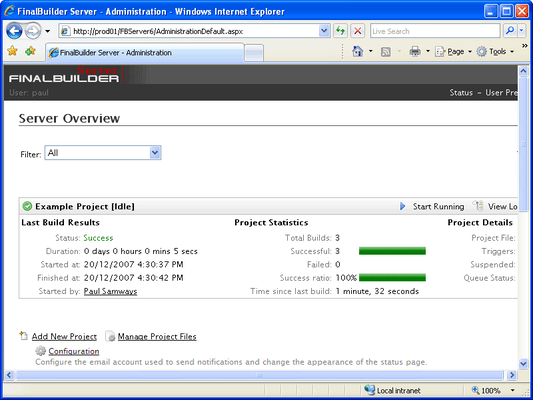
Rich Web Interface

  • Centralized build management
  • Anonymous access to build statistics and metrics
  • AJAXaccelerated web content
  • Integrated help comments to streamline learning curve
  • Supported by all major browsers (Internet Explorer, Firefox, Safari, Opera)

Logging

  • Dynamic hierarchical build log
  • Static hierarchical build logs
  • Live build log
  • Search in dynamic logs
  • Filter dynamic logs

Build notifications

  • RSS
  • Email
  • Customizable templates for build notifications

Build Metrics

  • Compiler
  • Help compiler
  • Unit Tests

Team Management System

  • User authentication
  • Active Directory LDAP integration

Build responsibility

  • Role based permissions management schemes
  • Comprehensive permissions for:
    • Interaction with Projects
    • Managing Projects & Project Files
    • Managing Variables
    • Managing Notifications
    • Managing Project Triggers & Conditions
    • Managing Users
    • Managing Roles
    • Managing Licenses

Continuous Integration triggers supporting:

  • CVS
  • Perforce
  • Subversion
  • Surround SCM
  • SourceGear Vault
  • Visual SourceSafe
  • Visual Studio Team System

Time triggers to schedule builds:

  • Daily
  • Weekly
  • Monthly
  • Once Off
  • At any specified interval

Run Process Trigger to run builds on specified

  • Process exit code
  • Process output
  • File changes

File Trigger to run builds when a file is:

  • Created
  • Changed
  • Deleted
  • Renamed

Trigger Conditions

  • If Project is Running
  • Project's Last Run Result
  • Time Since Last Run
  • Project Waiting to be Started
  • If Time Between

Build queue