
JSuite
그리드, 트리, 스케쥴, 카렌더, 익스플로어, 젠트 차트(Gantt chart), 입력, 차트, 그래프 및 UI 기능을 Java응용 프로그램과 브라우저 베이스의 애플릿에 추가할 수 있습니다.
Infragistics사에서 공개
1996년 부터 ComponentSource에서 판매중
더 이상 이 제품을 제공 하지 않습니다.
그리드, 트리, 스케쥴, 카렌더, 익스플로어, 젠트 차트(Gantt chart), 입력, 차트, 그래프 및 UI 기능을 Java응용 프로그램과 브라우저 베이스의 애플릿에 추가할 수 있습니다.
Infragistics사에서 공개
1996년 부터 ComponentSource에서 판매중
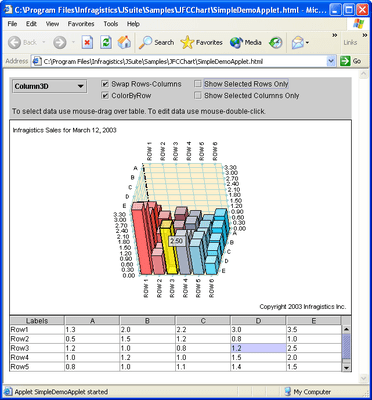
Released: Nov 1, 2001
New in Version 6.0:
JSuite includes 4 sets of component libraries located in following packages:
New Components
New Server Components
ACL
The Access Control List component is used to give various roles to users of a system where each role consists of a set of one or more attributes. A client can use the ACL component by finding the user name and the corresponding role and check before any functionality is used that the client has the proper level of authority. A client can further check whether a role has the required attributes.
The ACL consists of 3 parts: Attributes, Roles, Users
Attributes are the functions in a system in which users have a role. For example: a user can have the facility to delete (id 7)
Roles are specified by a congregation of one or more attributes. For example: an administrator, whose attribute ids may be 7,6 and 2.
Users are all the people / other systems which have a role id in a system.
ConnectionPool
The Connection Pooling component maintains a specified pool of connections at start up.
Whenever a client makes a call to get connection, if a connection is available then the connection is returned. If a connection is not available and the maximum connections are already in use the component will keep trying until the specified time out is reached. If the maximum connections are not in use then a new connection will be created and added to the pool and returned. The main advantage of using this connection pool is that a client does not have to explicitly write any time dependant code to wait until a connection is available. Instead a client just sets the time a client should wait for the pool to return a connection. As soon as the connection is available the pool returns the connection or if the timeout set is over it throws an exception.
Password
The Password component implements an authentication mechanism to validate User Id and Password against a directory server or database. It facilitates the ability to add a new user profile or manage existing user profiles. Features include:
Current Components also enhanced.
전화 : 00798 14 800 6332
팩스 : +1 770 250 6199


