Released: Feb 17, 2016
Updates in this release
Updates in 2.2
- Multilingual User Interface - now available with a user interface in English or German.
- New remediation functionality is now available for the System Readiness tests. Issues which have been found while testing the System Readiness of a package can be fixed without leaving the Test Wizard of RayQC Advanced.
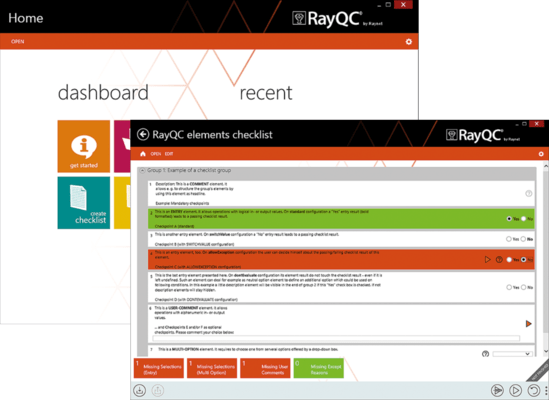
- Create new rules by importing RayQC Checklists into the RayQC Advanced Rule Browser. After the checklists have been imported they are available for testing.
- Fully supports the import and testing of App-V packages.
Other Improvements & Enhancements
- Provide a way to archive a package together with a report from the software library.
- Implement "collapse/uncollapse all" toggle button in grid Top Toolbar.
- Database Update Check has been implemented
- During the start-up of RayQC Advanced, the application now checks if the database has been updated.
- Release Notes and Applications can be launched after setup
- An option has been added which enables users to launch RayQC, RayQC Advanced, and the Release Notes from the installation wizard after the setup has been completed.
- No support for polish characters.
- URL filter would be nice to get any possibility to check that URL filter work correctly.
- All pop-up windows should appear in the middle of parent window.
- Cleanup and reorganize RayQC Advanced styles and resources.
- URL filter/Crawled links dialog.
- Longer name/titles which do not fit in the field should end with '...".
- Change MoreInformation link in rule number 19 in Browser Compatibility rule set.
- Implement new Browser Compatibility rule: Binary Elements Behaviors Binding.
- Implement About content in RayQC Advanced.
- Switching between Single and Multi import.
- Add column chooser into restore window.
- Highlight the destination folder while drop-down package.
- Improve Issue screen in Test Wizard.
- Provide a way to expand or collapse all items in the software library browser.
- Display option to reveal command line before testing is performed.
- Rename Not Performed Tests into Skipped.
- Add buttons for fixes selection in the issue page of the Test Wizard.
- Improve database schema to get rid of XML data saved in the Report table.
- Provide a way to save report in database when testing a package via command line.
- Provide a way to import RayQC checklist into RayQC Advanced database/storage.
- Improve displaying of Source and Target packages in Reports screen.
- Improve uploading reports in CMD.
- Improve existing collision rules.
- Improve testing severity in collision rules.
- Reorder pages in test wizard.
- Improve test wizard to automatically import packages during testing.
- Improve migration engine to allow migration from XML report data into table structure in database.
- Change character encoding in XML checks.
- Improve RayQC Advanced installer to display information about the status of installation.
- Information in "Custom"-tab in Library.
- Question about saving report files.
- Double downloading in Multiimport.
- Information in "Related packages"-tab in Library.
- Improve virtualization rule V to exclude some custom actions.
- Introduce custom properties feature.
- Packages page in Test Wizard should be improved to display selected packages.
- Change RayQC Advanced dashboard view in offline mode.
- Improve testing areas page in Test Wizard.
- Add new column in report browser to allow grouping by report status.
- Improving exception handling.
- Provide a way to test compatibility and collisions via RayQC Advanced plugin.