
Exception Hunter
발생 가능한 예외 사항을 위해 .NET 어셈블리를 분석 합니다.
Redgate Software사에서 공개
2005년 부터 ComponentSource에서 판매중
더 이상 이 제품을 제공 하지 않습니다.
발생 가능한 예외 사항을 위해 .NET 어셈블리를 분석 합니다.
Redgate Software사에서 공개
2005년 부터 ComponentSource에서 판매중
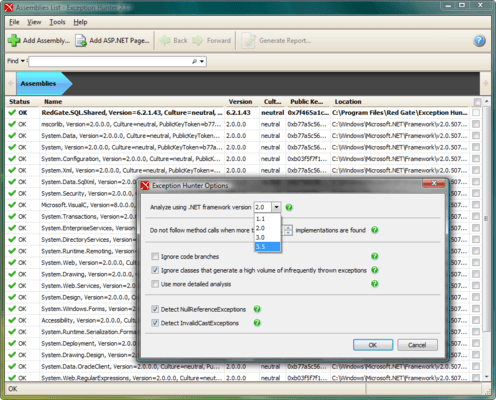
Exception Hunter has been discontinued. With the release of .NET 4.0 and WPF, the number of exceptions that the CLR can throw was greatly increased, to the point of being overwhelming. The exclusions list can no longer cover all the unlikely exceptions that the CLR may throw. This means that, although Exception Hunter will provide accurate results, these results will include a long list of...
Show moreException Hunter has been discontinued. With the release of .NET 4.0 and WPF, the number of exceptions that the CLR can throw was greatly increased, to the point of being overwhelming. The exclusions list can no longer cover all the unlikely exceptions that the CLR may throw. This means that, although Exception Hunter will provide accurate results, these results will include a long list of potential exceptions, most of which are nothing to worry about. In essence, the tool has become a lot less usable and makes your job harder than it should be. This goes against red Gate's "ingeniously simple" ethos, so they have decided to stop selling new licenses for the product.
Disk Space Required: 100MB
Memory Required: 512MB
Software Required: Microsoft .NET Framework version 2.0, Internet Explorer 6+
전화 : 00798 14 800 6332
팩스 : +1 770 250 6199


