













Fornecedor oficial
Como distribuidores oficiais e autorizados, nós fornecemos licenças legítimas diretamente de mais de 200 editores de software.
Ver todas as nossas marcas.
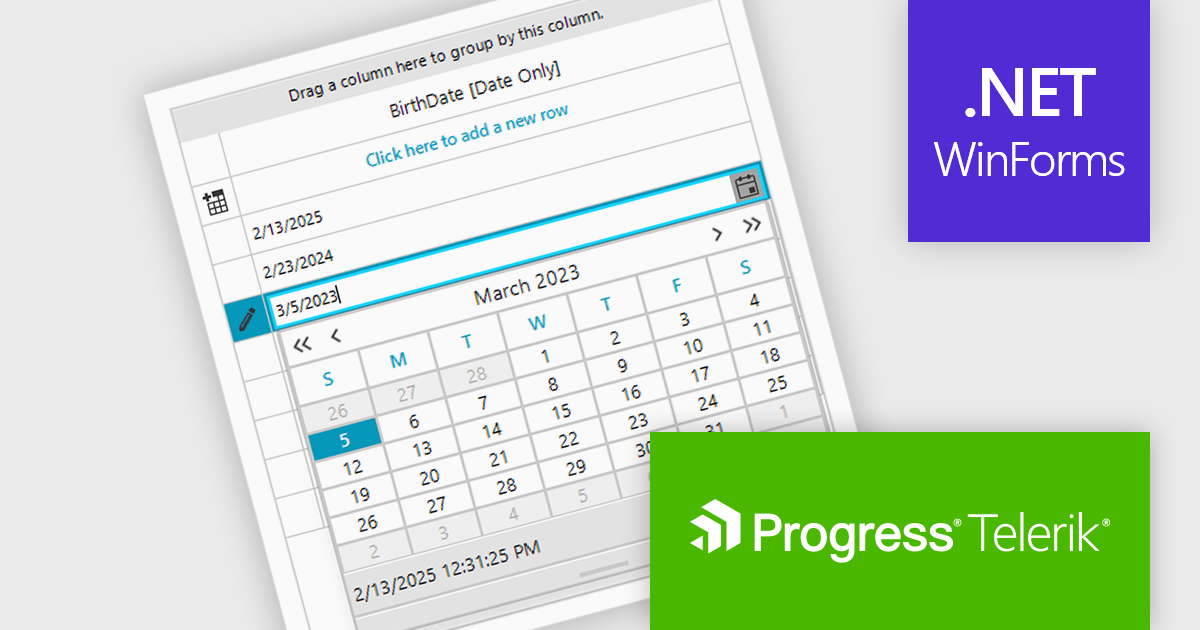
Telerik UI for WinForms is a comprehensive UI library offering over 160 versatile controls designed to streamline the development of modern, data-rich desktop applications. With features like built-in High DPI support, extensive customization options, and components ranging from grids and charts to schedulers and rich text boxes, it empowers developers to craft visually appealing and feature-packed Windows Forms applications.
The Telerik UI for WinForms 2025 Q1 update introduces dedicated support for .NET DateOnly column types in RadDataGrid. This update enhances the precision of date handling by allowing developers to bind, format, and edit date values without dealing with unnecessary time components. As a result, applications benefit from improved data accuracy, reducing potential errors in time-sensitive operations. This streamlined approach leads to greater reliability and offers developers a more efficient way to handle date data in their applications.
To see a full list of what's new in 2025 Q1 (2025.1.211), see our release notes.
Telerik UI for WinForms is licensed per developer and has two licensing models: an annual Subscription License and a Perpetual License. The Subscription license provides access to the latest product updates, technical support, and exclusive benefits for a flat annual fee, and must be renewed to continue using the software. The Perpetual license is a one-time purchase granting access to the current released version and includes a one-year subscription for product updates and technical support. After this initial period, users can choose to renew the subscription element to continue receiving updates and support; otherwise, they may continue using the installed version available during their active subscription term but will forgo future updates and support. See our Telerik UI for WinForms licensing page for full details.
Telerik UI for WinForms is available individually or as part of the following products:
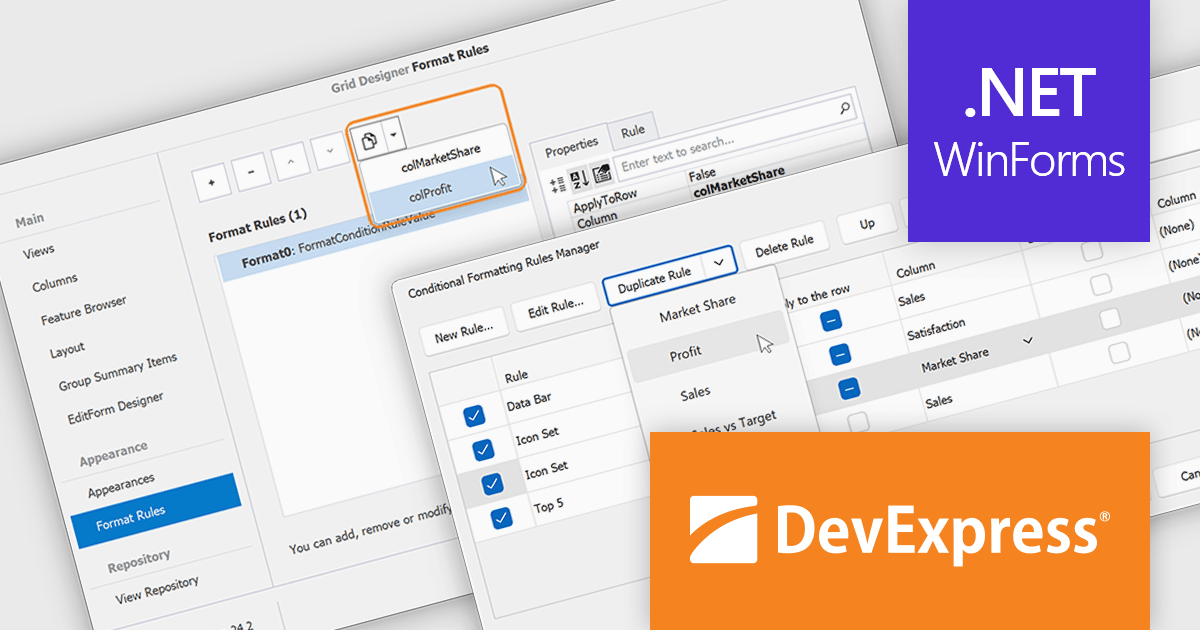
DevExpress WinForms is a comprehensive suite of 190+ UI controls and development tools designed for building high-performance desktop applications. It offers a broad array of customizable controls, from data grids and ribbon interfaces to advanced charts, maps, and diagramming components. This empowers developers to rapidly create functionally rich applications, while adhering to accessibility guidelines and touch-enabled technology for modern Windows environments.
The DevExpress WinForms v24.2 update introduces a rule duplication feature for conditional formatting, enabling developers to efficiently reuse and modify existing rules without manual recreation. This enhancement streamlines both design-time and runtime workflows, allowing quick adjustments to formatting logic across Data Grid, PivotGrid, TreeList, and Vertical Grid. By simplifying rule management within the Visual Studio Designer and at runtime, this update improves productivity, ensures consistency across UI elements, and reduces the effort required to maintain complex formatting configurations.
To see a full list of what's new in version 24.2, see our release notes.
DevExpress WinForms is licensed per developer and is available as a Perpetual License with a 12 month support and maintenance subscription. See our DevExpress WinForms licensing page for full details.
DevExpress WinForms is available individually or in the following products:
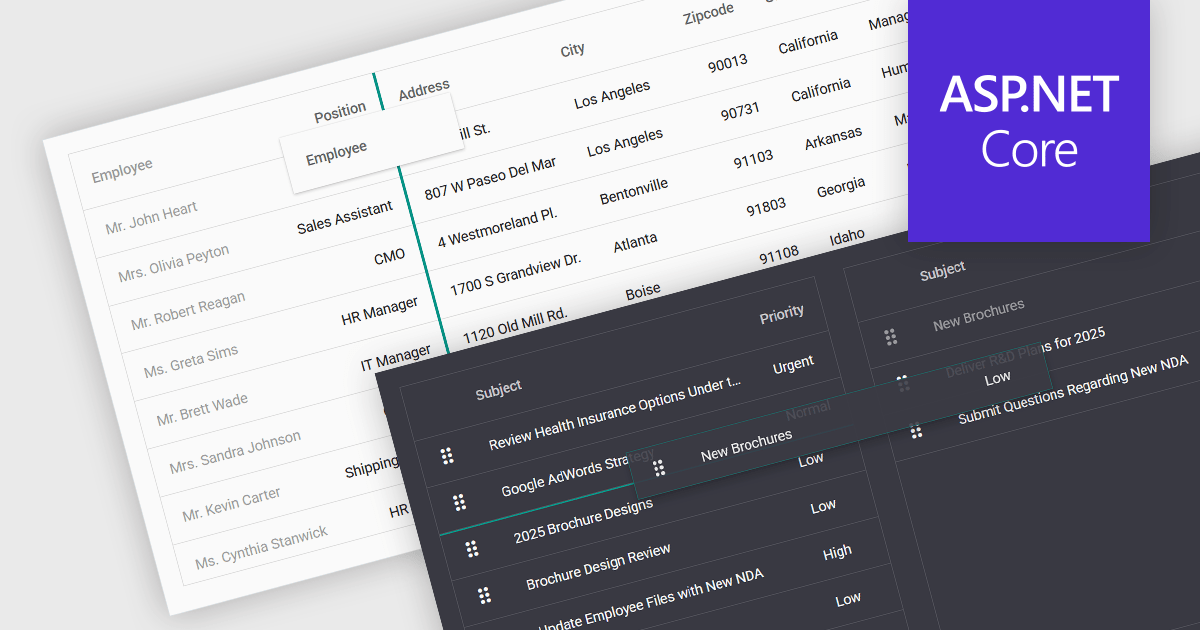
Drag-and-drop functionality in a data grid allows users to interactively move, reorder, or transfer data elements within the grid or between different grids using a simple click-and-drag motion. This feature provides an intuitive way to manipulate data without requiring complex commands or manual input, improving both efficiency and usability. It is particularly beneficial in applications that require frequent adjustments to data structures, such as dashboards, reporting tools, and data management systems. By enabling users to customize the grid layout dynamically, drag and drop functionality enhances productivity, and ensures greater flexibility when handling data.
Several ASP.NET Core grid controls support drag-and-drop functionality, including:
For an in-depth analysis of features and price, visit our ASP.NET Core grid controls comparison.
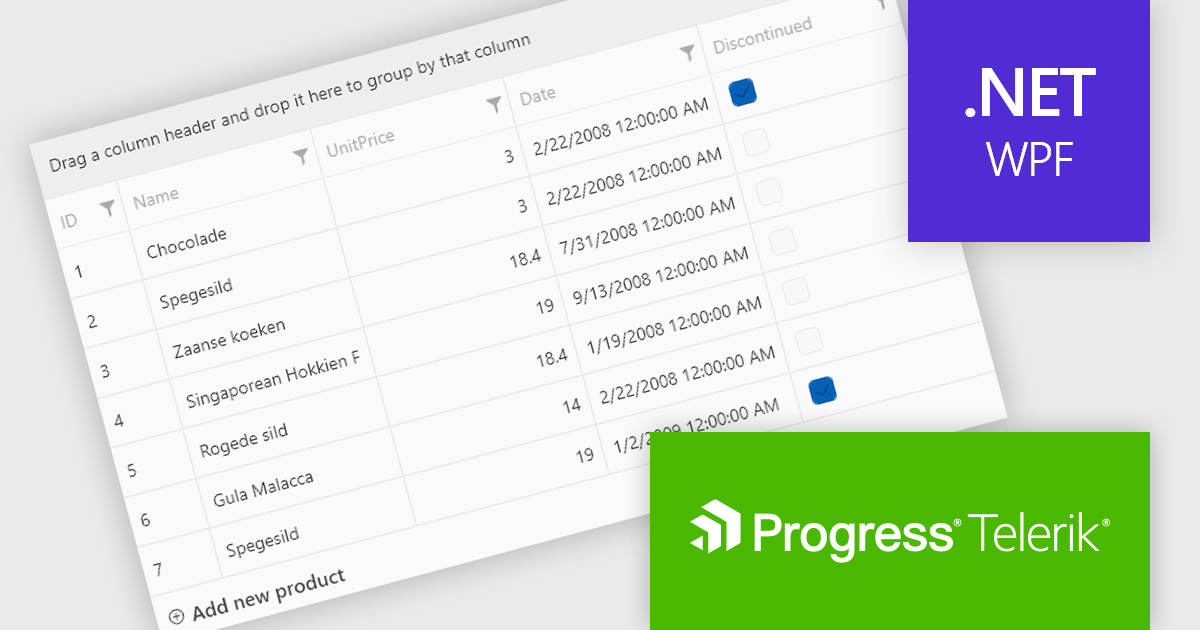
Telerik UI for WPF is a robust suite of over 150 user interface components designed for Windows Presentation Foundation, enabling developers to build modern, high-performance desktop applications. It includes controls like data grids, charts, schedulers, and editors, optimized for seamless integration and support for MVVM (Model-View-ViewModel) patterns. With features like built-in theming, responsive layouts, and customizable styling, it simplifies the creation of visually appealing, intuitive interfaces. Ideal for enterprise-grade or consumer-facing apps, Telerik UI for WPF accelerates development while ensuring professional-quality results.
The Telerik UI for WPF 2025 Q1 (2025.1.211) update enhances RadGridView with a new filtering mode that supports complex expressions, providing developers with greater control and precision when working with data. This feature introduces an intuitive Filter Editor that combines a clear Data Filter View for visualizing applied criteria with the powerful RadDataFilter control for adding, editing, and managing filters. Key usability enhancements, such as optional wrapping for readability, quick enable/disable options for filters, and streamlined access to editing tools, make it easier to implement dynamic, customizable filtering experiences in applications, empowering developers to deliver highly responsive and user-centric interfaces.
To see a full list of what's new in 2025 Q1, see our release notes.
Telerik UI for WPF is licensed per developer and has two licensing models: an annual Subscription License and a Perpetual License. The Subscription license provides access to the latest product updates, technical support, and exclusive benefits for a flat annual fee, and must be renewed to continue using the software. The Perpetual license is a one-time purchase granting access to the current released version and includes a one-year subscription for product updates and technical support. After this initial period, users can choose to renew the subscription element to continue receiving updates and support; otherwise, they may continue using the installed version available during their active subscription term but will forgo future updates and support. See our Telerik UI for WPF licensing page for full details.
Telerik UI for WPF is available individually or as part of the following products:

Cell types in Grid components are specialized configurations that define how data is displayed, edited, and interacted with within a grid or table structure. They allow developers to tailor the presentation and functionality of each cell to better match the type of data it contains. By specifying cell types such as text, numeric, date/time, and more, Grid components can provide intuitive controls and formatting automatically, streamlining data entry and reducing errors.
Common features include:
For an in-depth analysis of features and price, visit our jQuery grid components comparison.
Tel: (888) 850 9911
Fax: +1 770 250 6199


