













Fornecedor oficial
Como distribuidores oficiais e autorizados, nós fornecemos licenças legítimas diretamente de mais de 200 editores de software.
Ver todas as nossas marcas.

PDF annotations in PDF Viewer components allow users to interact with and mark up documents directly within an application. This functionality is critical for workflows requiring collaborative review, document editing, or enhanced personalization of PDFs, offering a seamless experience for annotating without requiring external tools. By embedding annotation capabilities, applications can boost productivity and streamline document-centric tasks.
Common features include:
For an in-depth analysis of features and price, visit our React PDF Viewer components comparison.
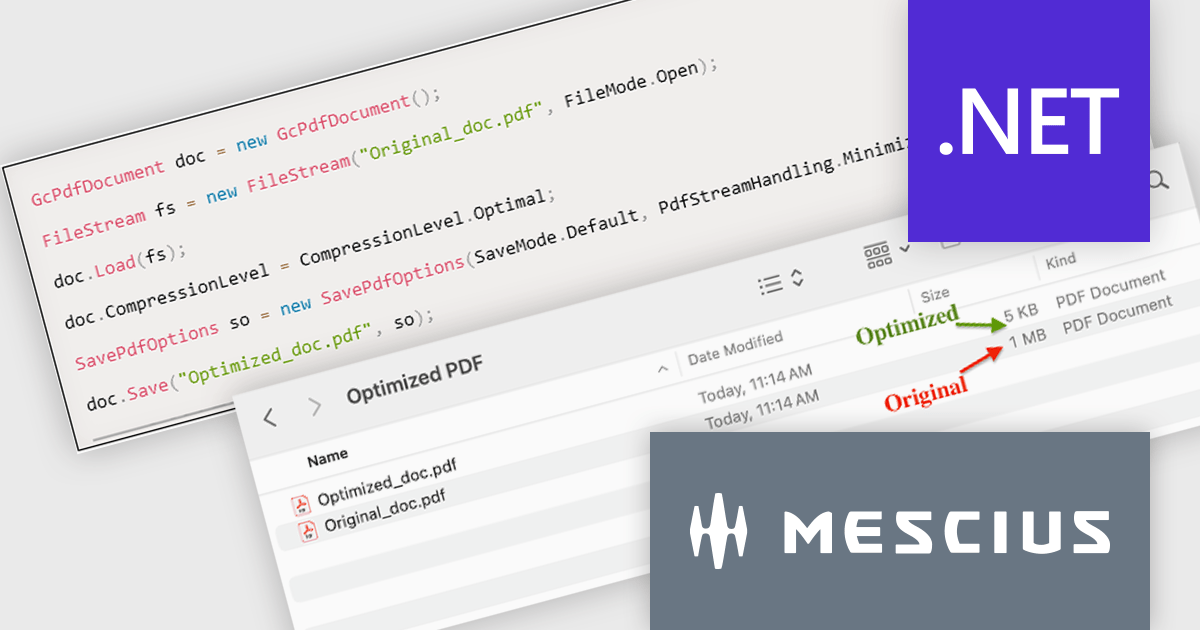
Document Solutions for PDF (DsPdf) by MESCIUS is a software development toolkit that provides .NET Core libraries and a JavaScript PDF viewer for manipulating and displaying PDFs. DsPdf enables developers to create, edit, annotate, and redact PDF documents directly within web applications. The included DsPdfViewer component offers a feature-rich, cross-platform solution for viewing and interacting with PDFs in modern browsers on various operating systems, including mobile devices.
The Document Solutions for PDF version 8.0.0 update introduces the new SavePdfOptions class, providing developers with control over PDF saving processes. This enhancement allows for the optimization of PDFs by enabling object streams (PDF 1.5), which reduces file size, improves compression efficiency, and streamlines document handling. By leveraging these capabilities, users can configure how PDF data is stored and processed, ensuring faster load times and seamless integration into workflows. This feature empowers developers to create tailored solutions that balance performance, storage efficiency, and application requirements.
To see a full list of what's new in version 8.0.0, see our release notes.
Document Solutions for PDF is licensed per developer and is available in several license options for differing distribution needs. Team licenses are also available for multiple developers within the same organization. See our Document Solutions for PDF licensing page for full details.
Document Solutions for PDF is available to buy individually or as part of Document Solutions .NET Bundle.
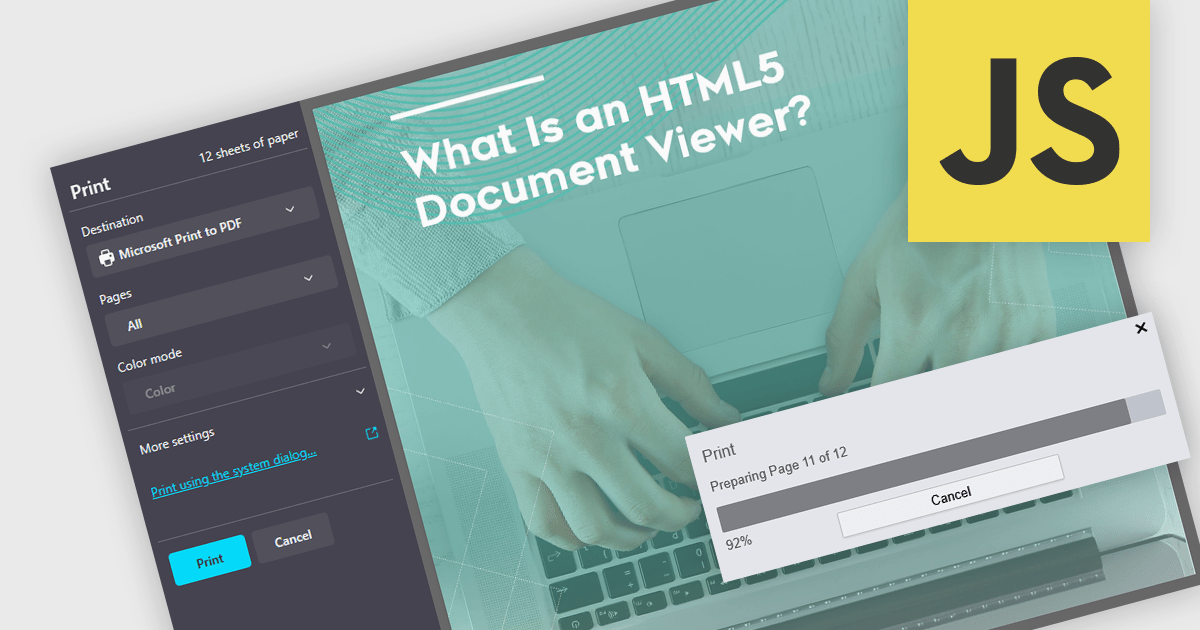
Printing to PDF allows users to save an existing document, webpage, or file as a PDF by using a virtual printer. It captures the document exactly as it would appear if printed, preserving the formatting, layout, and styling. The resulting document is typically static and cannot be edited, ideal for archiving or sharing finalized versions of a document. This feature is particularly useful for standardizing outputs across different software, ensuring consistent presentation, and providing an easy way to generate PDFs from files that do not natively support the format. By integrating PDF viewers with this functionality, developers can streamline the creation of high-quality, portable documents directly from a wide range of applications.
Several JavaScript PDF viewers allow users to print to PDF, including:
For an in-depth analysis of features and price, visit our comparison of JavaScript PDF viewers.
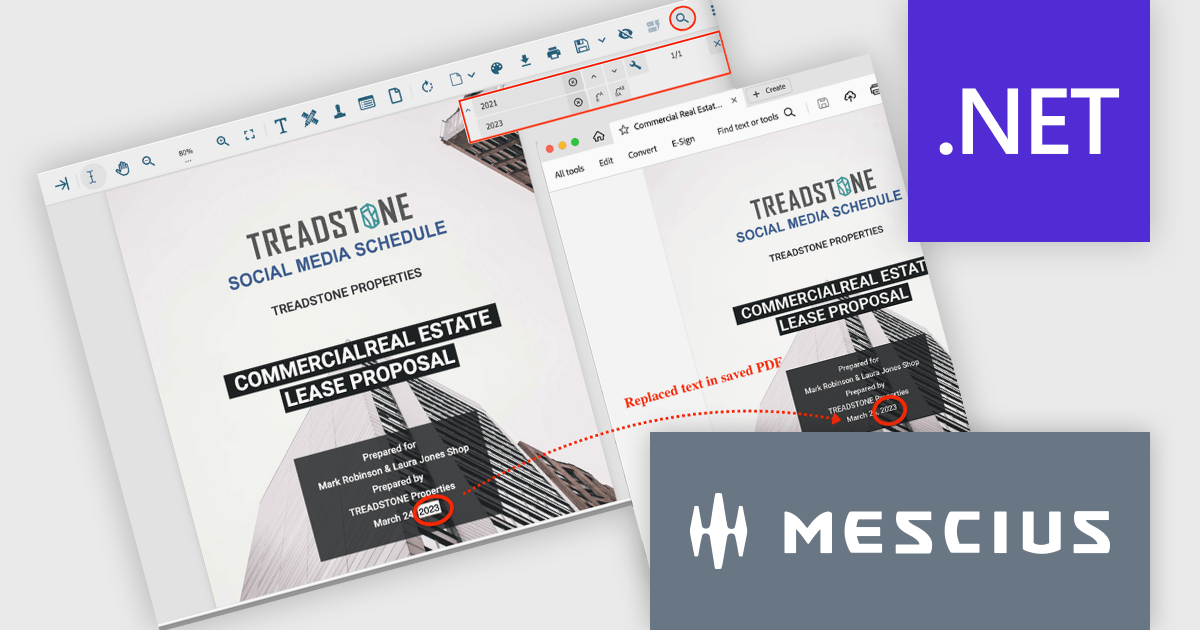
Document Solutions for PDF (DsPdf) by MESCIUS is a powerful .NET library for creating, managing, and manipulating PDF documents within applications. It supports advanced text and font management, multilingual capabilities, annotations, form fields, and the integration of graphics, images, and multimedia elements. With features such as document merging, content redaction, file compression, and digital signatures using X.509 certificates, DsPdf offers a comprehensive toolkit for modern PDF workflows. Compatible across Windows, macOS, and Linux, it also includes a JavaScript PDF Viewer for seamless viewing and editing within web applications, ensuring flexibility and performance for diverse use cases.
The Document Solutions for PDF 8.0.0 update brings advanced tools for the PDF viewer (DsPdfViewer) that greatly improve text management in PDF documents. Developers can now perform streamlined text replacement directly through the enhanced Search bar, offering precise control for individual or bulk edits. A new keyboard shortcut (Ctrl+H) enables quick access to replacement mode, further boosting efficiency. Powered by SupportApi, these features deliver robust editing capabilities, ensuring a smooth and productive development process while minimizing reliance on external tools.
To see a full list of what's new in version 8.0.0, see our release notes.
Document Solutions for PDF is licensed per developer and is available in several license options for differing distribution needs. Team licenses are also available for multiple developers within the same organization. See our Document Solutions for PDF licensing page for full details.
Document Solutions for PDF is available individually or as part of Document Solutions .NET Bundle.
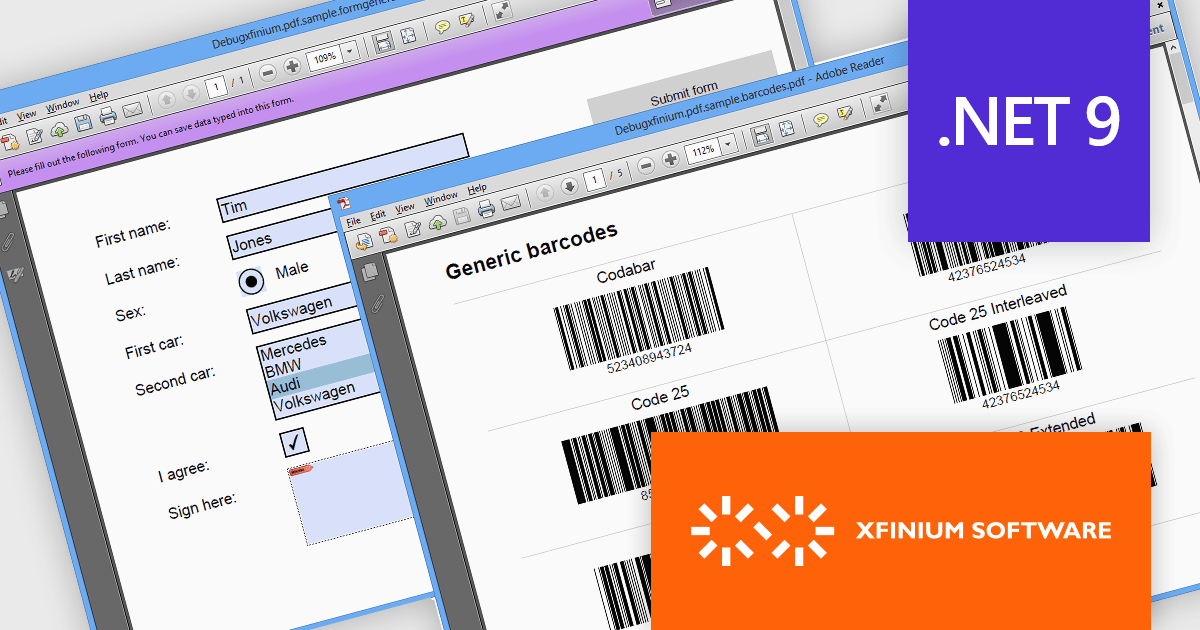
XFINIUM.PDF CROSS-PLATFORM BUNDLE is a comprehensive software library designed to empower developers with robust tools for integrating PDF functionalities into their applications across a wide range of platforms. Supporting Windows, macOS, mobile devices (iOS and Android), and web environments, this library enables the creation, editing, and manipulation of PDF documents with a single codebase. This cross-platform approach eliminates the need for platform-specific development, significantly reducing development time and effort while ensuring consistency in functionality and user experience across devices. Ideal for applications that require advanced document workflows, digital signatures, form handling, or PDF generation, XFINIUM.PDF offers a streamlined solution for businesses and developers seeking to deliver seamless PDF capabilities across diverse environments.
The XFINIUM.PDF CROSS-PLATFORM BUNDLE V13.2.2 release introduces support for Microsoft .NET 9, unlocking new opportunities for developers to integrate powerful PDF creation and manipulation tools into their modern .NET applications. By supporting .NET 9, this release ensures compatibility with the latest advancements in the .NET ecosystem, allowing developers to build high-performance, cross-platform applications with enhanced scalability and efficiency. This integration simplifies the development process, enabling seamless incorporation of advanced PDF functionalities such as document creation, editing, and digital signing into .NET 9 projects. As a result, developers can deliver richer feature sets, improve application workflows, and take full advantage of .NET 9’s performance enhancements and cutting-edge features.
To see a full list of what's new in V13.2.2, see our release notes.
XFINIUM.PDF CROSS-PLATFORM BUNDLE is licensed per developer and is run-time royalty free. All licenses include a 12 month subscription which provides all major and minor product updates and technical support. See our XFINIUM.PDF CROSS-PLATFORM BUNDLE licensing page for full details.
Learn more on our XFINIUM.PDF CROSS-PLATFORM BUNDLE product page.
Tel: (888) 850 9911
Fax: +1 770 250 6199


