













Fornecedor oficial
Como distribuidores oficiais e autorizados, nós fornecemos licenças legítimas diretamente de mais de 200 editores de software.
Ver todas as nossas marcas.

For five years, ComponentSource and amCharts have forged an alliance, delivering exceptional charting tools to the global developer community. This milestone marks a significant moment in their partnership, which has helped to provide enhanced data visualization capabilities across diverse applications and industries.
amCharts provides robust JavaScript libraries designed for creating interactive charts and maps for web applications. Its comprehensive suite of charting tools includes line, bar, pie, radar, and scatter charts, along with specialized maps for geospatial data visualization. With powerful features such as smooth animations, responsive design, and extensive customization options, amCharts enables developers to produce high-quality, visually appealing data visualizations. The library's intuitive API makes it accessible for developers to integrate into projects and customize to effectively meet specific requirements.
amCharts has collaborated with ComponentSource since 2019 to deliver their charting solutions to a global developer audience. This partnership has enabled amCharts to leverage ComponentSource's extensive distribution network and marketing expertise, thereby enhancing the visibility and accessibility of their products. ComponentSource assists in the distribution and licensing of amCharts' software, including its flagship products such as amCharts 5: Charts, amCharts 5: Maps, and amCharts 5: Stock Chart. The collaboration has been fruitful, as evidenced by amCharts receiving a ComponentSource Top 100 Publisher Award every year since 2021.
Learn more about amCharts.
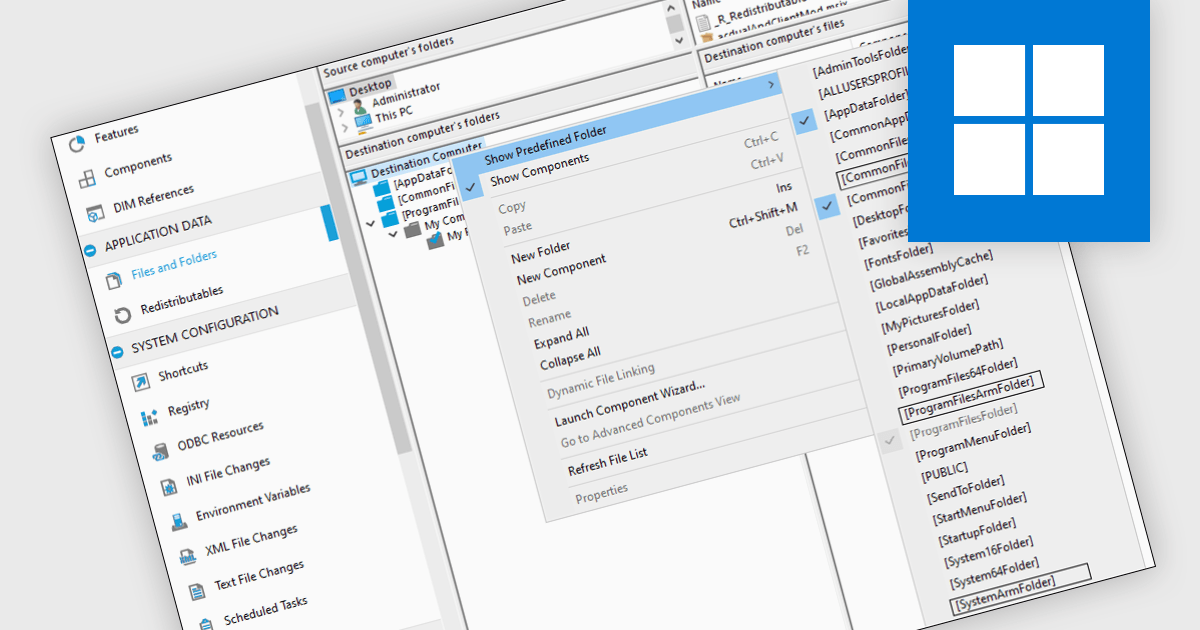
ARM64 support refers to an installation tool's ability to install software designed for the ARM64 architecture, a powerful and energy-efficient processor type used in many mobile devices and gaining traction on laptops and servers. ARM64 support enables seamless installation of these applications, unlocking their performance benefits for users on compatible hardware. This is particularly relevant for developers building applications for a wider range of devices and for cloud environments seeking to optimize resource utilization.
Several installation tools offer the ability to create ARM64 installers including:
For an in-depth analysis of features and price, visit our Installation Tools comparison.
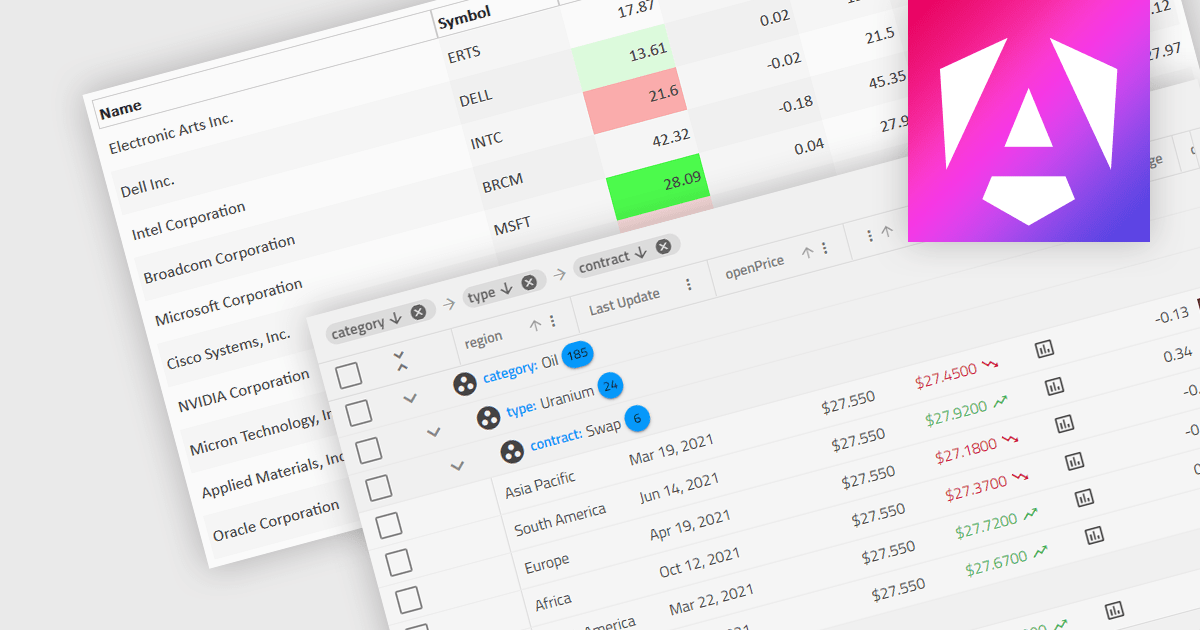
Dynamic updates, or live data rendering, in a data grid is the capability of the grid to automatically refresh and display updated data without the need for manual intervention or full-page reloads. This provides immediate access to the most current data and gives real-time reflections of changes. It therefore improves the user experience, enhancing data accuracy, and minimizing disruptions during data manipulation. Live data reduces the load on network resources by fetching only incremental data changes, and minimizes the computational burden on the client side, improving overall performance. This functionality is critical in applications where real-time data visibility is essential, such as in financial dashboards, live monitoring systems, or inventory management applications.
Several Angular grid components support dynamic updates, including:
For an in-depth analysis of features and price, visit our comparison of Angular grid components.
Syncfusion Essential Studio .NET MAUI, available as part of Syncfusion Essential Studio Enterprise, empowers developers with a comprehensive suite of native UI controls, data visualization tools, and performance optimizations for building modern, cross-platform mobile and desktop applications. This professional-grade toolkit leverages the power of C# and XAML, enabling rapid development of stunning and responsive experiences across diverse platforms.
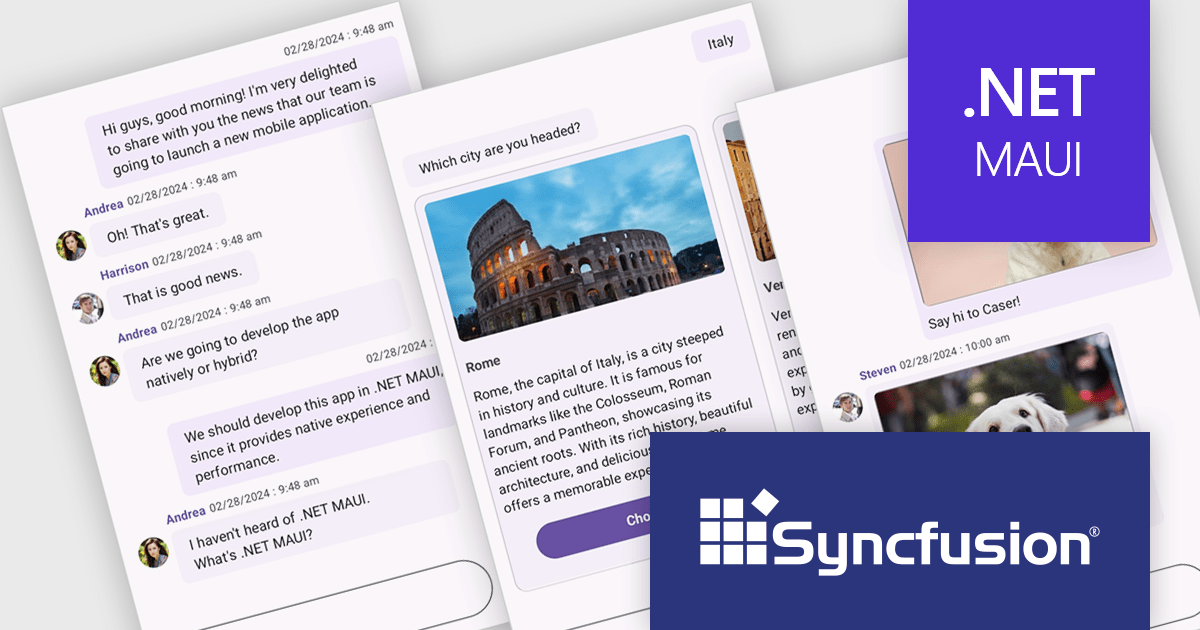
The Syncfusion Essential Studio .NET MAUI 2024 Volume 2 (26.1.35) release introduces the production-ready Chat component, enabling modern chat experiences within your .NET MAUI applications. This flexible component offers a fully customizable layout for displaying conversations between multiple users. It supports messages with content types, including text, images, hyperlinks, and cards, and even allows for integration with chatbot frameworks.
To see a full list of what's new in 2024 Volume 2 (26.1.35), see our release notes.
Syncfusion Essential Studio .NET MAUI is available as part of Syncfusion Essential Studio Enterprise which is licensed per developer starting with a Team License of up to five developers. It is available as a 12 Month Timed Subscription License which includes support and maintenance. See our Syncfusion Essential Studio Enterprise licensing page for full details.
Learn more on our Syncfusion Essential Studio .NET MAUI product page.
ComponentOne Studio ASP.NET MVC by MESCIUS offers a suite of UI controls designed to expedite development in ASP.NET MVC web applications. These fast, mobile-friendly controls encompass data management like grids, data visualization with charts, and layout components. This empowers you to create feature-rich dashboards and user interfaces. ComponentOne Studio ASP.NET MVC boasts professional design, deep customization options, and project templates to accelerate development, making it a valuable asset for crafting modern, responsive web applications.
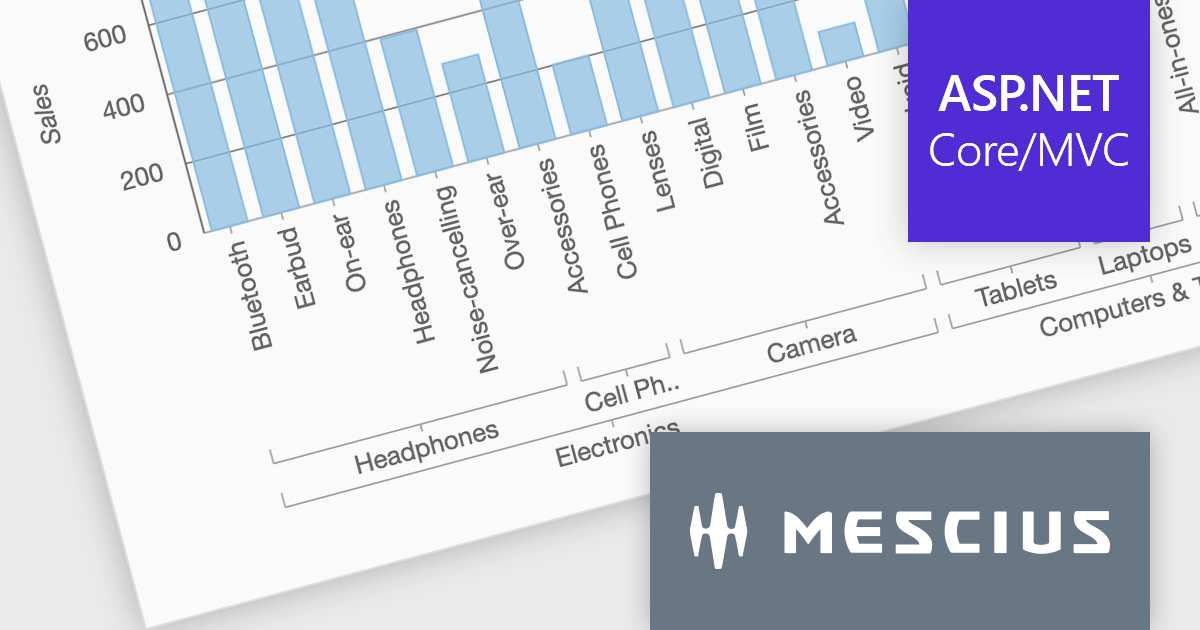
The ComponentOne Studio ASP.NET MVC 2024 v1 update introduces axis grouping for FlexChart, enhancing data analysis and visualization. This new feature leverages the grouping capabilities within your data source to automatically group axis labels where possible. This reduces chart clutter, improves readability, and empowers developers to present complex datasets with clear hierarchies, allowing for a more efficient user experience.
To see a full list of what's new in 2024 v1, see our release notes.
ComponentOne Studio ASP.NET MVC is licensed per developer on a perpetual basis and includes a 12 month subscription. See our ComponentOne Studio ASP.NET MVC licensing page for full details.
Learn more on our ComponentOne Studio ASP.NET MVC product page.
Tel: (888) 850 9911
Fax: +1 770 250 6199


