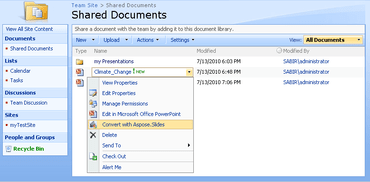
Aspose.Slides for SharePoint V17.10

Adiciona suporte para adicionar texto sobrescrito e subscrito em quadros de texto.
Novembro 1, 2017
Nova versão

Recursos

  • Added support for adding EMZ (Compressed EMF) images to image collections.
  • Added support for adding Superscript and Subscript text in text frames.

Correções

  • Chart plot area height is not correct when reading.
  • The font has changed in the cloned presentation.
  • Presentation with a chart won't open.
  • Chart incorrectly rendered to an image.
  • Image gets changed on saving presentation.
  • Horizontal axis label is corrupted.
  • The text in the table cell is corrupted after PNG rendering.
  • Wrong output when converting specific PPTX to TIFF.
  • Wrong font is used for rendering of numbers in PDF.
  • Presentation repair message on converting PPT to PPTX.
  • ArgumentException: Parameter is not valid exception is thrown when adding the notes to PPTX and saving as Notes TIFF.
  • Presentation repair message for saved presentation.
  • Black border appearing around image thumbnails.
  • Animation effects on charts are lost on saving presentation.
  • Brackets in RTL text failed to render in right direction.
  • ArgumentException on loading presentation.
  • Numbers are shown on the graph when converting to image.
  • Image gets distorted in exported PDF.
  • Exception on loading presentation.
  • High memory consumption on generating slide thumbnail.
  • Presentation gets corrupted on saving to PPTX.
  • PptxReadException on generating slide thumbnails.
  • Links gets broken when saving a presentation.
  • ArgumentException on loading presentation.
  • Aspose.Slides hangs when converting PPTX presentation to PNG.
  • ArgumentException on loading presentation.
  • Issue while generating Thumbnails.
  • PPT not properly converted to PDF.
  • Slide frame is rendered in exported PDF around slide.
  • Include Comments when set to false is still showing comments in PDF.
Aspose.Slides for SharePoint

Aspose.Slides for SharePoint

Converta arquivos do PowerPoint para outros formatos de arquivo de dentro de um aplicativo do SharePoint.

Tem alguma pergunta?

Chat ao vivo com nossos especialistas de licenciamento de Aspose.