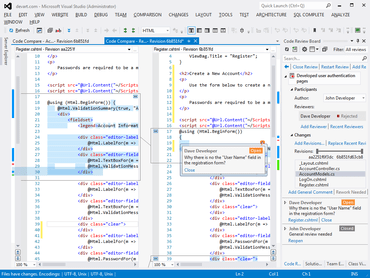
Code Compare Pro V5.0.85

Adiciona suporte para comparar os editores de JavaScript e TypeScript no Visual Studio.
Dezembro 19, 2018
Nova versão

Recursos

  • Support for JavaScript and TypeScript editors in Microsoft Visual Studio - When opening a comparison, the programming language in use is defined automatically depending on the file extension.
  • Preliminary Comparison of Large Files - After running comparison you will see a dialog box with information about the size, date and last modification for each file and info about file differences.
  • Improved Support for 4-5K Monitors and Usability - For more convenient scrolling, Code Compare now supports the  Shift + mouse wheel shortcut
  • Folder Comparison Improvements
    • The ‘Launch Code Compare‘ command is now called ‘Compare Files‘ or ‘Compare Folders‘.
    • The Ignore line breaks option has been renamed as  ‘Ignore empty lines‘.
    • The node_module folder has been added to the default list of ignored folders for the folder comparison, and the resources folder has been excluded from this list.
Code Compare Pro

Code Compare

Ferramenta de comparação de arquivo e pasta de código de fonte.

Code Compare também está disponível em:

Tem alguma pergunta?

Chat ao vivo com nossos especialistas de licenciamento de Devart.