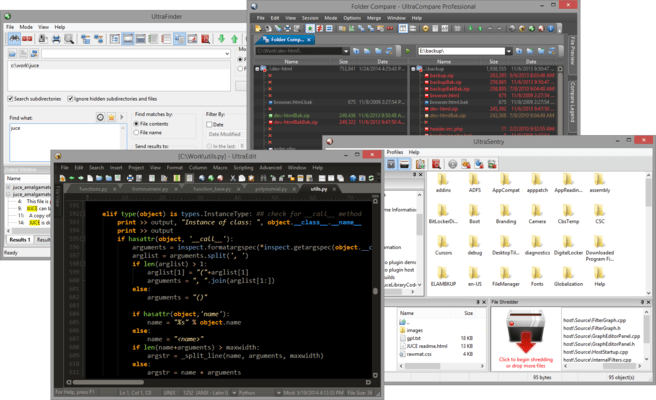
UltraEdit Suite

Inclui quatro poderosos aplicativos integrados: UltraEdit, UltraCompare, UltraFinder e UltraFTP.

Publicado por UltraEdit
Distribuído pela ComponentSource desde 2013

5.00 Comentário com média em estrelas5.00 Comentário com média em estrelas5.00 Comentário com média em estrelas5.00 Comentário com média em estrelas5.00 Comentário com média em estrelas (1)

i

Please Note: UltraEdit Suite is replaced by UltraEdit Enterprise (formerly UltraEdit All Access).
The products within the suite are still supported and existing customers can contact us for a quote to renew their maintenance subscription.

UltraEdit Suite v27.10

Released: Sep 23, 2020

Atualizações na v27.10

Recursos

New in UltraEdit v27.10

  • File properties:
    • Dockable window displays information about active file.
    • File attributes, encoding, line/character statistics, etc.
    • Copy one or all file properties to clipboard.
    • Collapsible information sections.
  • Image preview for HTML / web files:
    • Hover over image reference in source to see preview in tooltip.
    • Supported in HTML, CSS, JavaScript, JSON, Markdown, PHP, Python, Ruby, Perl.
    • Supports BMP, GIF, JPE/JPG/JPEG, PNG, and TIFF image formats.
    • See original image size and color mode.
  • UAC administrator override prompt for modifying and saving system files.
  • Unlimited line length – no forced wrap:
    • Unlimited line length option added (Settings - Editor display - Miscellaneous).
    • Set max columns before wrap to values greater than 20,000.
  • Hide / show unchanged lines (View - Hide/show drop down).
  • Combine multiple files:
    • Accessible via Edit tab - File (Insert group) - Insert multiple files.
    • Select one or more files from multiple locations.
    • Set order of inserted files.
    • Option to add new line if missing from inserted file(s).
    • Line terminators automatically normalized if "On paste convert line endings" set (Settings - File handling - Conversions).
  • Jump to function definition:
    • Ctrl + Right-click on function call in source to jump to its definition.
    • Function must be listed in function list.
  • Eliminated view shift when selecting all (Ctrl + A).
  • Manually set syntax highlighting type now remembered between sessions.
  • Syntax highlighting preserved for HTML / XML matching tag highlights.
  • Improved performance for JavaScript Lint.
  • Added Unicode BOM indicator to encoding value in status bar.
  • Improved display when toggling full screen mode.
  • Window framework update to improve performance and display.
  • Improved handling of literal caret (^) in templates.
  • Improvements for inserting files of different encodings and line terminator formats.
  • Various other minor improvements.