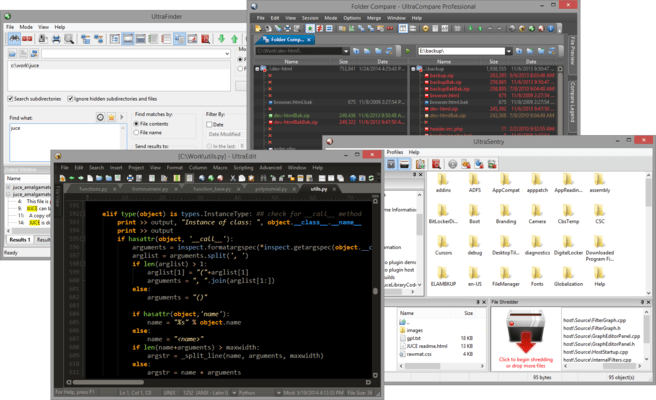
UltraEdit Suite

Inclui quatro poderosos aplicativos integrados: UltraEdit, UltraCompare, UltraFinder e UltraFTP.

Publicado por UltraEdit
Distribuído pela ComponentSource desde 2013

5.00 Comentário com média em estrelas5.00 Comentário com média em estrelas5.00 Comentário com média em estrelas5.00 Comentário com média em estrelas5.00 Comentário com média em estrelas (1)

i

Please Note: UltraEdit Suite is replaced by UltraEdit Enterprise (formerly UltraEdit All Access).
The products within the suite are still supported and existing customers can contact us for a quote to renew their maintenance subscription.

UltraEdit Suite v28.00

Released: Jan 22, 2021

Atualizações na v28.00

Recursos

New in UltraEdit v28.00

  • IntelliTips:
    • Code-aware suggestions for auto-completing class members, methods, etc.
    • Function tips for typing parameters in function call.
    • UltraEdit parses active file and parent folder for symbols.
    • Supports local files and files opened via FTP.
    • Optionally scan other folders.
    • New config options in Settings - Auto-complete - IntelliTips.
  • Improved auto-complete:
    • Fully themed auto-complete dialog.
    • Choose when auto-complete automatically shows in Settings - Auto-complete.
  • Fully resizable Find and Replace dialogs.
  • New context menu option "Delete lines" in Find String List to delete all lines containing string.
  • New option to "Highlight all items found" with Replace.
  • "Highlight all selected" optionally matches:
    • Whole word only (and optionally only when selection is a whole word).
    • Case.
    • Configure in Settings - Search - Advanced.
  • "Save and Close" command.
  • "Open last-closed tab" option (file tab context menu).
  • Ability to save an empty, new file.
  • Save As option to leave both original file and new file open:
    • Added support for remote (FTP) files as well.
  • Go to previous and next position using forward and back mouse buttons.
  • Dynamic highlighting of XML and HTML attributes and values.
  • Clicking in line margin to select now selects entire soft-wrapped line.
  • Expanded theme support with most dialogs using theme colors.
  • Other minor enhancements and issues addressed.