Released: Apr 26, 2010
Updates in this release
Updates in 2010 Volume 2
Complete integration with the Visual Studio 2010 designer surface and support for Silverlight 4 and ASP.NET MVC 2.0.
Essential Edit for Windows Forms
- Enhanced Find dialog
Essential Edit now supports displaying a message box when a Find operation reaches the starting point of a search. If the option is set to Current Selection, once the Find operation reaches the starting point, it will display a message box letting you know it has completely searched the section. - Customizable Find Dialog
Essential Edit now allows users to create a new find dialog by inheriting from the default Find dialog. The dialog can be customized by changing properties and triggers for buttons such as Find, Mark All, and Close. The dialog can also be easily localized. - Text-alone RTL support
Essential Edit now supports right-to-left (RTL) language alignment for text alone. This feature supports reading and writing RTL languages such as Arabic, Urdu, and Hebrew. The behavior of RTL support in Essential Edit is same as RTL support in Notepad.
Essential Edit for WPF
- Enhanced expand-and-collapse support
The expand-and-collapse feature in Essential Edit ships with a variety of enhancements, like support for Visual Basic, a look and feel similar to Visual Studio, ToolTips, and selecting with collapsed items. Expand-collapse support can now be implemented with custom development languages. - IntelliSense Support
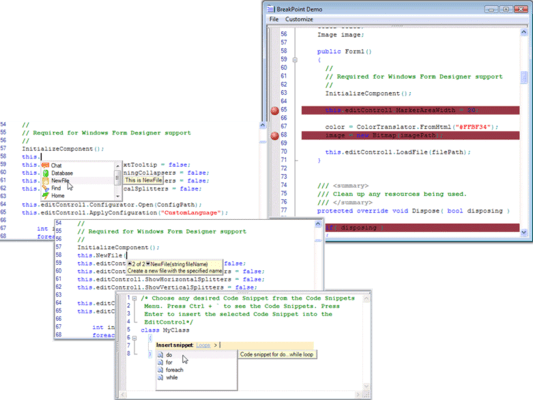
Essential Edit now has IntelliSense support. With this functionality, users can select text to be appended from a list of items. It works in two modes: Auto and Custom. In Auto mode, it automatically displays a list of possible keywords from language configurations, types, members, events and fields from specified pre-built assemblies files for C-sharp and Visual Basic. In custom mode, it enables developers to specify a collection of single or multilevel items to be displayed in the IntelliSense list. It also provides a variety of customization options to style the IntelliSense pop-up window and items.