DWGSee CAD veröffentlicht

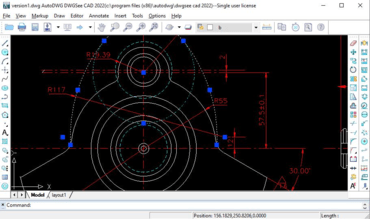
Schlanker DWG/DXF-Viewer mit Befehlszeilenschnittstelle, umfangreicher Bearbeitung und Anmerkungen.
April 4, 2022
Neues Produkt

Funktionen

  • Dimension Driven - If you need to modify the size of a certain object, select the new dimension and the object will be automatically updated.
  • Balloon/Part List - A serial balloon is a graphic that identifies a part or assembly component and associates it with a label.
  • Smart Copy Objects - Using smart copy, you can copy selected objects to a new drawing.
  • Compare Drawings - Show two versions of drawing in split windows, synchronize zoom and pan for both drawings and and highlight differences.
  • Save As - Save drawing files to different DWG/DXF versions.
  • Print and Batch Print - You can open up a DWG/DXF file to print, or you can select several files to print at once, there is no need to open each file.
  • Export - Export drawings to PDF or raster images.
  • Measure Objects - Measure length, angle, radius or area.
  • Markup on Drawings - You can either add comments in a separate markup file, or add additional layers, lines and text to the file.
  • Extract Text - Extract all text in a drawing or extract text via text type, such as, extract all hyperlinks.
  • Count Objects - Check and count similar blocks and symbols in a drawing.
DWGSee CAD

DWGSee CAD

Schlanker DWG/DXF-Viewer mit Befehlszeilenschnittstelle, umfangreicher Bearbeitung und Anmerkungen.

Sie haben eine Frage?

Live-Chat mit unseren AutoDWG-Lizenzierungs-Spezialisten.