
ComponentOne Ultimate
Erstellen Sie Branchen- und Datenanalyseanwendungen.
Veröffentlicht von MESCIUS (formerly GrapeCity)
Wird von ComponentSource seit 1996 vertrieben
Dieses Produkt wird nicht mehr von uns vertrieben.
Erstellen Sie Branchen- und Datenanalyseanwendungen.
Veröffentlicht von MESCIUS (formerly GrapeCity)
Wird von ComponentSource seit 1996 vertrieben
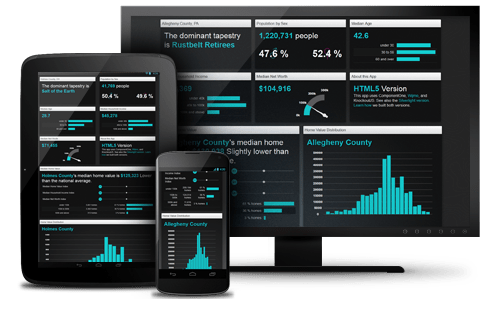
ComponentOne Ultimate is no longer available, all existing licenses have been converted to ComponentOne Studio Enterprise. If you are an existing customer interested in renewing your subscription, you can renew here.
Released: Nov 11, 2015
Updates in ComponentOne Studio
New FlexReport for WinForms - A Fast, Flexible Reporting Tool for Modern Business
Build fast, sleek reports with FlexReport, a new reporting tool for WinForms Edition. With feature-rich controls, a lightning-fast PDF exporter, and a small footprint, Powered by a new engine, FlexReport upgrades C1Report with twice the speed and a more modern UI. FlexReport offers all the power and speed you're looking for in a reporting app, and with enhanced Crystal Reports compatibility and report conversion, you'll be able to migrate in no time.
New UWP Edition (Beta) - A Universal Platform across Tablet, Mobile and Desktop
Universal Windows Platform provides a common app platform for every Windows 10 device, and the new Edition provides a stable control set with more features, flexibility, and power.
UWP Edition is scheduled to go live in March 2016; WinRT and Windows Phone license holders can upgrade for free through March 2017. WinRT will go into maintenance mode in March 2016.
New FinancialChart for MVC control - Comprehensive Financial Visualization
Instantly access advanced stock trending visualization with the powerful FinancialChart for MVC. Analyze with trend lines, filters, range selectors, and annotations, all with minimal coding. This full-service control meets nearly every need to get users started on a full stock market application.
FinancialChart is based on the successful Wijmo FinancialChart, released in July 2015. It will be available only with ComponentOne Studio and ComponentOne Ultimate.
New FlexPivot for WinForms (Beta) control - Pivot with Power
Process millions of rows of data from dozens of different data sources in milliseconds with FlexPivot for WinForms, the new pivot table from ComponentOne Studio. Built on a super-charged data engine, this feature-rich control offers a modernized UI and lightning-fast processing that will give your users more power, speed, and reach than ever. FlexPivot will replace the current C1OLAP for WinForms and is available only in ComponentOne Studio and Ultimate.
Web API Edition is officially released with a new REST API
Updates in Wijmo
New Wijmo FlexSheet control - All the Top Spreadsheet Features you'll need
Produce an Excel-like experience in your web app with FlexSheet, a new control allowing users to import spreadsheets, apply formulas, and export data to Excel.Released as a sample in July 2015, FlexSheet is now a fully-supported control for Wijmo.
Enhancements include:
Updates in Xuni
FlexChart Updates
FlexGrid Updates
CollectionView Updates
Tel.: (888) 850 9911
Fax: +1 770 250 6199


