
GTP.NET
Integrieren Sie interaktive Gantt-Diagrammen in Ihre .NET-Anwendungen.
Veröffentlicht von plexityHide.com
Wird von ComponentSource seit 2002 vertrieben
Preise ab: $ 955.20 Version: v10.x NEU Letzte Aktualisierung: May 13, 2026 
 (7)
(7)
Integrieren Sie interaktive Gantt-Diagrammen in Ihre .NET-Anwendungen.
Veröffentlicht von plexityHide.com
Wird von ComponentSource seit 2002 vertrieben
Preise ab: $ 955.20 Version: v10.x NEU Letzte Aktualisierung: May 13, 2026 (7)
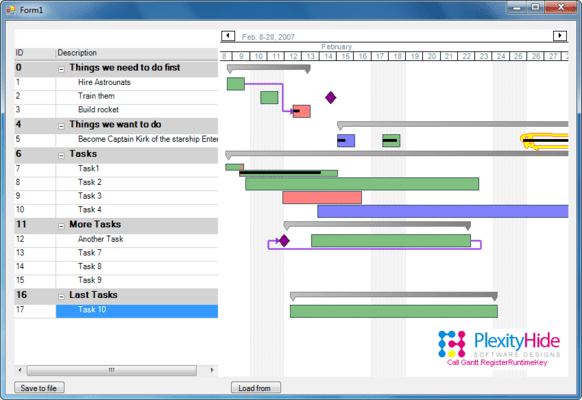
Integrieren Sie interaktive Gantt-Diagrammen in Ihre .NET-Anwendungen.
Das Ziel und der Zweck von GTP.NET besteht im Großen und Ganzen darin, Ihnen die Möglichkeit zu geben, zeitbasierte Daten zu visualisieren und zu modifizieren. GTP.NET umfasst eine Sammlung von Benutzeroberflächen-Komponenten, die Zeitblöcke handhaben. Die Zeitblöcke werden in einem Gantt-Diagramm oder einer Schema-Ansicht dargestellt. Die Zeiten werden mit einem Besitzer verknüpft, z. B. mit einer Person oder Aktivität in einem Projekt. Sie können damit auch Abhängigkeiten und Überschneidungen von Zeiten anzeigen, was dem Endbenutzer die Möglichkeit gibt, das Projekt grafisch darzustellen und zu modifizieren. Quellcode ist verfügbar. GTP.NET ist eine vollständige .NET-Überarbeitung des Verkaufsschlagers Gantt Time Package.
Multi column grid with edit modes like date time, multitext, combobox, checkbox and user defined.
Main Features Include
Tel.: (888) 850 9911
Fax: +1 770 250 6199


