
ImagXpress .NET Standard
Führen Sie Bildkomprimierung, Dekomprimierung und Dateikonvertierung bei mehr als 30 beliebten Bilddateiformaten durch.
Veröffentlicht von Accusoft
Wird von ComponentSource seit 1998 vertrieben
Dieses Produkt wird nicht mehr von uns vertrieben.
Führen Sie Bildkomprimierung, Dekomprimierung und Dateikonvertierung bei mehr als 30 beliebten Bilddateiformaten durch.
Veröffentlicht von Accusoft
Wird von ComponentSource seit 1998 vertrieben
Please note that new licenses of ImagXpress .NET Standard are no longer available. Please consider ImageGear for .NET as an alternative.
Führen Sie Bildkomprimierung, Dekomprimierung und Dateikonvertierung bei mehr als 30 beliebten Bilddateiformaten durch.
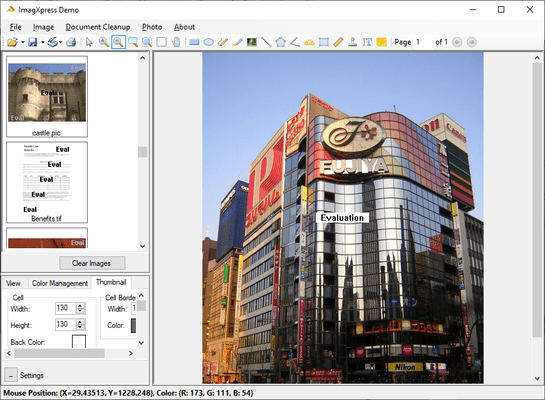
Mit dem ImagXpress SDK können Sie Ihrer Windows-Anwendung rasch Imaging-Funktionen hinzufügen. Mithilfe der leistungsstarken Imaging-Tools von Accusoft Pegasus können Sie zügig Anwendungen entwickeln, die komplexe Imaging-Tasks für Dokument-, Foto- oder medizinisches Imaging erfordern, während Sie sich auf die individuellen Anforderungen Ihres Programms konzentrieren. ImagXpress ist die Bildhandhabungs-Engine der meisten fortschrittlichen Erkennungs- und Bildverarbeitungsprodukte von Accusoft Pegasus. Dies ist eine der schnellsten Methoden zum Entwickeln professioneller Anwendungen mit Bildern. ImagXpress Standard bietet eine nützliche Reihe an grundlegenden Bildanzeige-, Druck-, Scan- und Verarbeitungsfunktionen. Anzeigetools, Bildeffekte und grundlegende Bildverbesserung sind enthalten. Dokument-Bildbereinigung und Anmerkungen werden nicht unterstützt. Mit den Komponenten ImagXpress, ThumbnailXpress und TwainPRO.
ImagXpress .NET Standard Features
Alpha Channel Support
Color Methods
Geometric Transformations
Document
Photo
Region of Interest
Metadata
Artistic Effects
ImagXpress File Format Support in Each Edition
R = Read, W= Write
ImagXpress .NET
| ImagXpress .NET File Format Support | Professional | Standard |
| BMP | R/W | R/W |
| CALS (Type I) | R/W | |
| CALS metadata edit (CALS tags) | R/W | |
| Camera RAW Formats | R | |
| DCX (multi-page) | R/W | R/W |
| DIB | R/W | R/W |
| DWF | R | |
| DWG | R | |
| DXF | R | |
| GIF (single page) | R/W | R/W |
| HD Photo - HDP, WDP | R/W | R |
| ICO (multiple image) | R/W | R/W |
| ICO (single image) | R/W | R/W |
| JBIG2 | R/W | R |
| JEDMICS C4 | R | |
| JPEG 2000 (JP2, J2K) | R/W | R/W |
| JPEG LS (JLS) | R/W | |
| JPEG metadata edit (IPTC, EXIF) | R/W | |
| JPEG metadata edit without opening file | R/W | |
| JPEG, JIF | R/W | R/W |
| JPEG XR | R/W | R |
| Lossless JPEG (LJP) | R/W | |
| MO:DCA, PTOCA, IOCA, ABIC (multi-page) | R/W | |
| PBM | R/W | R/W |
| PCX | R/W | R/W |
| PDF (multi-page, image only, with image compression) | R/W | R/W |
| PDF (single page, image only, with image compression) | R/W | R/W |
| PGM | R/W | R/W |
| PIC / ePIC | R/W | R/W |
| PNG | R/W | R/W |
| PPM | R/W | R/W |
| RAW | R/W | |
| TGA | R/W | R/W |
| TIFF (multi-page) | R/W | R/W |
| TIFF (single page) | R/W | R/W |
| TIFF metadata edit (IPTC, TIFF tags) | R/W | |
| WBMP | R/W | R/W |
| WMF, EMF | R | R |
| WSQ | R/W | R |
Tel.: (888) 850 9911
Fax: +1 770 250 6199


