Released: Apr 3, 2019
Updates in 6.2.2
Funktionen
- Added a new dataset for NHS Numbers. NHS Numbers can be generated with valid or invalid checksums, and optionally be uniquely generated.
- It is now possible to possible to copy text from message boxes.
Fehlerkorrekturen
- Fixes an issue introduced in V06.02.01 causing the interface to display incorrectly on high DPI monitors.
- Fixes a failure when gathering metrics and improves the logged message.
- Fixes broken help links.
Released: Mar 4, 2019
Updates in 6.2.0
Funktionen
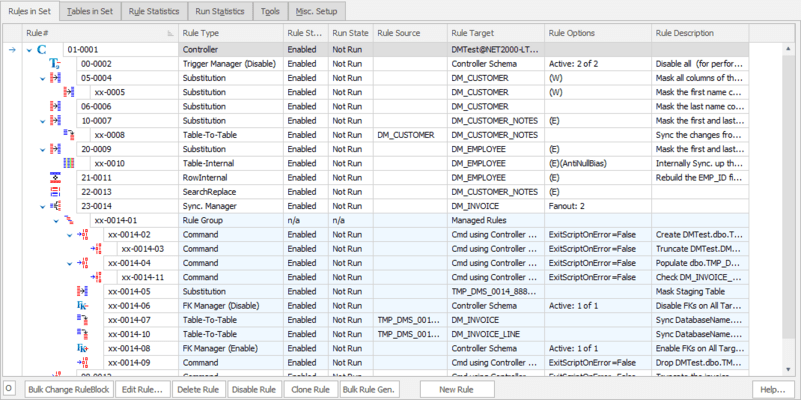
- New masking set and controller workflow.
- New getting started page.
- Columns of type BIT can now be masked with random bits.
Fehlerkorrekturen
- A bug which caused substitution rule errored when running against column with text data type has been fixed.
- Viewing data from tables containing geography or geometry data types no longer fails.
Released: Feb 13, 2019
Updates in 6.1.5
Funktionen
- Right clicking in the column selection dropdown listbox in the Substitution and Insertion rules now provides a menu item which can switch the listing between column ordinal position or alphabetical sort modes. If the alphabetical option is chosen the column typeahead function will work on the list box.
Fehlerkorrekturen
- A bug which caused setting encoding for custom dataset not working has been fixed.
Released: Jan 10, 2019
Updates in 6.1.4
Funktionen
- A new rule type called the Index Refresh Rule has now been added. This rule will, when run, dynamically refreshes the Indexes known to the masking set.
- The number of worker threads value is now emitted to the logfile before each run in both the GUI and Command Line versions.
Masking sets from v5 are not compatible with this version. Please use the Import V5 Maskset function found in the tools section of Data Masker.
Fehlerkorrekturen
- A bug in the Command Line version which caused the...
Released: Jan 3, 2019
Updates in 6.1.3
Funktionen
- It is now possible to change the commit batch frequency on every rule where that concept exists. Specifically the rules which now support this new feature are: Substitution, Shuffle, Insertion, Search-Replace, XML Masker, JSON Masker, Row-Internal, Table-Internal, Table-to-Table, CrossDBTableMover, CrossDBTableToTable and Table-To-Text.
- The Shuffle rule now warns if the user selects a NOT NULL Where Clause option and also is performing a multiple column shuffle.
- The Rule Description...
Released: Oct 30, 2018
Updates in 6.0.12
Funktionen
- Adds new rules which enable and disable indexes. Disabling unneccessary indexes can improve masking performance.
Released: Oct 8, 2018
Updates in 6.0.11
Funktionen
- A new rule type called the JSON Masker Rule has now been added. This rule will mask JSON data. The JSON Masker Rule can accept a wild card key name and mask all data (including arrays and objects) below that key or an explicit JPath can be specified.
- The Audit and Log Options drop down on the Misc. Setup Tab now contains an option to turn off the automatic truncation of the Statistics tables for each full run.
- Only one Trigger Refresh rule can now be added to a Rule Controller...
Released: Sep 5, 2018
Updates in 6.0.10
Funktionen
- Adds new rule type called the Trigger Refresh Rule. This rule will, when run, dynamically refresh the triggers known as the masking set and also refresh the Trigger Managers.
Fehlerkorrekturen
- Data Masker now installs into the 'Red Gate' start menu folder.
Released: Jan 15, 2018
Updates in 5.6
Funktionen
Data Masker for SQL Server is a tool to replace sensitive data in test and development databases with realistic looking but false information. This process is sometimes called Data Sanitization, Data Masking or Data Protection.
- Multiple methods to sanitize sensitive information.
- Use templates to remain consistent with existing data formats.
- Replacement data sets included, such as Names, Zip Codes, Emails.
- Populate test data as well as sanitize existing information.
- Simple, repeatable...