








Fornitore ufficiale
In qualità di distributori ufficiali e autorizzati, forniamo licenze software legittime direttamente da più di 200 autori di software.
Vedi tutte le nostre marche
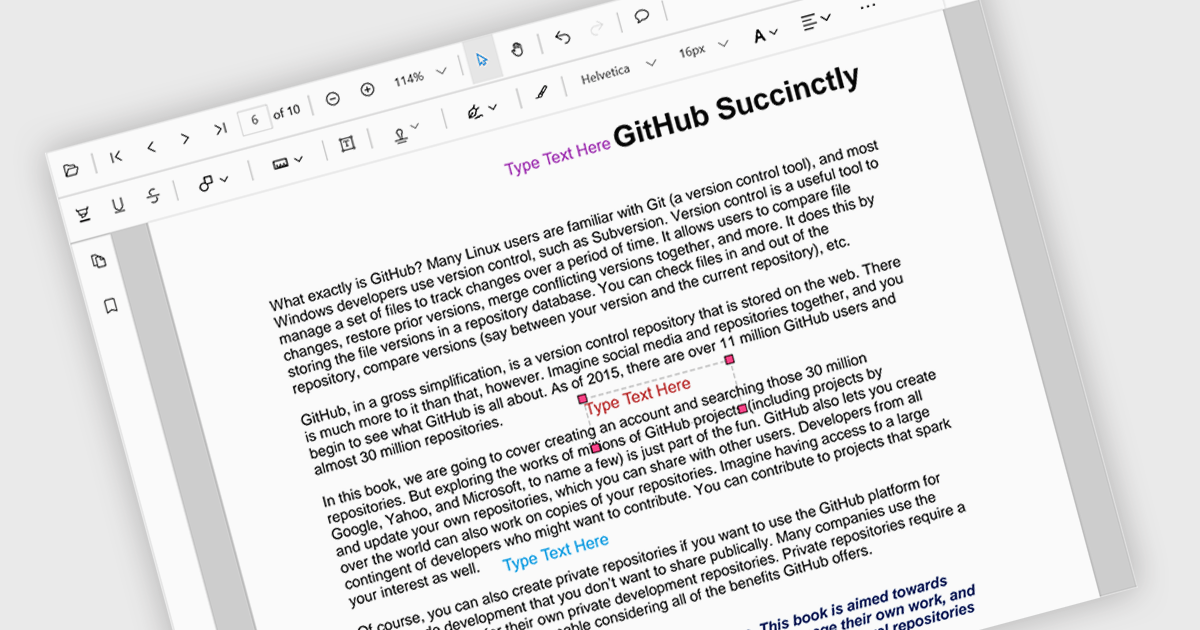
Free text annotations are textual comments or notes added to a document or image, independent of specific fields or structures. Unlike structured annotations that conform to predefined formats (e.g. highlighting, strikethrough), free text annotations provide flexibility for users to express their thoughts, questions, or observations in a more open-ended manner. This allows for richer and more personalized interactions with the content, making it valuable for tasks such as note-taking, research, and collaboration.
Several React PDF viewer controls offer support for free text annotations including:
For an in-depth analysis of features and price, visit our React PDF viewer controls comparison.
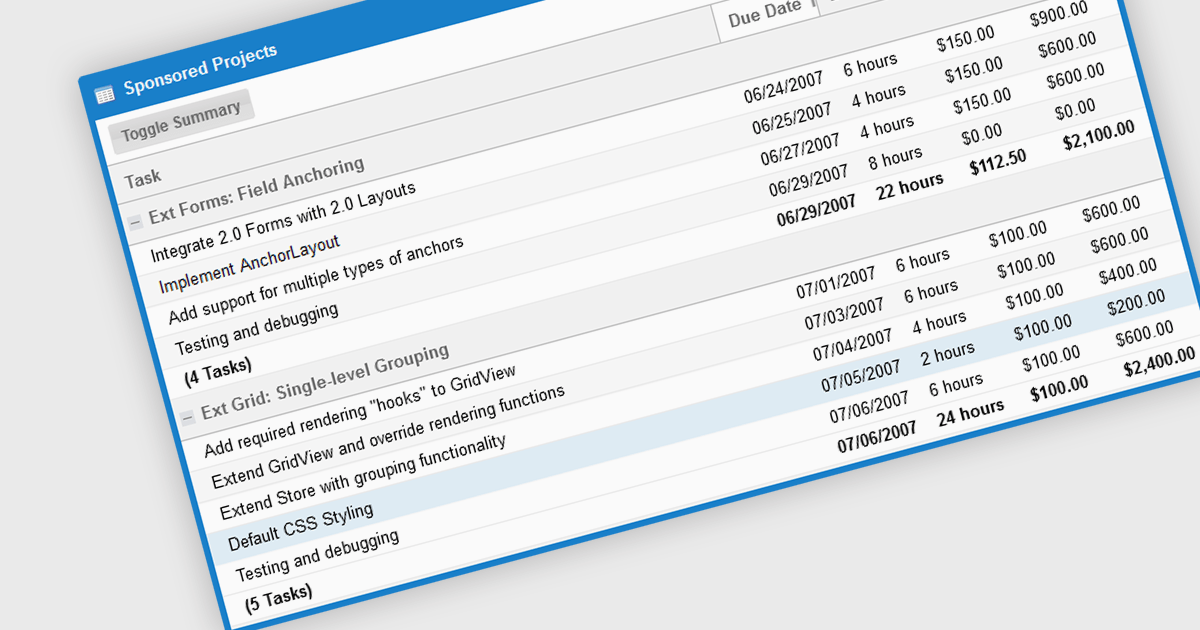
The grouping/summary feature in grid controls enables users to categorize and analyze data effectively by grouping rows based on specific criteria. This functionality allows for the aggregation of data within each group, providing valuable summaries such as totals, averages, counts, and more. By organizing information in a more structured manner, users can gain deeper insights into trends, patterns, and outliers within their data. This feature is particularly useful for large datasets, financial reporting, and data analysis tasks that require a high level of customization and flexibility.
Several JavaScript Grid controls offer grouping / summary support including:
For an in-depth analysis of features and price, visit our comparison of JavaScript grid controls.

Pie charts are circular diagrams that visually represent data as slices of a whole. Each slice represents a category, with its size proportional to its share of the total. They are particularly effective for illustrating categorical data, such as market shares, demographics, or budget allocations. Pie charts offer a clear and intuitive way to compare relative quantities, making it easy to identify the dominant categories and their contributions to the overall composition.
Several React chart controls offer pie charts including:
For an in-depth analysis of features and price, visit our React chart controls comparison.

Sencha Ext JS is a comprehensive JavaScript framework for building robust, data-intensive web applications. It offers a rich library of pre-built UI components, advanced data management capabilities, and tools for efficient development and testing, enabling rapid creation of cross-platform applications with high performance and a polished user experience.
Rapid Ext JS is a powerful visual development tool that simplifies the process of creating Ext JS applications. By providing a drag-and-drop interface and real-time preview capabilities, it enables developers to quickly design and build complex user interfaces without writing extensive code. The editor offers a wide range of pre-built components and templates, making it easy to create consistent and visually appealing applications. Rapid Ext JS integrates seamlessly with Visual Studio Code, providing developers with a familiar and productive development environment.
To utilize Rapid Ext JS you will need Sencha Ext JS Enterprise or Ultimate edition, available as an Annual Subscription or Perpetual License. See our Sencha Ext JS licensing page for full details.
For more information, see our Sencha Ext JS product page.

Cell image support refers to the capability of a spreadsheet component to incorporate and manipulate images directly within individual cells. This feature allows developers to visually represent data, such as charts, diagrams, or photographs, within the spreadsheet interface. By integrating images into cells, developers can enhance the overall effectiveness of their spreadsheet-based applications as well as making them more engaging for users, facilitating data visualization and analysis.
Several React spreadsheet controls offer support for cell images, including:
For an in-depth analysis of features and price, visit our React spreadsheet controls comparison.





Tel: (888) 850 9911
Fax: +1 770 250 6199


