








Fornitore ufficiale
In qualità di distributori ufficiali e autorizzati, forniamo licenze software legittime direttamente da più di 200 autori di software.
Vedi tutte le nostre marche
InstallAnywhere by Revenera simplifies the process of creating professional, multi-platform installers for diverse deployment environments. It enables developers to design reliable installation packages for on-premise platforms such as Windows, Linux, and macOS, as well as modern environments like Docker containers and cloud deployments. With its intuitive interface and robust customization options, InstallAnywhere helps deliver a consistent and polished user experience across all supported platforms.
The InstallAnywhere 2025 R1 release has been updated to support macOS Universal Binaries, allowing it to run natively on both Intel x64 and Apple Silicon (Arm64/AArch64) architectures. This update removes the previous dependency on Rosetta, Apple’s emulation layer, which often introduced performance bottlenecks and compatibility issues. With this release, macOS users can expect smoother, faster installations and consistent behavior across all modern Apple hardware, including those using the latest Apple Silicon chips.
To see a full list of what's new in version 2025 R1, see our release notes.
InstallAnywhere is licensed per user and is available as a three year timed subscription. See our InstallAnywhere licensing page for full details.
For more information, visit our InstallAnywhere product page.
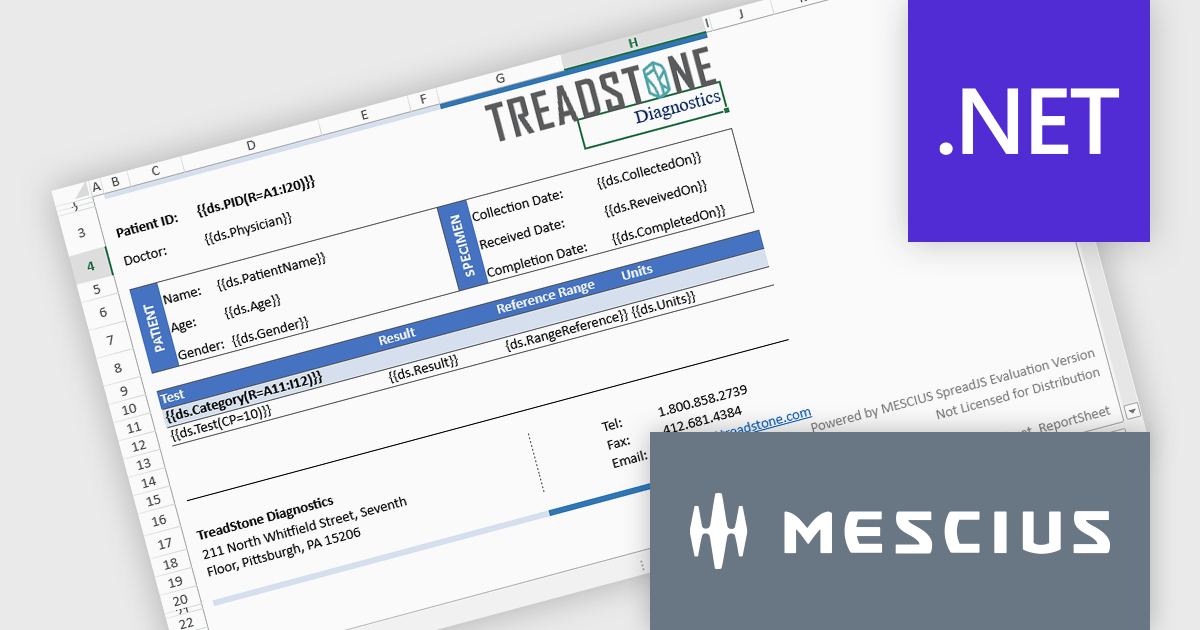
Document Solutions for Excel, .NET Edition by MESCIUS is designed to enable developers to create and manipulate Microsoft Excel documents programmatically within .NET applications. It provides a robust API for interacting with Excel spreadsheets, allowing developers to automate tasks such as data extraction, formatting, and generation of reports. The framework offers comprehensive support for various Excel features, including formulas, charts, conditional formatting, and data validation. It also provides tools for handling large datasets and optimizing performance, making it suitable for both small-scale and enterprise-level applications.
Document Solutions for Excel, .NET Edition improves pagination by enabling images and shapes to stay anchored to their top-left cell, maintaining consistent positioning as content flows across pages. This enhancement ensures that visual elements such as charts, icons, and shapes are treated as part of the cell's content, allowing them to paginate along with the data they relate to. As a result, developers can generate dynamic, multi-page Excel documents with accurate and predictable layouts, without having to manually reposition or reformat visuals. This not only saves time during document generation but also improves the overall quality and reliability of exported reports, forms, and other structured content.
Document Solutions for Excel is licensed per developer and is available in several license options for differing distribution needs. Team licenses are also available for multiple developers within the same organization. See our Document Solutions for Excel, .NET Edition licensing page for full details.
Document Solutions for Excel, .NET Edition is available to buy in the following products:
DevExtreme Complete is a robust suite of tools by DevExpress designed to streamline the development of high-performance web applications. It includes a wide range of UI components for modern frameworks such as Angular, React, Vue, and jQuery, making it ideal for developers aiming to create responsive, cross-platform applications with ease. With features like rich data visualization, interactive grids, form controls, and adaptive layouts, it empowers developers to deliver polished and user-friendly interfaces. Whether you're building enterprise dashboards or consumer-facing apps, DevExtreme Complete provides the flexibility and power to meet complex requirements while maintaining performance and usability.
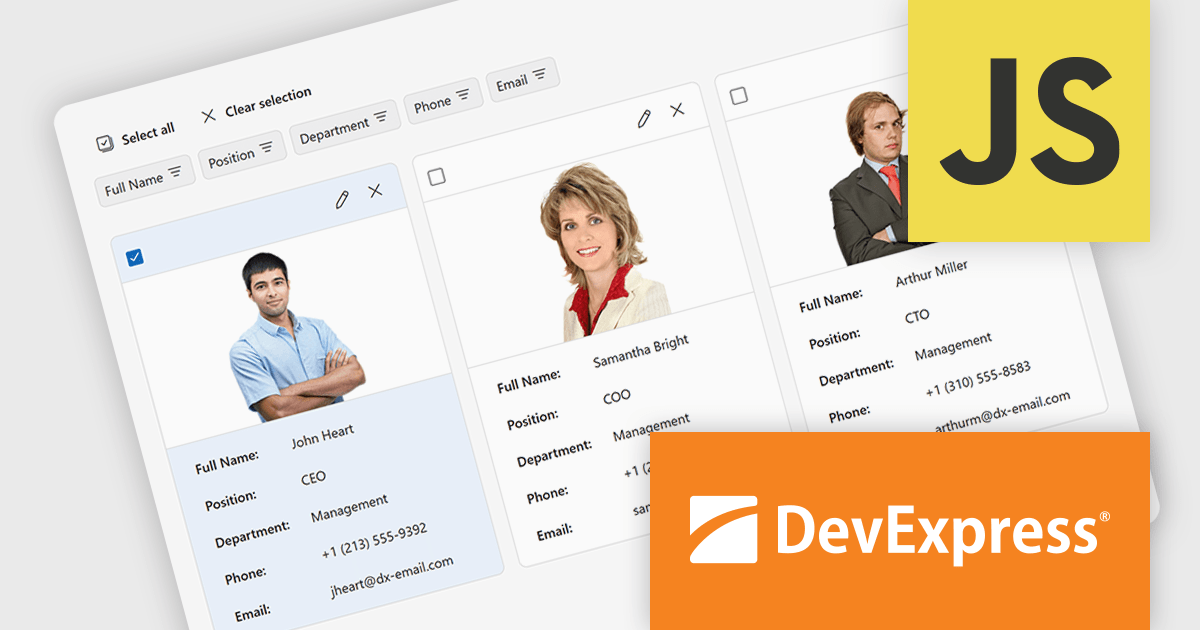
The DevExtreme Complete v25.1 release adds a new CardView component, which presents data in a card-based layout instead of the traditional grid format. It’s particularly suited to use cases like employee directories, contact lists, product catalogs, and task boards - any scenario where visual content such as images plays a central role. Each card includes a toolbar, cover image, main content area, and footer, all of which can be modified using the component's public API. This gives developers the flexibility to adapt the layout and behavior of CardView to meet specific application requirements.
To see a full list of what's new in version v25.1, see our release notes.
DevExtreme Complete is licensed per developer and is available as a Perpetual License with a 12 month support and maintenance subscription. See our DevExtreme Complete licensing page for full details.
DevExtreme Complete is available to buy individually or as part of the following products:

LightningChart Python is a high-performance visualization library designed for real-time analytics and large-scale data rendering. Utilizing GPU acceleration and WebGL, it efficiently processes millions of data points in 2D and 3D with smooth, interactive visuals. Some example chart types include Line graphs, Scatter plots, Heatmaps, Area plots, Box plots, 3D Surface graphs and Mesh plots, and it supports UI elements such as CustomTicks, interval Bands and Constant Lines. It seamlessly integrates with Python’s data ecosystem, including numpy, pandas, and GUI frameworks like PyQt and PySide, making it a powerful tool for interactive dashboards, financial analytics, scientific simulations, and engineering applications.
The LightningChart Python v1.2 update improves multidimensional data analysis capabilities by enabling Parallel Coordinate charts to be embedded directly into dashboards, allowing developers to integrate complex data comparisons within interactive visual reporting environments. This integration simplifies the comparison of complex data sets across multiple dimensions in a unified interface, so you can see relationships, correlations, clusters, and outliers across many dimensions at once.
To see a full list of what's new in v1.2, see our release notes.
LightningChart Python offers two licensing options: the subscription-based Data Scientist License for internal, non-public facing usage and the perpetual, per-seat Software Developer License for commercial use with professional support and deployment keys. Both licenses allow one active session per user, with developer licenses assigned individually. See our LightningChart Python licensing page for full details.
For more information, see our LightningChart Python product page.

ComponentSource and SecureTeam have been trusted partners since 2010, working together to provide advanced .NET protection tools to developers worldwide. SecureTeam’s technology delivers method-level encryption, obfuscation, licensing, and anti-reverse engineering techniques, all embedded seamlessly into application code. This enables development teams to safeguard their software against piracy, intellectual property theft, and malicious tampering.
At the heart of this collaboration is Agile.NET Code Protection, SecureTeam’s flagship product. Combining obfuscation, encryption, and runtime protection to defend sensitive .NET code from decompilation and tampering, it provides developers with an accessible, effective solution to secure their applications from development to deployment.
This partnership has strengthened ComponentSource’s catalog with industry-leading security solutions tailored for professionals across the globe. Developers in sectors like finance and healthcare rely on SecureTeam’s tools to deliver safer, more resilient applications. Together, ComponentSource and SecureTeam continue to support innovation and software protection at every stage of the development lifecycle.
Agile.NET Code Protection is licensed per named user, for use by a specific individual on their personal machine. The Developer License includes 1 Year Support & Upgrades with all updates and response times up to 48 hours. Build server licenses allow multiple users on a single build server. See our Agile.NET Code Protection licensing page for full details.
For more information, visit our SecureTeam brand page.





Tel: (888) 850 9911
Fax: +1 770 250 6199


