













공식 공급 업체
200 이상의 소프트웨어 개발처와 판매 계약을 맺은 공인 디스트리뷰터로서 합법적인 라이선스를 제공합니다.
모든 브랜드 보기.
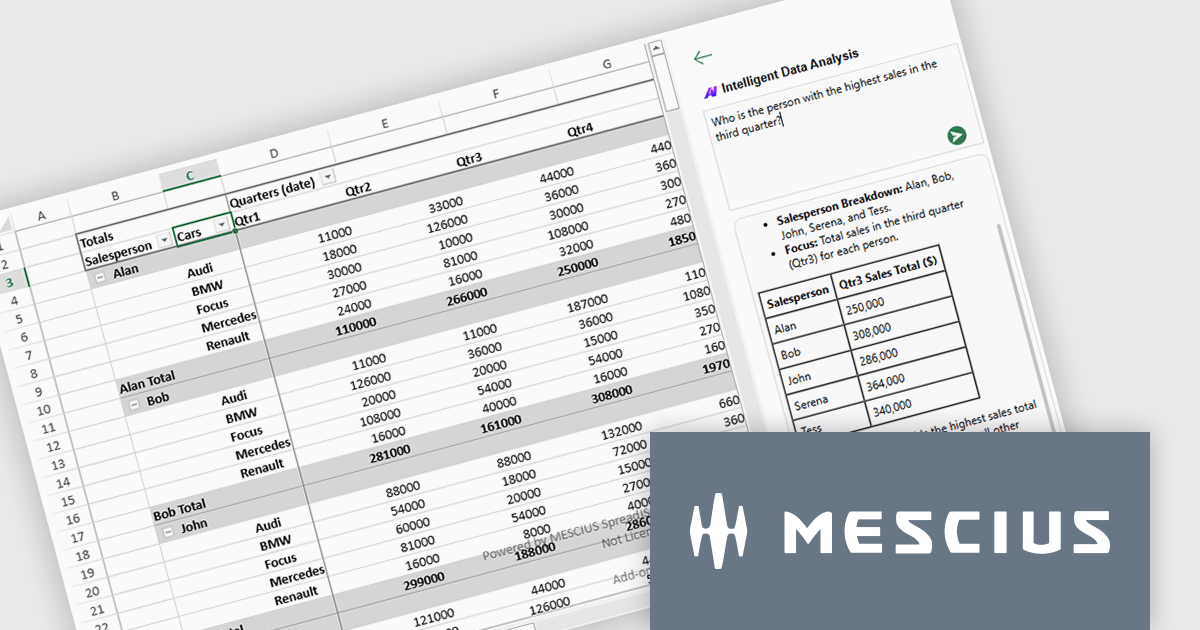
SpreadJS by MESCIUS is a high-performance JavaScript spreadsheet component designed to integrate Excel-like functionality into web applications. It allows developers to deliver robust spreadsheet experiences within their applications, complete with features like data import/export, complex formulas, conditional formatting, and extensive customization options. SpreadJS caters to a wide range of use cases, from financial modeling and data analysis to project management and interactive dashboards, ultimately allowing developers to build feature-rich and user-friendly web applications. SpreadJS 18.1 includes a Developer Preview of powerful AI-driven features designed to transform how users interact with JavaScript spreadsheets.
In this blog post, SpreadJS Product Manager Chris Bannon takes you through each of these AI features, shows you how to use them, and highlights the value they can bring to your JavaScript applications. The SpreadJS AI Add-on preview includes the following capabilities:
Read the full blog to get started exploring the benefits available in adding AI into your JavaScript spreadsheets.
SpreadJS is licensed per developer and includes 1 Year Maintenance (major and minor version releases and unlimited support phone calls). SpreadJS requires an Annual or Perpetual Deployment License. The optional Add-ons are available at an additional cost, and require a SpreadJS license. See our SpreadJS licensing page for full details.
For more information, visit our SpreadJS product page.
Infragistics Professional is a comprehensive suite of UI components designed to accelerate the development of high-performance, visually rich applications across several platforms. It provides developers with a vast collection of tools for building data-driven interfaces, including advanced grids, charts, and reporting features for web, desktop, and mobile environments.
Ignite UI for Angular (included in Infragistics Professional) includes a rich collection of high-performance components that help developers to build modern, data-rich web applications with speed and precision. With features like an advanced data grid, sophisticated charting capabilities, and full accessibility support, Ignite UI for Angular helps developers create responsive interfaces more easily and simplifies common tasks involved in building Angular applications.
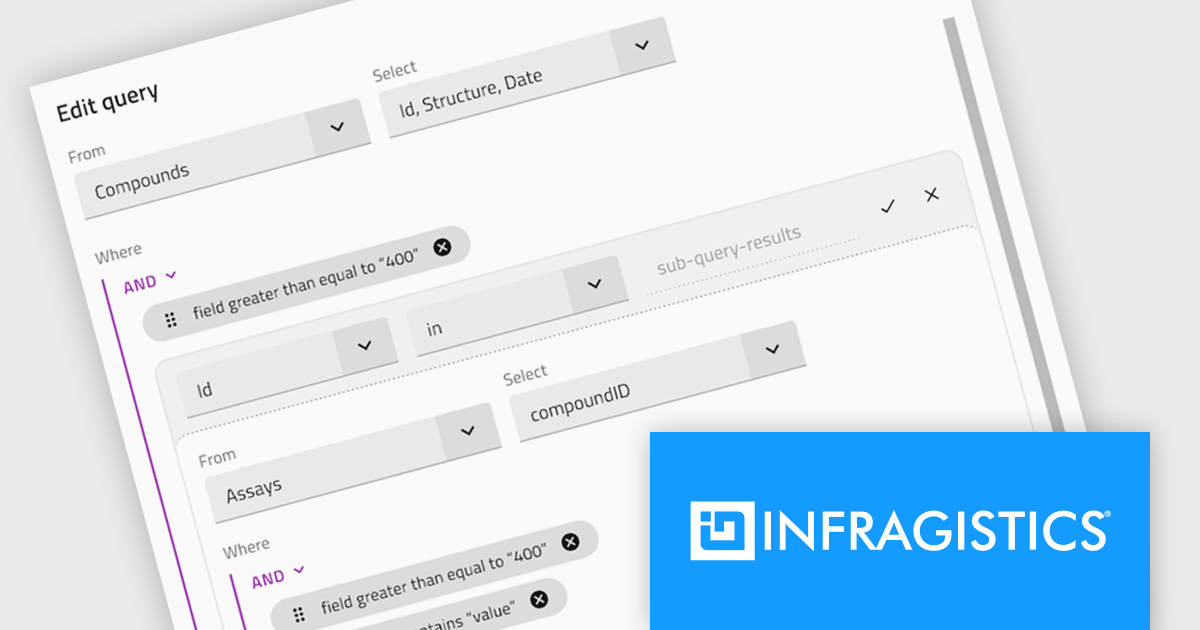
The Infragistics Professional 25.1 release introduces a powerful enhancement to its Angular Query Builder component - support for nested SQL queries using IN and NOT IN operators. This addition allows users to design subqueries visually within the Query Builder interface, effectively embedding one query inside another without writing manual SQL. The update brings the expressive power of SQL subqueries into the hands of users through a clean, intuitive UI, making it significantly easier to handle complex data filtering logic in Angular applications.
To see a full list of what's new in version 25.1, see our release notes.
Infragistics Professional is licensed per developer and is available as a Perpetual License with a 1, 2 or 3 year support and maintenance subscription. See our Infragistics Professional licensing page for full details.
For more information, visit our Infragistics Professional product page.

ComponentSource has played a central role in broadening access to Sencha’s suite of development tools by making them more readily available to a global developer audience. Its distribution infrastructure has helped ensure that organizations - including many in the Fortune 100 - can obtain the tools they need to build and maintain complex, data-driven web applications across platforms.
For five years, ComponentSource has supported developers by providing a straightforward route to acquiring Sencha's products. This collaboration reflects a shared goal: to make software procurement simpler and more reliable, particularly for teams working on large-scale or multi-device applications.
Celebrating a successful 5-year journey, ComponentSource and Sencha look forward to further empowering development teams globally. This continued collaboration aims to enhance the availability and adoption of Sencha's tools, enabling even more organizations to build sophisticated web applications for diverse devices.
For more information, visit our Sencha brand page.
Stimulsoft Reports.JS provides a robust reporting toolkit designed specifically for JavaScript applications. This library leverages a client-side architecture, offering a pure JavaScript report engine for efficient report rendering directly within web browsers. The solution includes a user-friendly report designer for building reports with various data sources and visualizations, along with a report viewer for seamless integration and display within your JavaScript applications. This eliminates the need for server-side dependencies or browser plugins, simplifying the development process for embedding powerful reporting functionalities into your web projects.
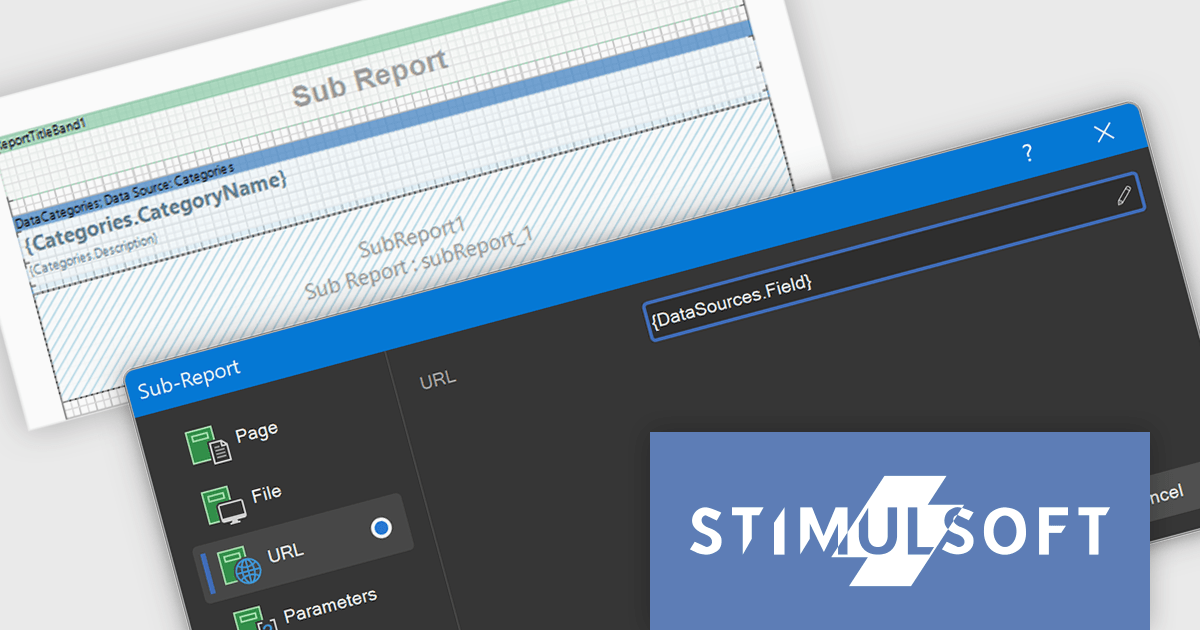
The Stimulsoft Reports.JS includes expressions within the URL and File fields of the Sub-Report component. This functionality helps developers to dynamically determine the source of a sub-report, whether it is a file path or a web address, based on the evaluation of expressions. Consequently, this allows for the creation of more adaptable and context-aware reports where the embedded sub-report content or linked resources are determined programmatically based on the main report's data, offering greater flexibility in report design and data integration without the need for static configurations.
Stimulsoft Reports.JS is licensed per developer and is available as a Perpetual license with 1 year support and maintenance. See our Stimulsoft Reports.JS licensing page for full details.
Stimulsoft Reports.JS is available individually or as part of Stimulsoft Ultimate.

ComponentSource has helped extend access to Froala's lightweight WYSIWYG HTML editor by making it available to developers around the world. The JavaScript-based editor integrates easily into web applications, offering straightforward rich text editing capabilities that fit well within ComponentSource's global catalog of developer tools.
The partnership between ComponentSource and Froala, now spanning five years, reflects a shared dedication to providing developers with high-quality and easily accessible software. This collaboration has created a reliable channel for developers to obtain Froala's products.
As they mark five years of working together, ComponentSource and Froala continue to support developers with accessible editing solutions. The availability of Froala Editor through ComponentSource underscores its position as a useful tool for modern web content editing, and strengthens ComponentSource’s role as a resource for trusted development components.
Froala Editor is licensed per product and domain. It is available as an annual or perpetual license with version upgrades and support. See our Froala Editor licensing page for full details.
For more information, visit our Froala Editor product page.
전화 : 00798 14 800 6332
팩스 : +1 770 250 6199


