













공식 공급 업체
200 이상의 소프트웨어 개발처와 판매 계약을 맺은 공인 디스트리뷰터로서 합법적인 라이선스를 제공합니다.
모든 브랜드 보기.
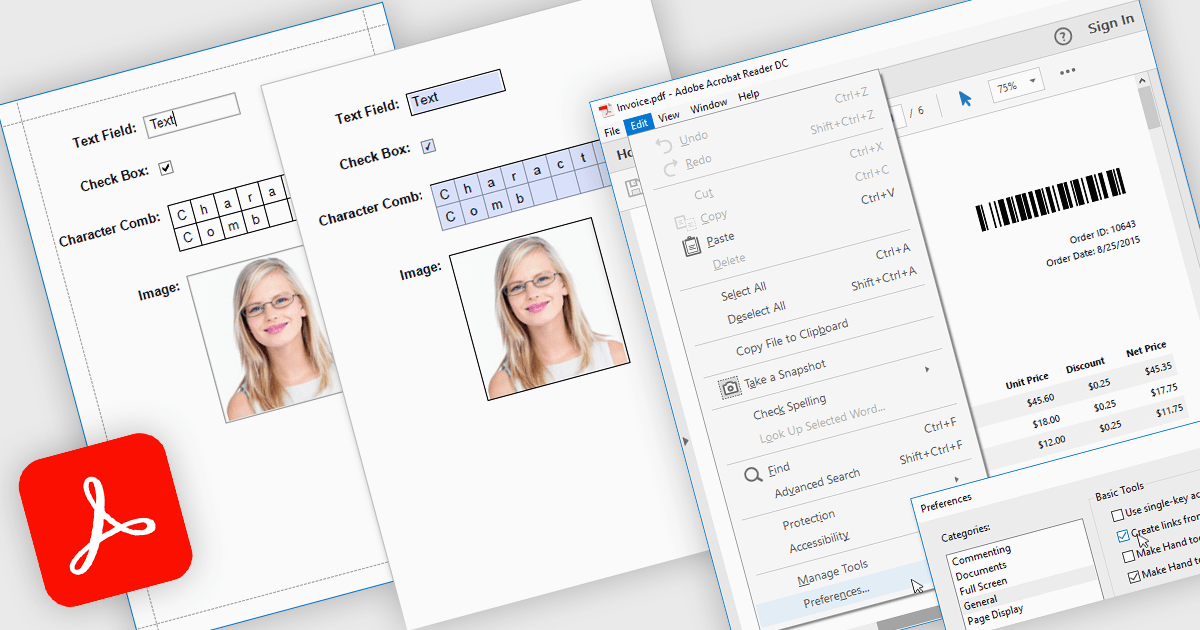
Exporting reports to PDF with AcroForms enables reports to be saved as PDF files containing fully interactive form fields, rather than static text. Editable elements such as text boxes, checkboxes, radio buttons, and drop-down lists remain fillable after export, allowing users to complete forms directly in standard PDF viewers like Adobe Acrobat Reader - without the need for specialized software. The benefits are considerable: organizations can reduce manual data entry, maintain consistent formatting across distributed documents, and improve accessibility for end users. For instance, a company might export an invoice report with editable billing details, create a survey that recipients can fill out digitally, or generate compliance forms that clients can complete and return electronically. By embedding interactive fields directly into exported reports, AcroForms help make document workflows more efficient, accurate, and user-friendly.
Several .NET WPF reporting controls offer Export to PDF with AcroForms including:
For an in-depth analysis of features and price, visit our comparison of .NET WPF reporting controls.
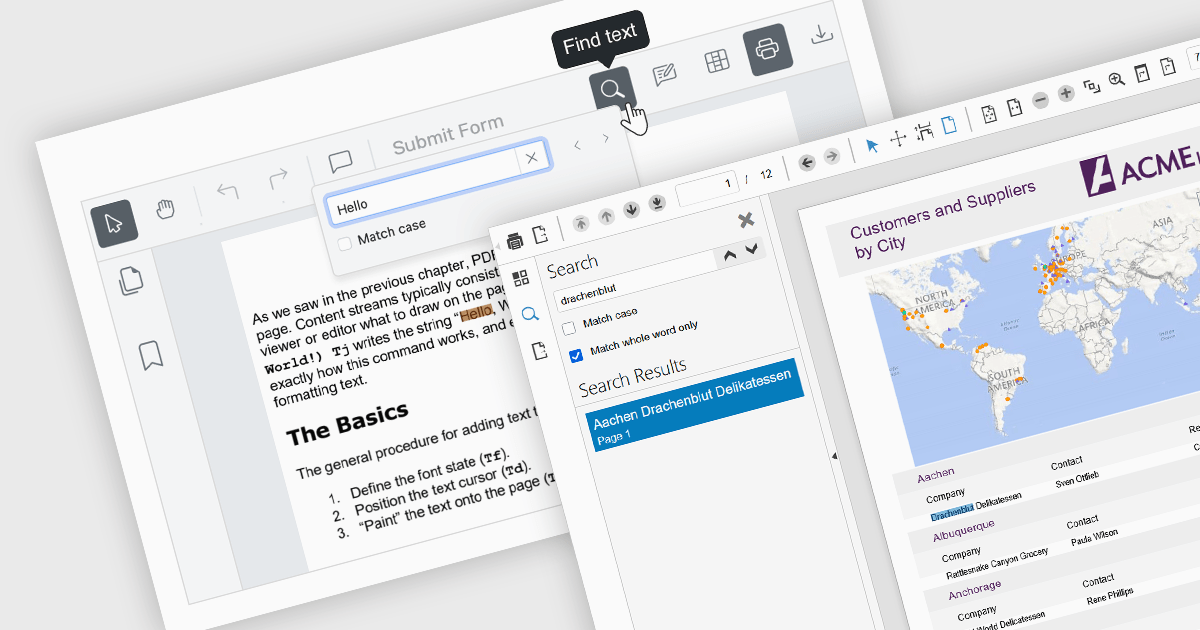
Text searching functionality in a PDF viewer allows users to quickly locate specific words or phrases within a PDF document by entering the keywords into a search field built into the viewer. It works by scanning the text layer of the PDF, highlighting matching results, and enabling fast navigation between the occurrences. Considered as baseline functionality, this very widely used feature provides an important benefit by eliminating the need to manually scroll and read through content, saving a significant amount of time when finding relevant information, especially in lengthy, complex or densely formatted documents.
Several Angular PDF viewer components allow you to search text, including:
For an in-depth analysis of features and price, visit our comparison of Angular PDF viewer components.
EPPlus is a powerful and versatile .NET library for managing and manipulating Microsoft Excel files using the Office Open XML (OOXML) format. It is a lightweight and efficient library that is easy to use and can be integrated into a wide range of applications. It allows developers to create, read and modify spreadsheets without dependencies on any other library. Features include pivot tables, styling, VBA/Form controls, conditional formatting, charts, tables, formula calculation, data validation, pictures/shapes, and more.
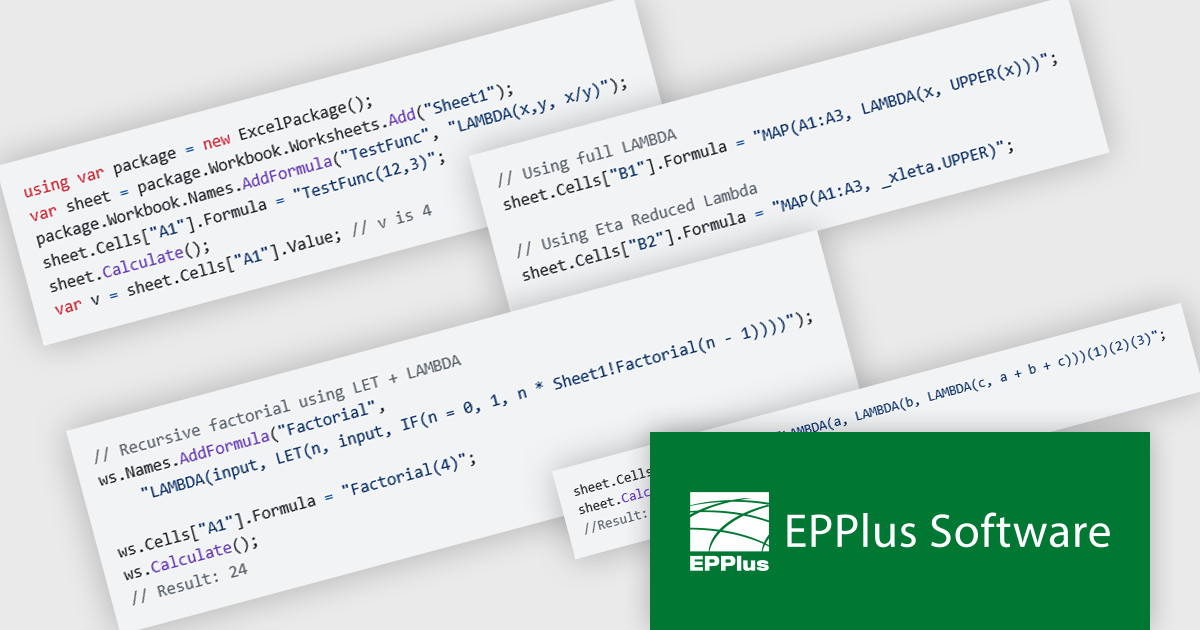
The EPPlus v8.2.0 update introduces support for eight new LAMBDA-based functions, giving developers greater flexibility and control when working with Excel workbook calculations. With these additions, you can now define custom functions directly in the workbook, streamline array transformations, apply operations by row or column, and handle iterative or conditional logic more efficiently. This enhancement reduces the need for repetitive formulas or external code, enabling cleaner, more maintainable spreadsheets that better align with modern programming practices.
To see a full list of what's new in v8.2.0, see our release notes.
EPPlus is licensed per developer and is available as both perpetual licenses and subscription based licenses with periods of 1 year and 2 years, which include support and upgrades. See our EPPlus licensing page for full details.
For more information, see our EPPlus product page.
DevExpress ASP.NET Core is a powerful suite of UI components and reporting tools designed to enhance the development of modern, data-driven web applications built with ASP.NET Core. It leverages the flexibility of client-side JavaScript libraries like DevExtreme with the ease of server-side ASP.NET Core Razor syntax and Web APIs. This hybrid approach allows developers to build rich, responsive UIs with features like data grids, editors, schedulers, and charts, while maintaining the productivity and control of server-side development.
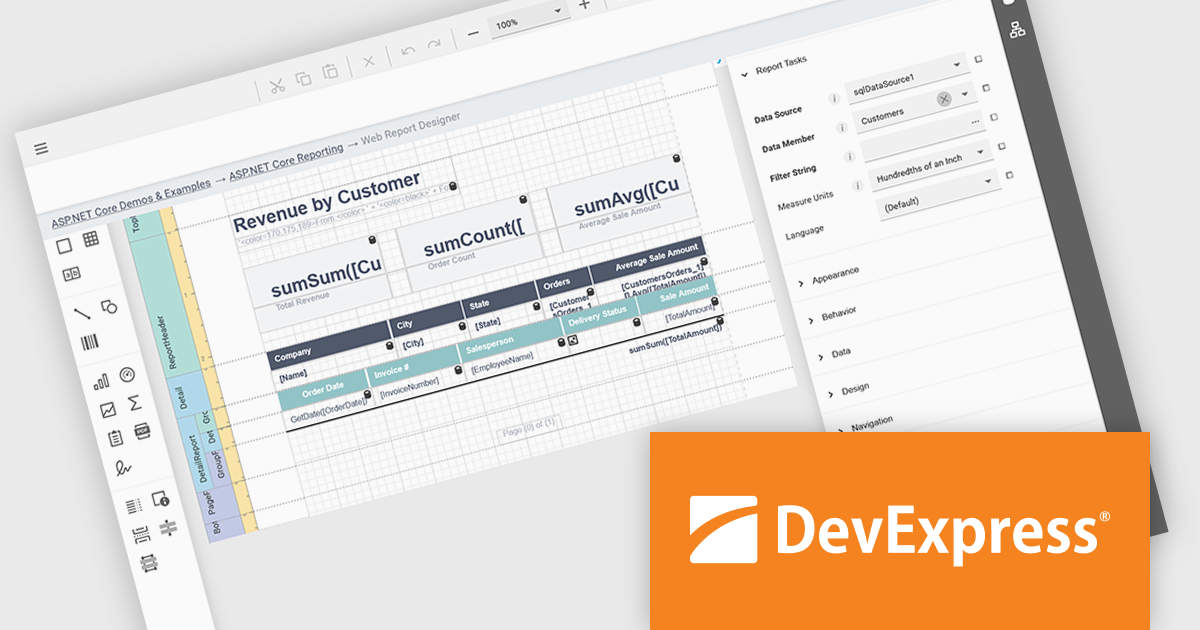
DevExpress ASP.NET Core Reporting includes a web-based report designer that lets users build and edit reports directly in their browser. This removes the need for separate desktop tools or installations, making it easier to deploy and manage. The browser-based approach works across platforms and provides a consistent interface for editing layouts, data connections, and formatting. It also allows business users to handle report changes on their own, reducing the amount of hands-on support developers need to provide, while fitting easily into existing ASP.NET applications.
DevExpress ASP.NET and Blazor is licensed per developer and is available as a Perpetual License with a 12 month support and maintenance subscription. See our DevExpress ASP.NET and Blazor licensing page for full details.
DevExpress ASP.NET and Blazor is available to buy in the following products:
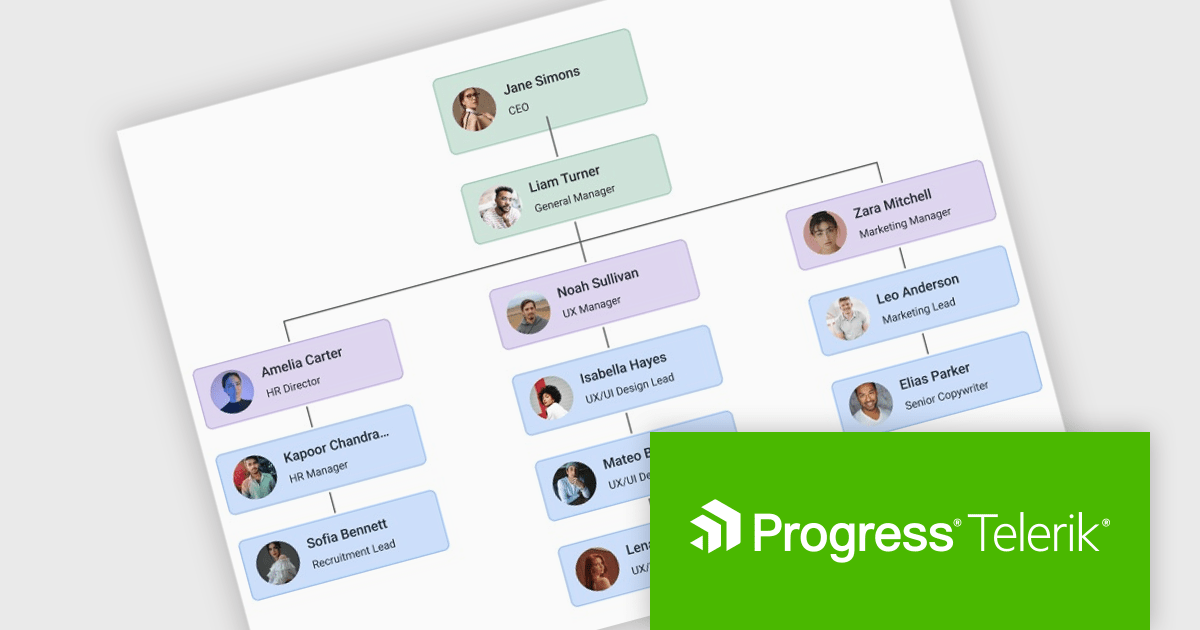
Telerik UI for Blazor is a comprehensive UI library that provides over 110 native and customizable Blazor components for building modern and feature-rich web applications. This professional-grade solution offers a complete set of components to satisfy all user interface requirements, saving time and effort in UI design.
The Telerik UI for Blazor 2025 Q3 update introduces a new Diagram component that enables developers to effectively model, display, and manage complex data, structures, and processes within their applications. With support for built-in layouts, customizable shapes, and flexible connections, the Diagram improves the creation of organizational charts, process flows, and other visual representations without requiring extensive manual coding. Workflow-ready elements and user interaction capabilities ensure that diagrams are not static images but functional components that respond to events and actions, making them a practical tool for building interactive and data-driven Blazor applications.
To see a full list of what's new in 2025 Q3 (v11.1.1), see our release notes.
Telerik UI for Blazor is licensed per developer and has two licensing models: an annual Subscription License and a Perpetual License. The Subscription license provides access to the latest product updates, technical support, and exclusive benefits for a flat annual fee, and must be renewed to continue using the software. The Perpetual license is a one-time purchase granting access to the current released version and includes a one-year subscription for product updates and technical support. After this initial period, users can choose to renew the subscription element to continue receiving updates and support; otherwise, they may continue using the installed version available during their active subscription term but will forgo future updates and support. See our Telerik UI for Blazor licensing page for full details.
Telerik UI for Blazor is available individually or as part of the following products:
전화 : 00798 14 800 6332
팩스 : +1 770 250 6199


