













공식 공급 업체
200 이상의 소프트웨어 개발처와 판매 계약을 맺은 공인 디스트리뷰터로서 합법적인 라이선스를 제공합니다.
모든 브랜드 보기.

Data filtering and grouping allow spreadsheet users to efficiently organize and analyze information by categorizing and refining it. Filtering allows users to display only the data that meets specific criteria, reducing irrelevant information and focusing on key data points. Grouping, on the other hand, consolidates related rows or columns, facilitating hierarchical data organization and summarization. Together, these features enhance data manipulation capabilities by simplifying complex datasets, improving readability, and allowing for more efficient data analysis. This functionality supports productivity by providing a more structured view of data, making it easier for developers to interpret and work with extensive datasets.
Many .NET 8 WinForms spreadsheet controls contain data filtering and grouping including:
For an in-depth analysis of features and price, visit our comparison of .NET 8 WinForms spreadsheet controls.
Universal Data Access Components (UniDAC) is a comprehensive database access library that provides developers with a unified interface for working with various database systems. It supports a wide range of databases, including popular options like Oracle, SQL Server, MySQL, PostgreSQL, and InterBase. UniDAC simplifies data access operations by offering a consistent API, reducing the need for platform-specific code and enhancing code portability across different database environments.
The UniDAC 10.3.0 release introduces a new provider for Microsoft Excel. This addition offers a unified interface to access both relational databases and Excel spreadsheets, making data integration more efficient and reducing development time. With this feature, data exchange between data sources is now possible, streamlining tasks such as importing, exporting, and manipulating data from Excel in a database-focused environment. This enhancement is useful for applications that rely on both spreadsheets and databases for data management.
To see a full list of what's new in 10.3.0, see our release notes.
Universal Data Access Components (UniDAC) is licensed per developer and is available as a Perpetual License with a 12 month support and maintenance subscription. See our UniDAC licensing page for full details.
Learn more on our Universal Data Access Components (UniDAC) product page.
Scriptcase is a RAD platform that simplifies PHP web application development. Its drag-and-drop interface, code generation capabilities, and database integration make it a user-friendly tool for both experienced programmers and non-technical users. By streamlining the development process, Scriptcase accelerates the time to market, reduces coding effort, enhances productivity, lowers costs, and improves user experience.
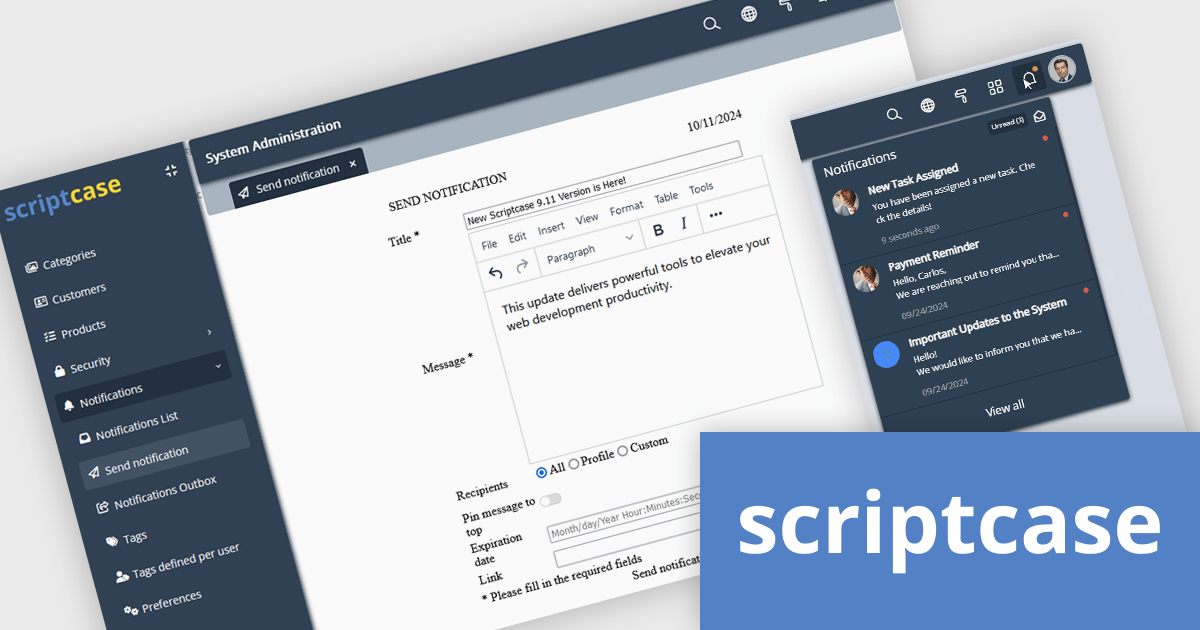
The Scriptcase 9.11 release offers a new Notifications Module that is fully integrated with the Security Module. This allows users to send and receive personalized, real-time notifications across devices via a responsive menu. Each notification triggers a non-intrusive toast alert, ensuring users stay informed without disrupting usability. The module also includes a powerful notification macro, enabling developers to send customized notifications with dynamic parameters for efficient, real-time communication. This combination enhances user engagement, improves control, and simplifies the delivery of critical updates, providing a seamless and responsive notification system across all platforms.
To see a full list of what's new in version 9.11.000, see our release notes.
Scriptcase is licensed per developer and is available as an Annual or Perpertual license with 1 year support and maintenance. See our Scriptcase licensing page for full details.
For more information, visit our Scriptcase product page.
Stimulsoft BI Server is a comprehensive client-server Business Intelligence solution designed for reporting and analytics. The front end offers powerful data visualization capabilities, while the back end handles data processing and storage. It can function as a standalone report server or be embedded into other systems. The software includes a range of features such as report creation and editing, secure storage, scheduling, and automated delivery to clients.
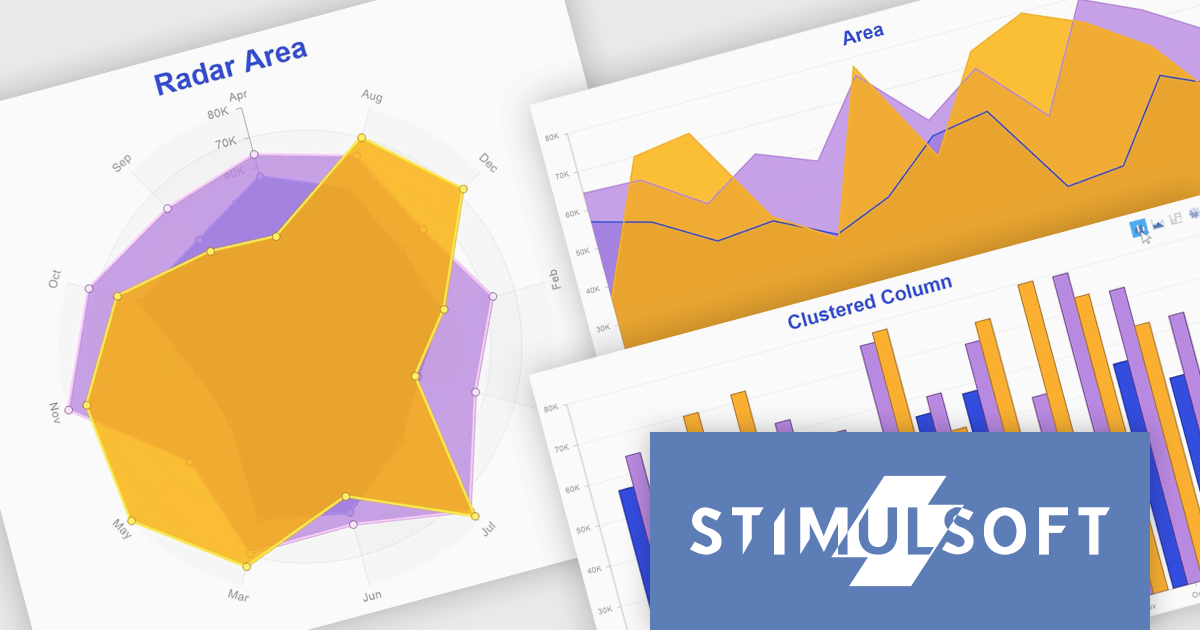
The Stimulsoft BI Server 2024.4.1 release introduces the ability to create multiple Views within a single dashboard chart element, allowing up to five different charts to be displayed in one location. With this enhancement, the view name can now serve as the element title, automatically updating as users switch between different views. This feature, which can be enabled via the 'Show Title' parameter, offers greater flexibility, reduces dashboard clutter, and improves data clarity by ensuring each chart view is clearly labeled, providing a more streamlined and intuitive user experience.
To see a full list of what's new in 2024.4.1, see our release notes.
Stimulsoft BI Server is available as a perpetual license and is licensed per creator. A creator has an account on the server, has access from the client-side, registered as an editor, and uses the product to work with report templates and dashboards - create, edit, view, delete, etc. See our Stimulsoft BI Server licensing page for full details.
Stimulsoft BI Server is available in the following products:

SpreadJS by MESCIUS is a high-performance JavaScript spreadsheet component designed to seamlessly integrate Excel-like functionality into web applications. It empowers developers to deliver robust spreadsheet experiences within their applications, complete with features like data import/export, complex formulas, conditional formatting, and extensive customization options. SpreadJS caters to a wide range of use cases, from financial modeling and data analysis to project management and interactive dashboards, ultimately allowing developers to build feature-rich and user-friendly web applications.
In this blog post, MESCIUS Product Marketing Specialist Mackenzie Albitz demonstrates how to leverage the SpreadJS JavaScript spreadsheet API to effortlessly import and read Excel files from designated URLs. Steps include:
Detailed JavaScript and HTML code is included to help you along.
Read the complete blog and learn how to integrate a spreadsheet component into your web applications without the need for an external program.
SpreadJS is licensed per developer and includes 1 Year Maintenance (major and minor version releases and unlimited support phone calls). SpreadJS requires an Annual or Perpetual Deployment License. The optional Add-ons are available at an additional cost, and require a SpreadJS license. See our SpreadJS licensing page for full details.
For more information, visit our SpreadJS product page.
전화 : 00798 14 800 6332
팩스 : +1 770 250 6199


