Architecture News

JavaScript 스프레드시트에 툴팁 통합

7월 24, 2023
JavaScript 툴팁으로 스프레드시트 데이터 프레젠테이션을 개선합니다.

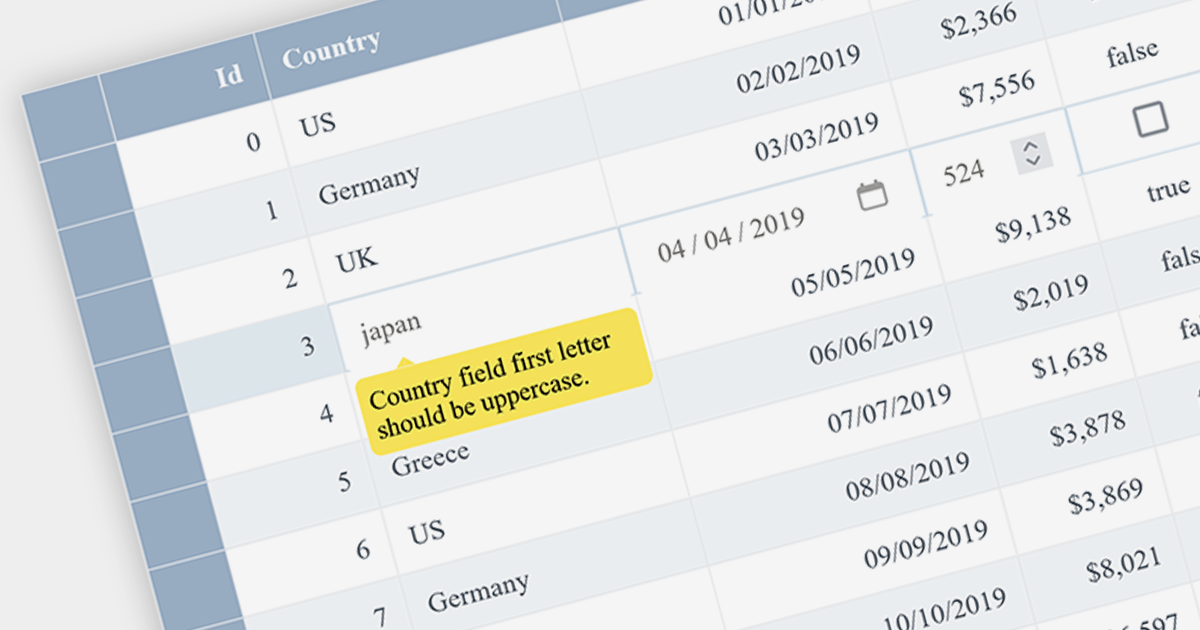
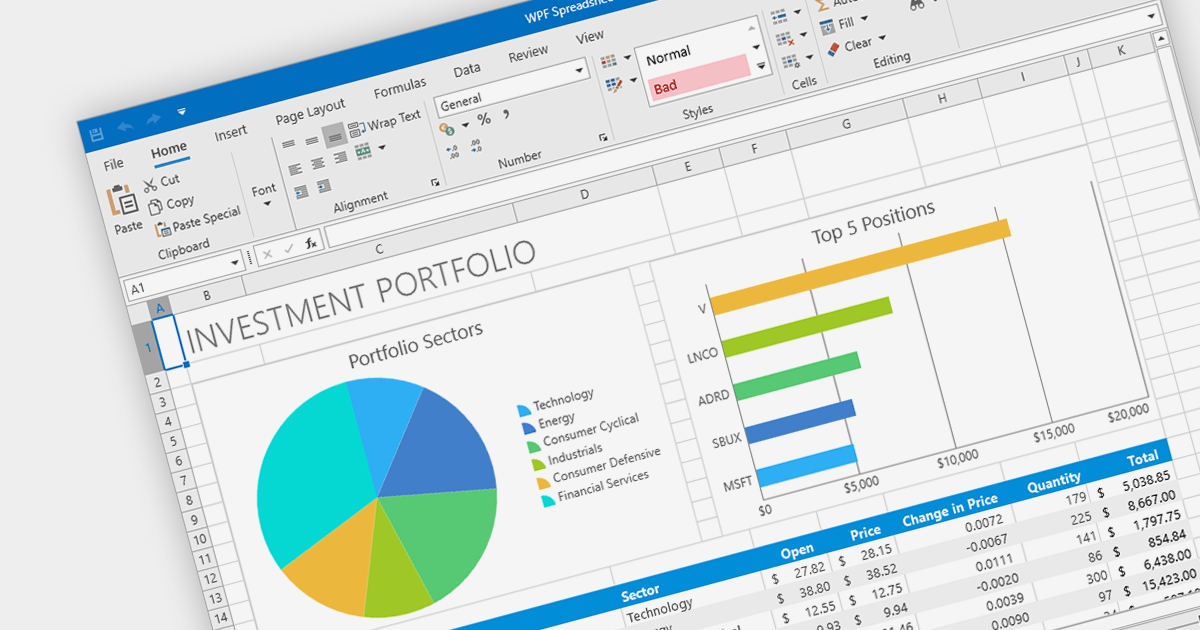
Tooltips are small pop-up or hover boxes that appear when users interact with an element on a Web site or application, typically triggered by hovering over or clicking on an element. They can provide additional information or context about the element, enhancing user experience and clarifying functionality. Tooltips can be used in spreadsheets to give further context, such as the meaning of a formula, the source of a data point, or a description of an image.

Several JavaScript spreadsheet controls offer support for tooltips, including:

  • Infragistics Spreadsheet React (part of Infragistics Ignite UI) provides a comprehensive set of React components, including a spreadsheet component with seamless tooltip integration.
  • SpreadJS by MESCIUS (formerly GrapeCity) is a powerful JavaScript spreadsheet component that allows you to create interactive and feature-rich spreadsheet applications with built-in support for tooltips.
  • Telerik Spreadsheet jQuery (part of Kendo UI) offers a jQuery-based spreadsheet component with tooltip support.

For an in-depth analysis of features and price, visit our comparison of JavaScript spreadsheets.

Compare JavaScript Spreadsheets

.NET의 PDF에서 내용 추출하기

7월 21, 2023
데이터 추출을 자동화하여 PDF 데이터에 더 쉽게 액세스할 수 있습니다.

PDF data extraction is the process of programmatically extracting textual and visual information from PDF documents. It enables developers to parse files, extract text, images, and other elements, facilitating tasks like document indexing, and text mining.

Several .NET PDF components provide content extraction capabilities, including:

  • Aspose.PDF for .NET is a comprehensive library that allows extracting text, images, and other elements from PDF files with ease.
  • IronPDF for .NET is a versatile PDF toolset enabling content extraction, conversion, and manipulation for PDF files in .NET applications.
  • LEADTOOLS PDF Pro is an advanced toolkit that allows developers to extract text and metadata from PDFs.
  • GrapeCity Documents for PDF is a feature-rich component for .NET, facilitating content extraction and management from PDF files.
  • XFINIUM.PDF CROSS PLATFORM EDITION is a cross-platform PDF library for .NET, offering efficient content extraction and processing functionalities.

For an in-depth analysis of features and price, visit our comparison of .NET PDF components.

Compare .NET PDF Components

XML 파일 리팩터링

7월 18, 2023
리팩터링 도구를 사용하여 XML 코드의 가독성, 유지 관리 및 성능을 개선합니다.

Refactoring XML is the process of restructuring and optimizing XML code to improve readability, maintainability, and performance, while preserving its functionality. It involves changing the layout, element naming, removing redundancies, and reorganizing the document to enhance its overall quality. This can be achieved by using a structured document tool, designed to create, edit, and manage documents.

Several structured document tools support refactoring, including:

  • Oxygen XML Editor Enterprise enables users to restructure and optimize XML documents efficiently. Its comprehensive set of features allows for easy element renaming, removing redundancies, and restructuring large XML files without compromising on functionality.
  • Altova XMLSpy Enterprise XML Editor has a powerful XML refactoring feature set, helping users maintain well-structured and organized XML code, simplifying complex structures while ensuring compliance with XML standards.
  • Liquid Studio XML Editor Edition provides a user-friendly interface with XML refactoring capabilities. Its intuitive features assist in streamlining XML document maintenance and improving overall code quality.
  • Stylus Studio XML Enterprise Suite offers comprehensive XML refactoring capabilities for developers and content authors. Its refactoring tools help optimize XML documents by restructuring and reorganizing elements, enhancing code readability, and ensuring adherence to industry standards.

For an in-depth analysis of features and price, visit our comparison of structured document tools.

Compare Structured Document Tools

XML 문서를 표준 형식으로 변환

7월 18, 2023
표준화를 통해 XML 문서의 머신 가독성 및 표준 준수를 개선합니다.

Canonicalizing XML files involves transforming them into a standard form, removing insignificant or non-meaningful differences, such as white spaces or attribute order, ensuring consistent representation and standards-compliance. Standardizing files helps to work with XML data more efficiently and effectively.

Several XML tools allow you to canonicalize XML files, including:

  • Liquid Studio Data Designer Edition by Liquid Technologies provides XML canonicalization with support for various canonicalization algorithms, helping developers ensure consistent XML representation. It offers user-friendly features for efficient data handling.
  • Oxygen XML Editor Professional by Syncro Soft allows users to canonicalize XML files effortlessly. Its powerful features and XPath support make it a top choice for XML-related tasks.
  • Altova MapForce Enterprise Edition provides data mapping capabilities and enables XML canonicalization, streamlining data integration processes. Its graphical interface simplifies the XML transformation process.

For an in-depth analysis of features and price, visit our comparison of structured document tools.

Compare Structured Document Tools

LEADTOOLS, 전체 Python 지원 추가

7월 17, 2023
고급 인식, 문서, 멀티미디어 및 이미징 기능을 갖춘 Python 애플리케이션을 구축합니다.

Python is a versatile and high-level programming language that is widely used, for example to build machine learning models or Web applications. It is highly scalable, making it a good choice for both small and large projects.

The Lead Technologies product range offers advanced image processing capabilities, including resizing, cropping, rotation, and color manipulation, OCR support, PDF recognition and manipulation, barcode recognition, forms processing and much more.

LEADTOOLS for Python is now included in the installation packages and can easily be installed in any Python environment using PIP.

LEADTOOLS products with Python language support include:

With the addition of Python support, LEADTOOLS makes it easier for developers to build Python-based applications with advanced document and imaging functionality.

Explore the full Lead Technologies product range.