













공식 공급 업체
200 이상의 소프트웨어 개발처와 판매 계약을 맺은 공인 디스트리뷰터로서 합법적인 라이선스를 제공합니다.
모든 브랜드 보기.
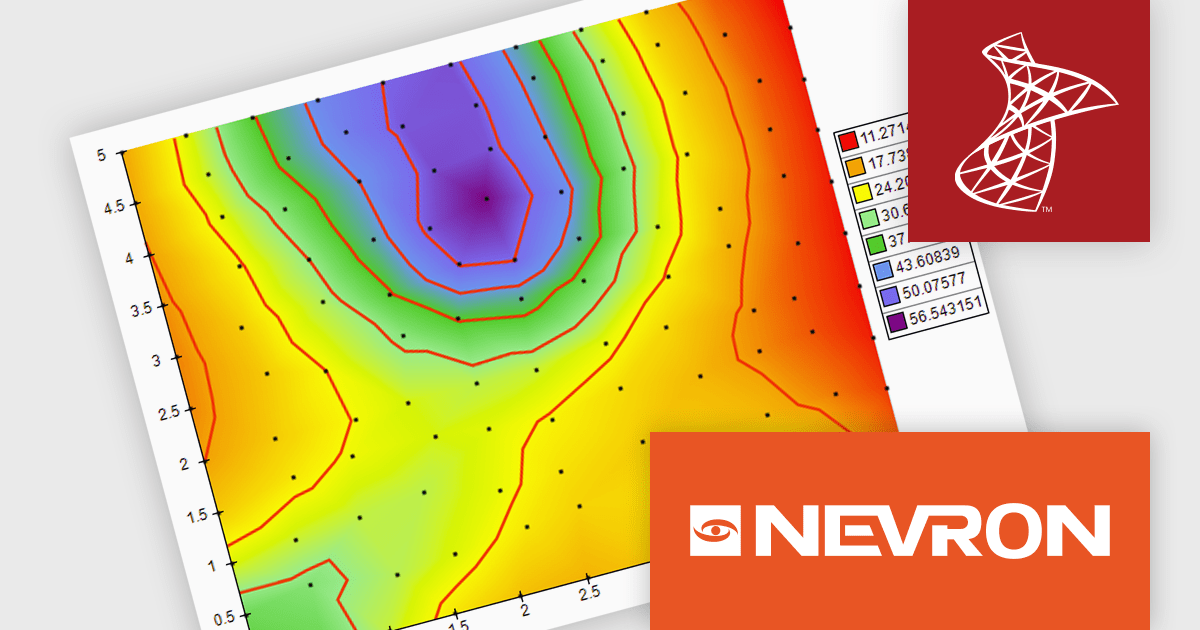
Nevron Chart for SSRS is a robust charting tool for SQL Server Reporting Services, offering a variety of chart types such as bar, line, pie, and advanced options like financial and gauge charts. It enables users to create highly customizable, data-driven visuals integrated with their reports. Key features include multiple axes, customizable legends, and dynamic data grouping. Nevron Chart is ideal for organizations looking to enhance their reports with clear, actionable data visualizations, making it a valuable tool for data analysis and decision-making.
The Nevron Chart for SSRS 2024.1 release adds new Triangulated HeatMap that enables intuitive visualization of complex data by transforming X, Y, and Z coordinates into a smooth, color-interpolated heatmap. It automatically generates a Delaunay triangular network for optimal data representation and adds isolines to highlight equal elevation points, making it ideal for analyzing patterns in multi-dimensional datasets. This feature streamlines complex data analysis, offering faster insights and precise visualizations for informed decision-making.
To see a full list of what's new in 2024.1, see our release notes.
Nevron Chart for SSRS is licensed per developer and is available as a perpetual license with 1 year support and maintenance. See our Nevron Chart for SSRS licensing page for full details.
Nevron Chart for SSRS is available in the following products:
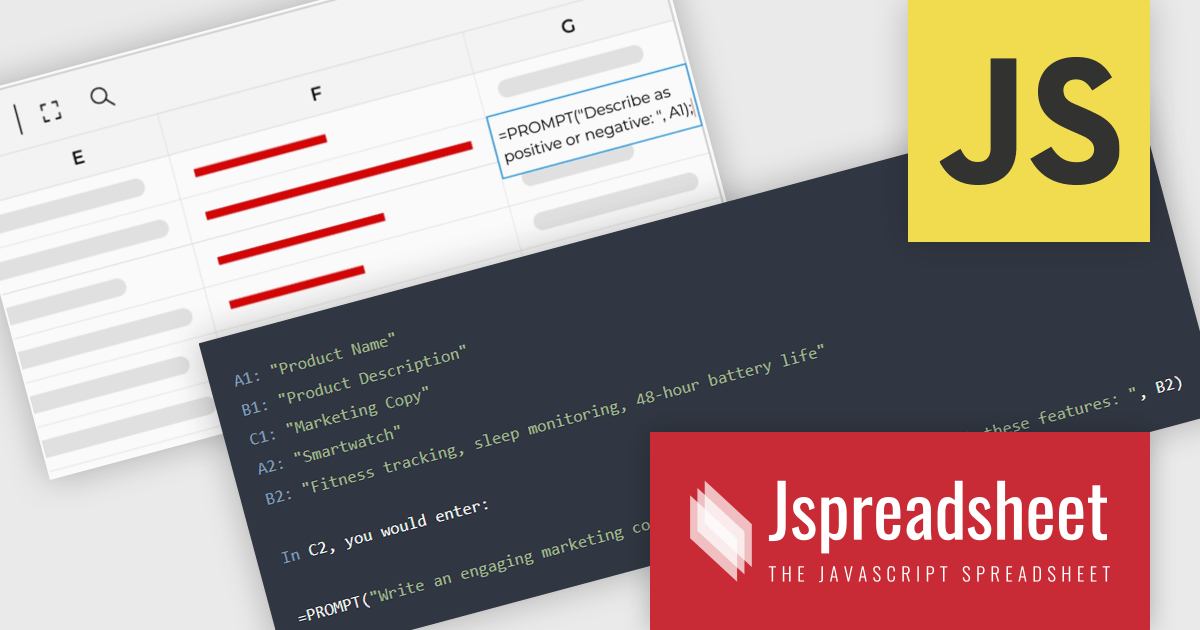
Jspreadsheet Pro is a flexible JavaScript-based spreadsheet solution that enables developers to create customizable, feature-rich data grids for web applications. It offers advanced formulas, data validation, and API integrations. Ideal for tasks like financial modeling, inventory management, and project tracking, it helps businesses efficiently manage and analyze data. Its backend server integration supports real-time data processing, enhancing workflows and boosting productivity across various industries.
Jspreadsheet Pro seamlessly incorporates ChatGPT API into data grids. This integration facilitates automated content generation, efficient response management, and comprehensive data analysis. For full functionality it requires the Jspreadsheet Server extension which enables front-end queries to communicate with the API via your back-end, delivering real-time data and insights to users.
Jspreadsheet Pro is licensed as an Annual or a Perpetual License with support and maintenance. We can supply any Jspreadsheet Pro license including new licenses, maintenance renewals, and upgrade licenses. See our Jspreadsheet Pro for full details.
For more information, visit our Jspreadsheet Pro product page.
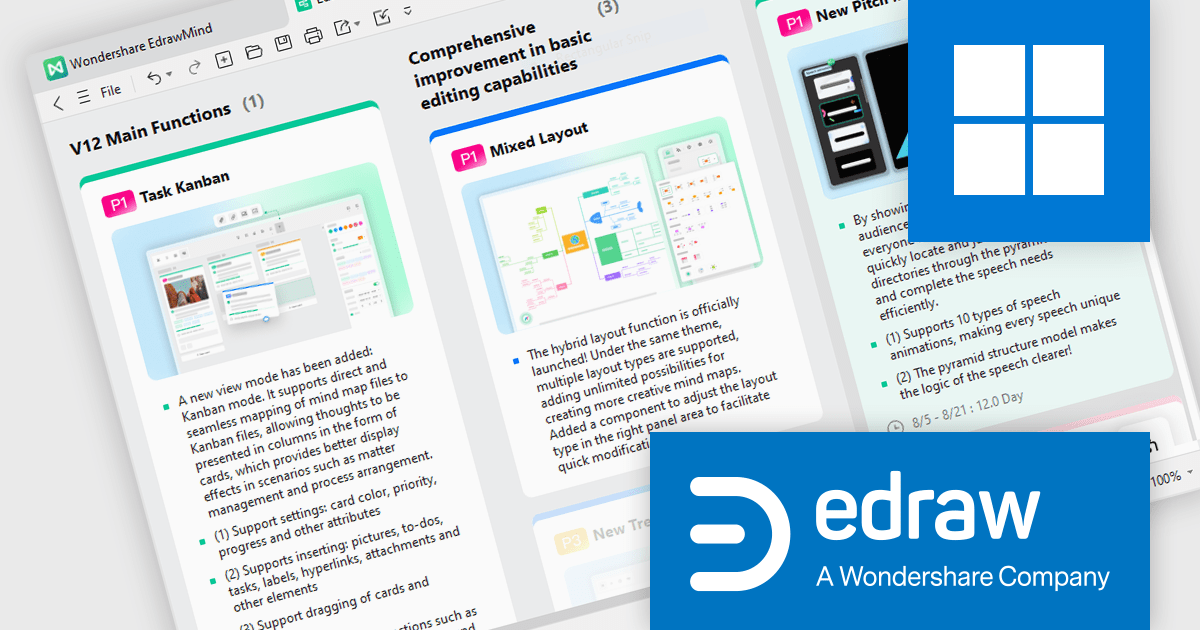
EdrawMind is a powerful mind mapping tool that helps users visually organize ideas and information. It features customizable templates, drag-and-drop functionality, and the ability to add images, links, and notes. With real-time collaboration, cross-platform support, and cloud integration, it enhances team productivity and creativity. Ideal for professionals, educators, and students, EdrawMind streamlines planning, brainstorming, and learning processes.
The EdrawMind v12.0 update introduces Kanban Mode, providing developers with an efficient way to manage tasks and workflows within their mind maps. This new mode integrates Kanban-style boards directly into the mapping process, allowing users to visualize and track the progress of individual tasks in a structured, card-based format. For developers, this enhances project management by combining the flexibility of mind mapping with the systematic approach of Kanban, making it easier to organize tasks, prioritize development phases, and monitor progress. The result is improved task management, better resource allocation, and increased productivity within development workflows.
To see a full list of what's new in v12.0.0, see our release notes.
EdrawMind is licensed per user and can be purchased as an Annual Subscription or Lifetime license. Team plans are available for businesses, giving flexibility to provision, track and manage authority across groups and teams. See our EdrawMind licensing page for full details.
Learn more on our EdrawMind product page.

dbForge Query Builder for SQL Server is a powerful SQL Server management tool that provides a visual interface for creating, editing, and executing SQL queries. It offers a wide range of features, including code completion, syntax highlighting, query optimization, and integration with SQL Server Management Studio. This tool is designed to enhance developer productivity and simplify complex SQL tasks, making it an essential asset for database professionals working with SQL Server.
The dbForge Query Builder for SQL Server V7.0.158 release improves the UI with a redesigned toolbar. The updated date range selection feature provides a more intuitive and flexible way to filter query history based on specific time periods, streamlining the process of finding and analyzing relevant data. Additionally, the new "Clear" button allows users to delete outdated or unnecessary query history, freeing up valuable storage space, improving performance.
To see a full list of what's new in V7.0.158, see our release notes.
dbForge Query Builder for SQL Server is licensed per developer and is available as an Annual or Perpetual License with a 12 month support and maintenance subscription. See our dbForge Query Builder for SQL Server licensing page for full details.
dbForge Query Builder for SQL Server is available in the following products:
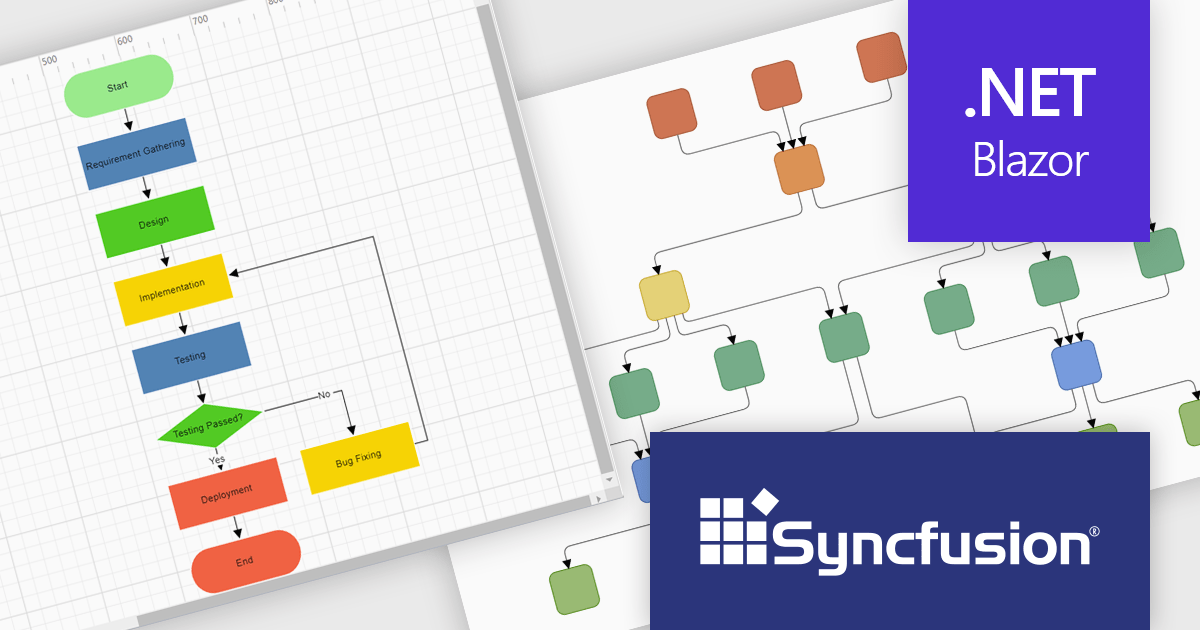
Syncfusion Essential Studio Blazor (available as part of Syncfusion Essential Studio Enterprise) is a comprehensive UI component library designed to accelerate the development of high-performance, modern web applications using the Blazor framework. It boasts over 85+ responsive, lightweight, and modular components spanning various categories such as data visualization, data editing, document processing, and interactive UI elements. This rich repertoire empowers developers to rapidly build user-friendly, feature-rich web interfaces, with seamless integration of both server-side and client-side Blazor applications.
The Syncfusion Essential Studio Enterprise 2024 Volume 3 release introduces the ability to automatically generate clear, logical, and visually appealing flowcharts by arranging nodes and connectors using an advanced layout algorithm. The feature saves time by automating flowchart creation, ensures clarity with logical layouts, enhances visual appeal, and adapts seamlessly to various data inputs, improving overall efficiency.
To see a full list of what's new in 2024 Volume 3, see our release notes.
Syncfusion Essential Studio Blazor is available as part of Syncfusion Essential Studio Enterprise which is licensed per developer starting with a Team License of up to five developers. It is available as a 12 Month Timed Subscription License which includes support and maintenance. See our Syncfusion Essential Studio Enterprise licensing page for full details.
Learn more on our Syncfusion Essential Studio Blazor product page.
전화 : 00798 14 800 6332
팩스 : +1 770 250 6199


