Notícias sobre Data Editors

Simplifique a seleção múltipla com entradas baseadas em tags

Abril 25, 2025
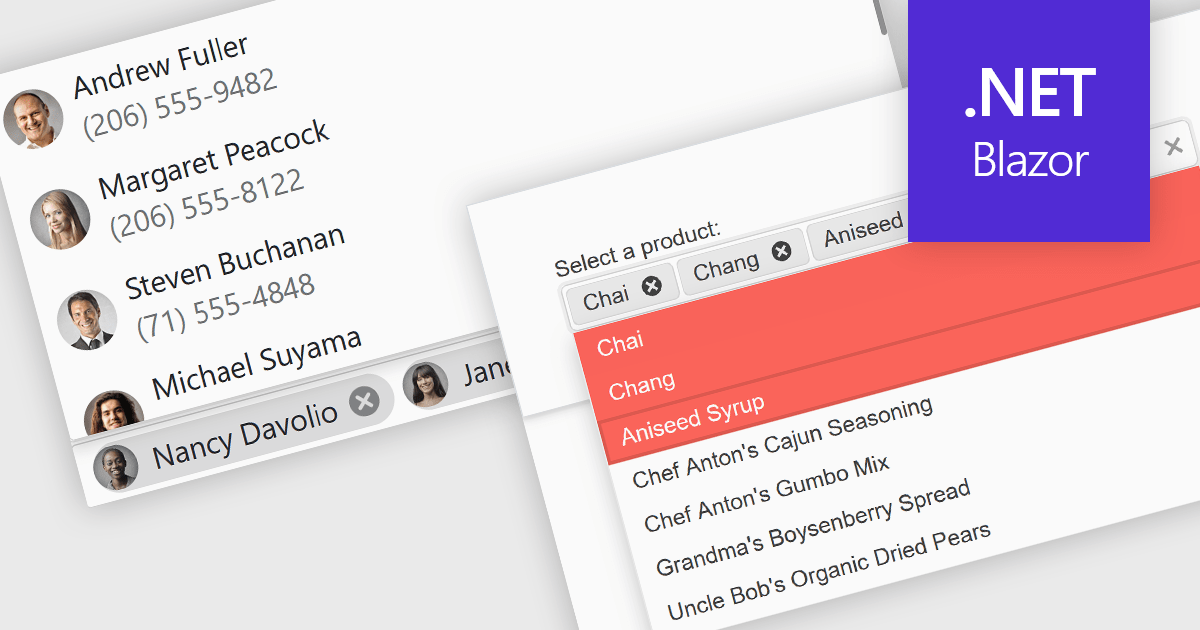
Os editores de tags e tokens permitem que os desenvolvedores apresentem tarefas de seleção complexas em um formato amigável, possibilitando uma seleção concisa em listas suspensas.

Token or tag boxes provide a user-friendly interface for selecting multiple items from a list. These controls present each selected item as a visually distinct "tag" or "token" within the input area, allowing for quick recognition and easy removal. Ideal for scenarios like multi-category selection or user input of discrete values such as emails or keywords, token boxes enhance both the user experience and data clarity, particularly in web applications that require dynamic form entry or filtering.

Several Blazor Data Editors offer support for token boxes including:

  • DevExpress Blazor Data Editors (part of DevExpress ASP.NET and Blazor) offers a robust TagBox component that allows users to select multiple values from a drop-down list.
  • Telerik UI for Blazor Data Editors (part of Telerik UI for Blazor) includes a MultiSelect component with tokenized item display, built-in filtering, and keyboard navigation.
  • Blazorise Data Editors features a MultiSelect component with support for tags, search functionality, and custom rendering, making it suitable for highly interactive applications.
  • NOV UI for .NET Data Editors by Nevron incorporates a TagBox element that supports features like tag validation, dynamic data sources, and item templates.

For an in-depth analysis of features and price, visit our Blazor data editors comparison.
Compare Blazor Data Editors

Alterne valores booleanos instantaneamente com caixas de seleção

Abril 15, 2025
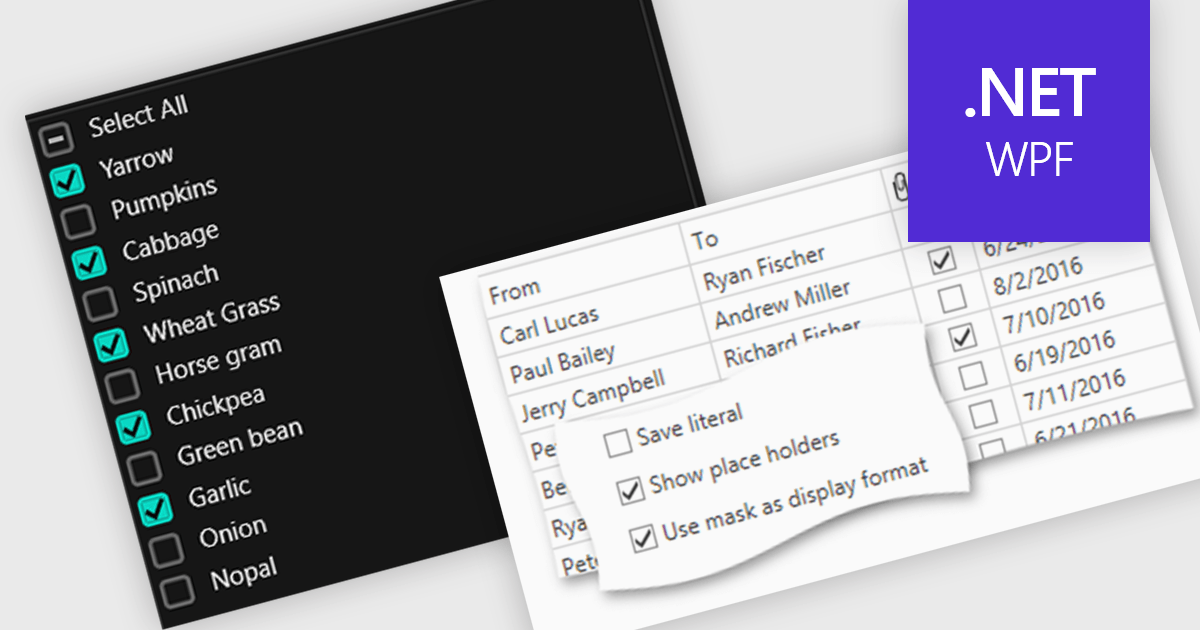
Habilite a seleção e edição rápidas e intuitivas de campos booleanos diretamente em seus dados usando caixas de seleção integradas.

Checkboxes enable user manipulation of boolean values within a data interface. This feature improves user interactions by allowing quick toggling of options without the need for dropdowns or manual entry, reducing the risk of data entry errors. It is especially valuable in scenarios where multiple items need to be selected, enabled, or flagged, such as managing settings, permissions, or multi-select workflows.

Several .NET WPF components offer checkbox data editors, including:

  • DevExpress WPF Data Editors (part of DevExpress WPF) let you bind checkbox controls to data models, streamlining boolean field interaction within complex UIs.
  • Xceed Toolkit Plus for WPF Data Editors (part of Xceed Toolkit Plus for WPF) allows accurate boolean editing, supporting clean data binding and intuitive toggling in diverse UI scenarios.
  • NOV UI for .NET Data Editors (part of Nevron Open Vision for .NET) supports checkbox-driven data input, offering flexible styling and interaction for managing true/false values in modern interfaces.
  • Syncfusion Essential Studio WPF Data Editors (part of Syncfusion Essential Studio Enterprise) provides a flexible UI for managing multiple boolean selections with data binding support.

For an in-depth analysis of features and price, visit our comparison of .NET WPF data editors.
Compare .NET WPF Data Editors

Melhore o controle de dados com listas de valores fixos

Abril 1, 2025
Permita a seleção rápida e precisa a partir de opções predefinidas para reduzir erros e melhorar a consistência em formulários e grades de dados.

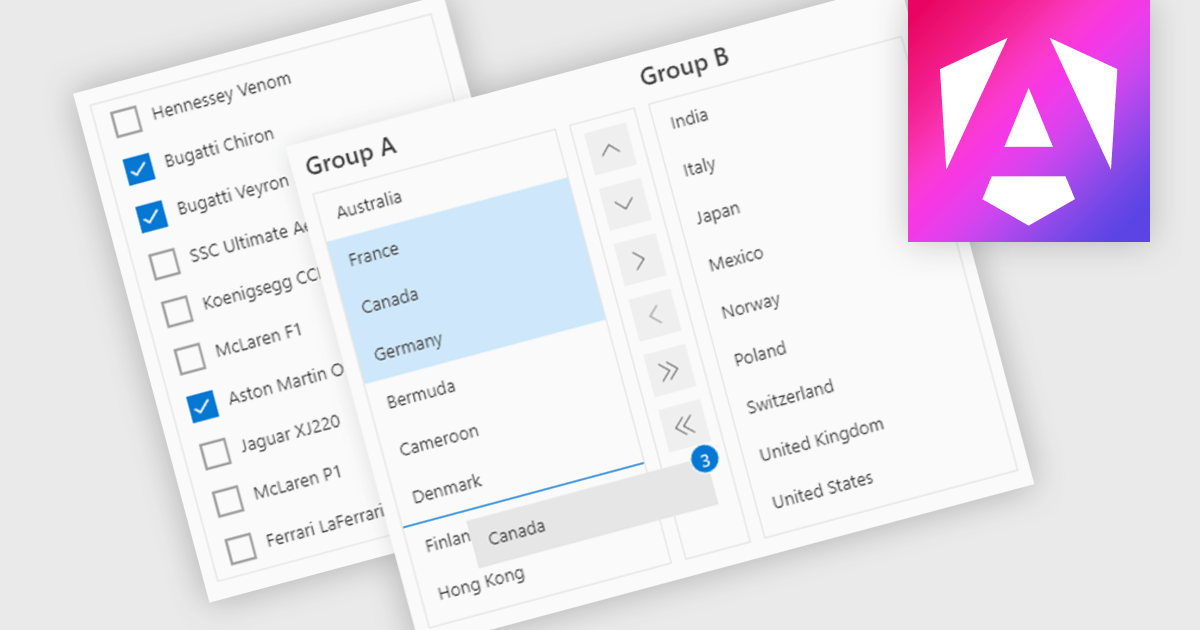
ListBoxes are user interface components in data editors that enable users to select one or more values from a predefined list. They help improve data entry by reducing manual input, ensuring consistent data, and minimizing errors. Commonly used in forms, data grids, and configuration panels, ListBoxes support both static and dynamic data sources, allowing for context-aware filtering and responsive interfaces that adapt to user selections.

Several Angular data editors support listboxes, including:

  • DevExtreme Complete Data Editors by DevExpress lets you create responsive, multi-select ListBoxes with search, grouping, and binding for seamless, accurate data input.
  • Kendo UI for Angular Data Editors by Telerik allows you to integrate customizable ListBoxes with drag-and-drop, filtering, and dynamic data for structured selections.
  • jQWidgets Data Editors provides ListBox controls with rich features like checkbox selection, virtualization, and theming for fast, consistent user interaction.
  • SmartClient Data Editors by Isomorphic Software facilitates ListBox use with support for hierarchical data, live updates, and adaptive UI behavior based on data context.

For an in-depth analysis of features and price, visit our Angular data editors comparison.

Compare Angular Data Editors

Crie formulários inclusivos em ASP.NET Core

Março 26, 2025
Use os controles do editor de dados com suporte a RTL para criar formulários acessíveis para entrada de texto da direita para a esquerda que melhoram a usabilidade de aplicativos Web multilíngue.

Right to Left (RTL) support in ASP.NET Core Data Editor controls ensures that text, layout, and user interface elements are properly aligned for languages that are read from right to left, such as Arabic, Hebrew, and Persian. This functionality automatically adjusts text direction, input fields, alignment, and other visual components to provide a seamless user experience for RTL users. By enabling RTL support, developers can create more inclusive web applications that cater to a global audience without requiring extensive customization. This improves usability, enhances accessibility, and ensures compliance with localization requirements for multilingual applications.

Several ASP.NET Core Assembly data editors offer right-to-left (RTL) support including:

For an in-depth analysis of features and price, visit our comparison of ASP.NET Core Assembly data editors.

Compare ASP.NET Core Assembly Data Editors

Simplifique as entradas booleanas com botões de alternância

Março 10, 2025
Os botões de alternância fornecem uma maneira clara e intuitiva de lidar com os valores verdadeiro e falso, melhorando a usabilidade em formulários de entrada de dados e reduzindo os erros nas inserções.

Toggle switches in data editor components provide a user-friendly way to manage boolean values, offering a clear on/off representation that enhances usability. These switches replace traditional checkboxes with a more modern and intuitive interface, making them particularly useful for mobile and web applications where quick interactions are essential. By improving clarity and reducing user errors, toggle switches contribute to a smoother and more efficient data entry experience.

Several Vue.js data editor collections offer toggle switch controls including:

  • DevExtreme Complete Data Editors by DevExpress offers highly customizable toggle switches with various styling options and accessibility support.
  • Kendo UI for Vue Data Editors by Telerik provides a responsive toggle switch component designed for seamless integration with Vue applications and supporting validation.
  • jQWidgets Data Editors includes toggle switches with theming capabilities and support for multiple frameworks, ensuring compatibility across environments.
  • SmartClient Data Editors by Isomorphic Software delivers flexible toggle switches with advanced event handling and real-time data binding.

For an in-depth analysis of features and price, visit our Vue.js data editors comparison.

Compare Vue.js Data Editors