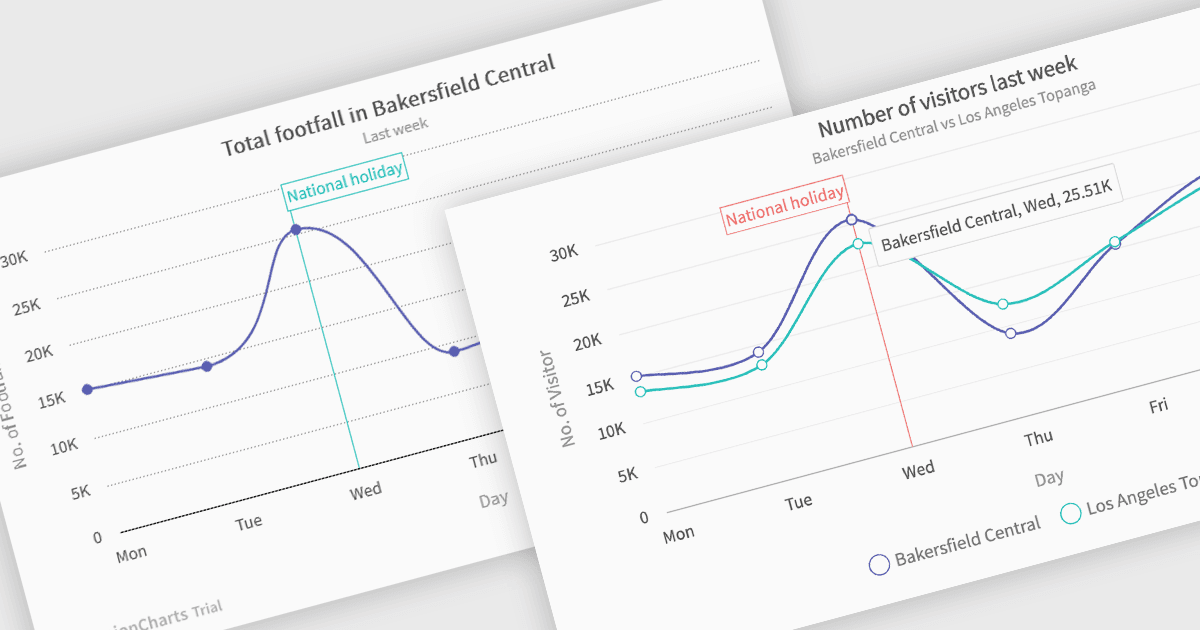
用多系列样条曲线图比较趋势

5月 8, 2025
用多系列样条曲线图可视化多个数据集之间不断变化的关系,并有效识别随时间变化的相关性。

继续用英语阅读:

Spline charts are a type of line graph that displays continuous data points connected by smooth, curved lines, offering a visually fluid representation of trends and changes over time. This smoothing effect helps to highlight the overall trajectory of the data and can provide estimations of values between plotted points. Multi-Series Spline Charts extend this functionality by plotting multiple related datasets on the same graph, enabling direct visual comparison of their trends and the identification of correlations or divergences.

Several .NET Blazor chart controls offer spline charts including:

  • TeeChart Blazor renders interactive spline charts, enabling clear trend visualization and data comparison through smooth, customizable curves.
  • FusionCharts Blazor Suite XT empowers Blazor developers with versatile spline charts to illustrate continuous data and highlight comparative trends across multiple series.
  • Infragistics Blazor Charts (part of Infragistics Ignite UI) provides feature-rich spline chart components, facilitating insightful trend analysis and smooth data representation.
  • Syncfusion Blazor Chart (part of Syncfusion Essential Studio Enterprise) offers comprehensive spline chart functionality, allowing dynamic data visualization.

For an in-depth analysis of features and price, visit our .NET Blazor chart controls comparison.

Compare .NET Blazor Chart Controls