













官方供应商
我们作为官方授权经销商,直接提供超过200家开发厂家所发行超过1000个的产品授权给您。
查看我们的所有品牌。

SecureBlackbox by /n software is a collection of software components designed to enhance your applications' data security. It provides functionalities for data protection through encryption and hashing, secure storage with key management, and secure transfer using protocols like SFTP and TLS. SecureBlackbox offers granular control over these features, allowing you to tailor security measures to your specific application requirements.
SecureBlackbox by /n software provides advanced certificate support that enables software developers to efficiently manage the entire lifecycle of digital certificates, from creation and storage to validation and revocation. It offers built-in support for CRL and OCSP to ensure real-time verification of certificate status, helping applications detect and reject compromised credentials instantly. With comprehensive PKI integration, developers can implement secure authentication, encryption, and signing processes that meet industry compliance requirements while maintaining interoperability with a wide range of systems and standards.
SecureBlackbox is available as part of /n software Red Carpet Subscription. Red Carpet Subscription is licensed per developer and is available as a Perpetual License with a 12 month support and maintenance subscription. See our Red Carpet Subscription licensing page for full details.
SecureBlackbox is available to buy in the following product: /n software Red Carpet Subscription
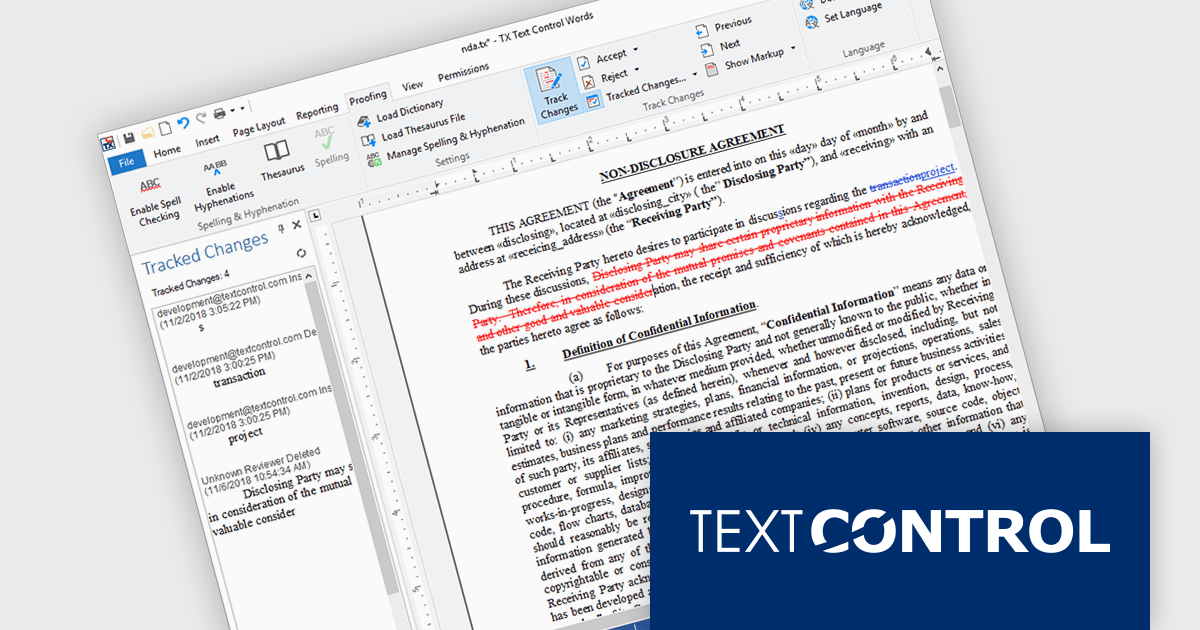
TX Text Control .NET Server for ASP.NET is a server-side component that equips your web applications with a powerful, Microsoft Word-compatible document editor. This allows you to develop applications that generate and edit various document formats (RTF, DOCX, PDF, etc.) on the fly, using data from databases or files. It also includes features like PDF generation and a browser-based editor with a familiar MS Word-inspired interface, ultimately enhancing the document processing capabilities of your web applications.
TX Text Control .NET Server for ASP.NET allows multiple authors to review and manage document edits. This feature is particularly useful in contexts like legal or healthcare, where it's important to keep a detailed record of changes. A sidebar shows each modification along with metadata such as the timestamp, change type, text position, content, highlight color, and author name. The functionality is fully accessible through the TX Text Control .NET Server API, giving developers control over how changes are processed and displayed.
TX Text Control .NET Server for ASP.NET is licensed per developer and is available as a Perpetual License with a 12 month support and maintenance subscription. Run time licenses are required for the deployment to production servers. See our TX Text Control .NET Server for ASP.NET licensing page for full details.
For more information, visit our TX Text Control .NET Server for ASP.NET product page.
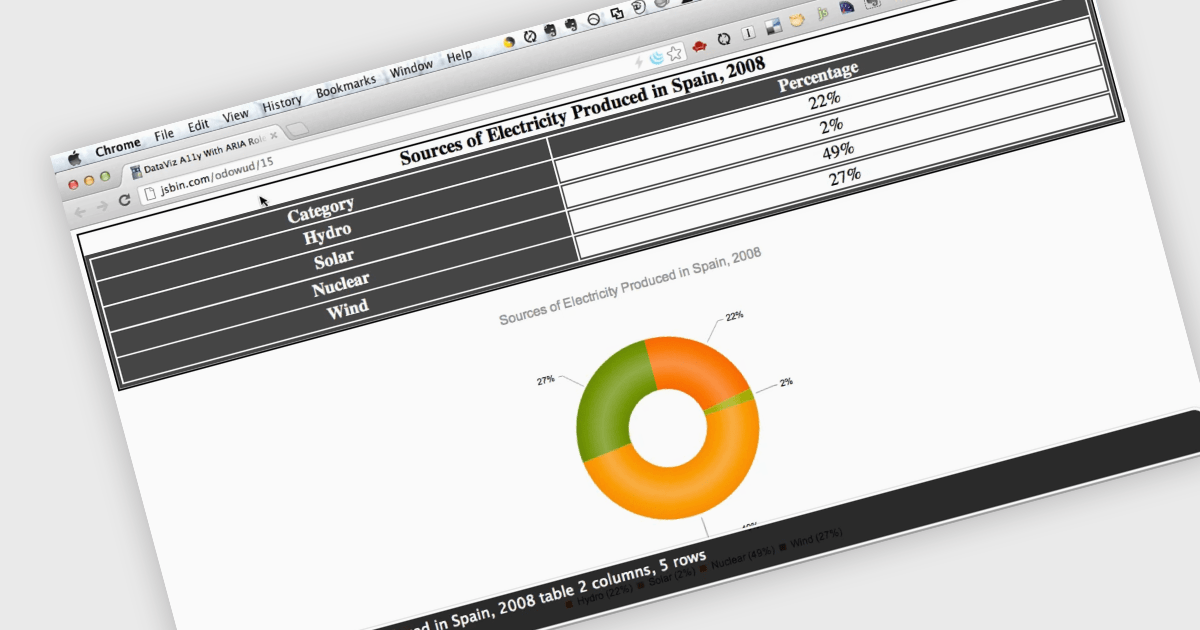
Screen readers, in the context of charts, are assistive technologies that convert digital text and interface elements into speech or braille, allowing users with visual impairments to navigate and understand graphical data on the screen. This involves adding semantic structure, descriptive labels, and metadata so the chart's content can be understood through auditory feedback, enabling users with visual impairments to understand trends, values, and relationships within the chart without needing to see the visual representation. Proper implementation not only improves usability, particularly in data driven environments, but also supports compliance with established accessibility standards such as WCAG (Web Content Accessibility Guidelines).
Several ASP.NET Core charting components support the use of screen readers, such as:
For an in-depth analysis of features and price, visit our comparison of ASP.NET Core chart components.
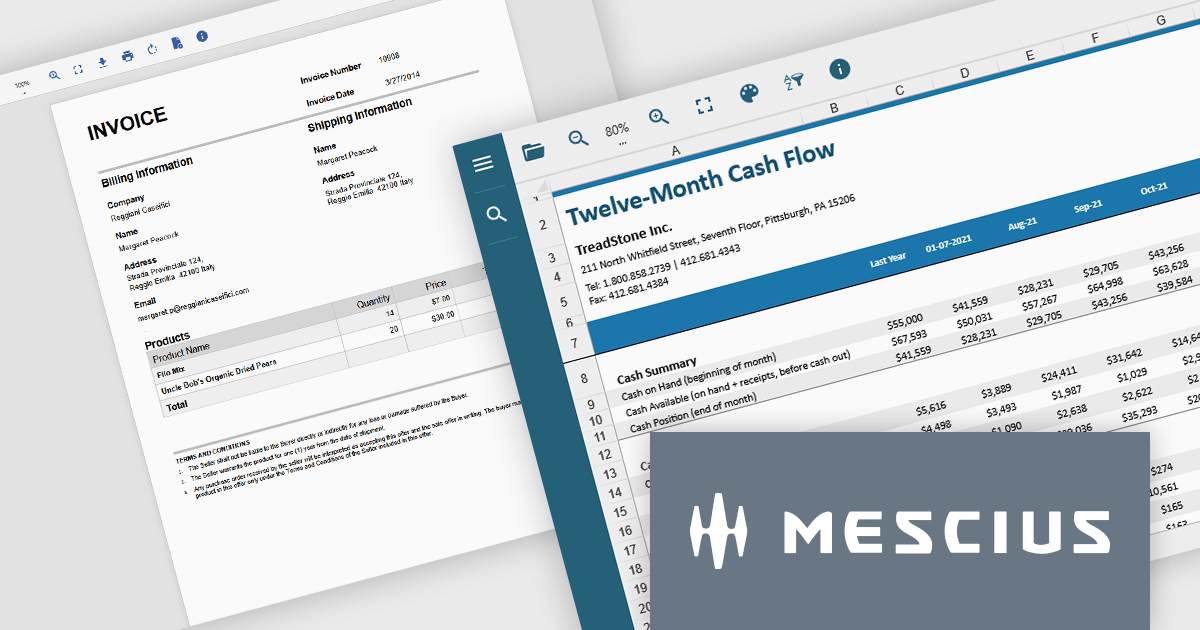
Document Solutions .NET Bundle by MESCIUS is a complete suite of APIs and viewing tools that enhance document processing and improve efficiency. It includes Documents for Excel, Word, PDF, and Imaging, plus standard licenses for the PDF Viewer, Data Viewer, and Image Viewer. Combining powerful .NET APIs with responsive JavaScript-based viewers, it enables creating, editing, converting, and displaying multiple document formats within applications. This unified solution delivers fast, reliable, and secure document handling, making it ideal for enterprise document management, automated reporting, digital archiving, and collaborative review across devices and platforms.
The Document Solutions .NET Bundle offers a versatile range of tools to handle every stage of the document lifecycle, from creation and editing to viewing and distribution. With dedicated APIs for Excel, Word, PDF, and imaging, developers can implement advanced capabilities such as data manipulation, text extraction, format conversion, image processing, and PDF generation directly within their applications. The included PDF Viewer, Data Viewer, and Image Viewer provide rich, interactive experiences for end users, enabling smooth navigation, zooming, searching, and annotation.
MESCIUS has created a detailed feature breakdown to highlight Document Solutions performance and total cost of ownership compared with other solutions. You can view the Document Solutions Product Comparison now.
By integrating both powerful back-end processing and intuitive front-end viewing, the bundle reduces the need for multiple third-party components, simplifies development, and delivers consistent, high-quality document interactions across platforms.
Document Solutions .NET Bundle is licensed per developer and is available in several license options for differing distribution needs. Team licenses are also available for multiple developers within the same organization. See our Document Solutions .NET Bundle licensing page for full details.
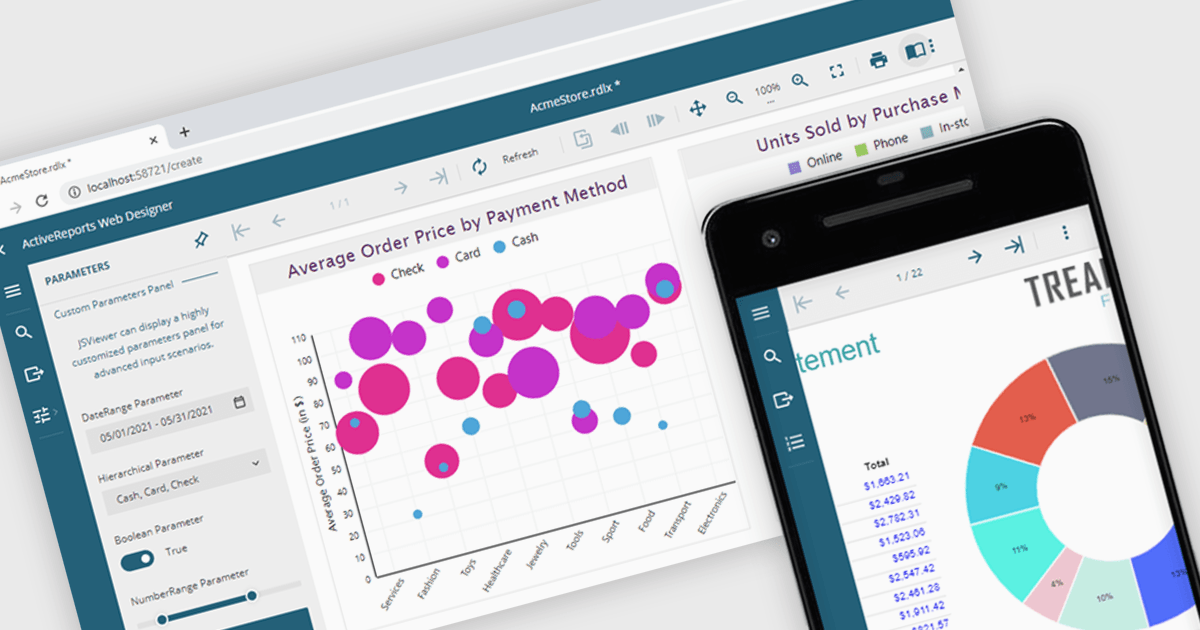
A JavaScript report viewer in a .NET reporting component is a client-side web interface that allows users to view, navigate, and interact with reports generated by a .NET-based reporting engine. It enables embedding of reports into web applications built with JavaScript frameworks such as Angular, React, or Vue, while relying on the .NET backend to handle report generation and data processing. This setup allows developers to deliver responsive, interactive report viewing experiences within modern browser environments, without requiring full-page reloads or complex server-side rendering.
Several .NET reporting controls feature a JavaScript report viewer including:
For an in-depth analysis of features and price, visit our comparison of .NET reporting controls.
联系电话: (888) 850 9911
传真: +1 770 250 6199


