













官方供应商
我们作为官方授权经销商,直接提供超过200家开发厂家所发行超过1000个的产品授权给您。
查看我们的所有品牌。
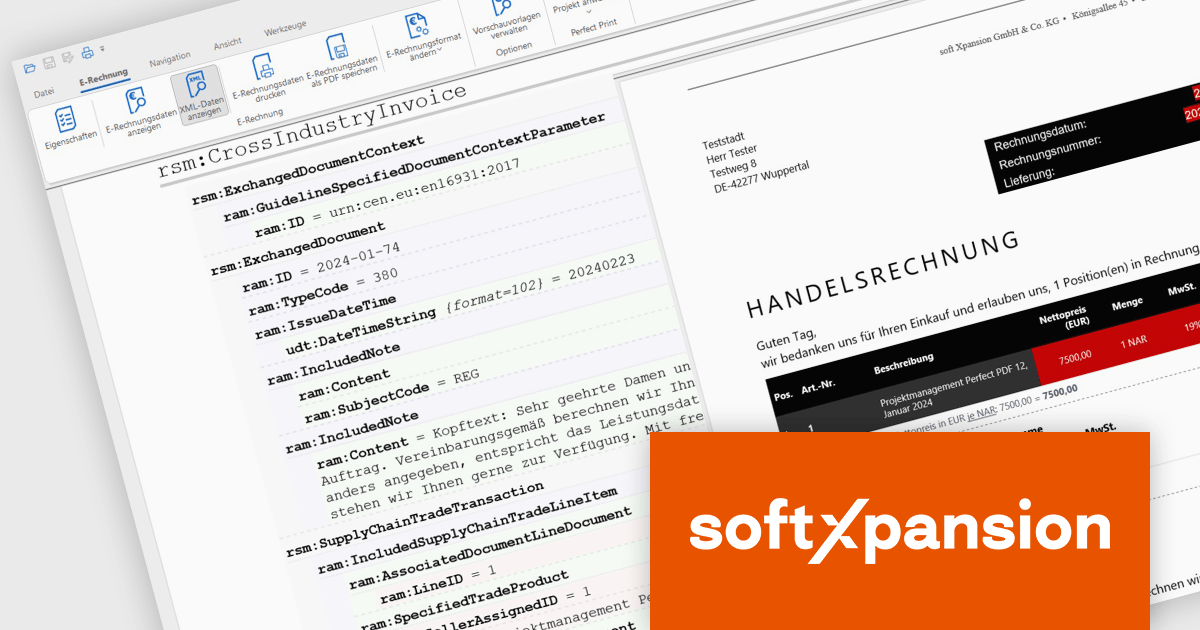
Soft Xpansion's PDF Xpansion SDK E-Invoicing equips developers with tools for integrating electronic invoice functionalities into their applications. This SDK supports processing common e-invoice formats like ZUGFeRD, Factur-X, and XRechnung. Developers can leverage functionalities for creating, editing, and displaying compliant invoices within their software. Additionally, the SDK facilitates data extraction from these invoices, enabling seamless integration with accounting or enterprise resource planning (ERP) systems.
PDF Xpansion SDK E-Invoicing 16.2.7 introduces new add-ons to enhance the processing of EU-Compliant invoices. The Non-West European Language Add-on (ISO 8859-2, 3, 4, 5, 7, 9, 10, 13, 14, 15, 16 encoding) supports special characters in languages like Central and partly Southeast European, predominantly Slavic, but also Turkish, Maltese, North European like Estonian/Latvian/Lithuanian, plus East European Cyrillic, Greek, Albanian, Croatian, Hungarian, Polish etc.
The new UBL Syntax Support Add-on (additional to the default UN/CEFACT support) lets your applications both create electronic (XML) invoices in that syntax and enables your applications to read XML invoices that are written in UBL.
The European standard for electronic invoicing (EN 16931) currently specifies both UBL and UN/CEFACT CII as possible syntax versions. Both are XML based syntaxes. However, there are also differences between the two: The German XRechnung format supports both syntaxes, while ZUGFeRD/Factur-X only supports UN/CEFACT.
UBL is part of various other national e-invoicing standards such as NESUBL in Northern Europe or Elektronisk Handelsformat in Norway. Many document types can be handled with the UBL syntax: In addition to invoices, this also includes orders and price lists, for example. In contrast to that, the UN/CEFACT syntax is limited to invoices.
PDF Xpansion SDK E-Invoicing is available in 3 variations, licensed per company location where developers use the SDKs. Optional Add-Ons are available which require ownership of SDK site licenses. Maintenance Subscription is available providing product updates (error corrections) and 12 man hours of support service for 1 year. See the product license pages for full details:
Learn more about PDF Xpansion SDK E-Invoicing on our product pages:
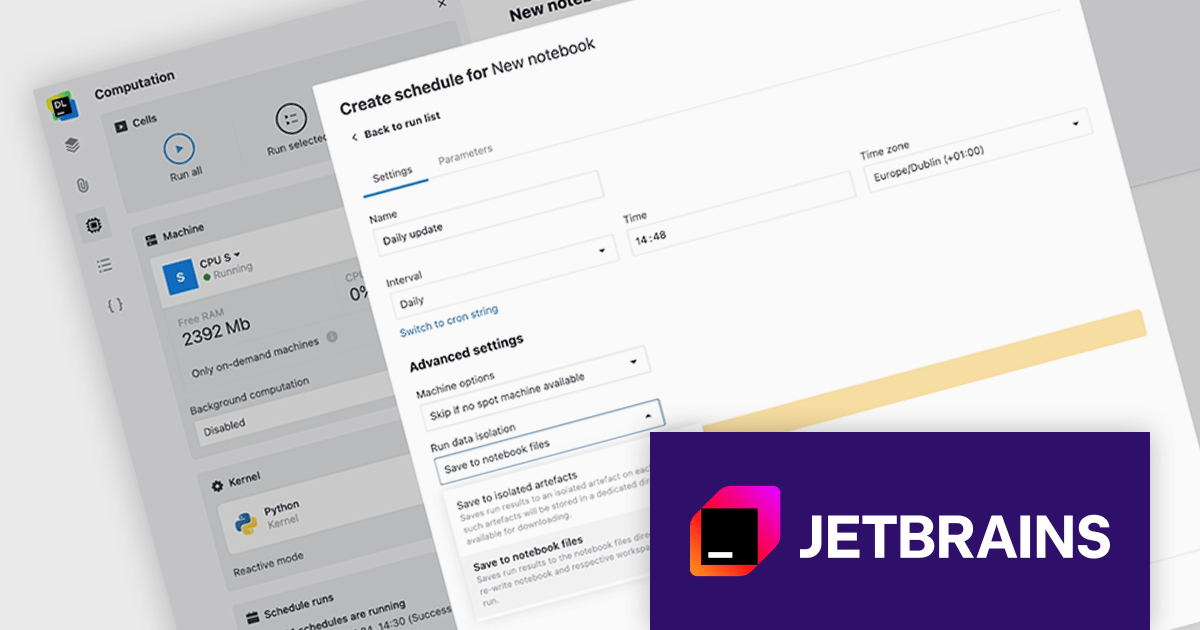
JetBrains Datalore is a collaborative data science platform that streamlines data exploration, analysis, and visualization through Jupyter-compatible notebooks. It empowers teams with features like automatic visualizations, pre-configured environments, interactive controls, and seamless collaboration functionalities. Datalore offers both cloud-based and self-hosted deployment options, catering to both individual and team-based data science workflows.
The Datalore 2024.3 update helps streamline your scheduled notebook runs with enhanced file handling. Now you can choose to save output files directly to a centralized location, mimicking the behavior of regular notebook sessions. This eliminates the need for manual file transfers and keeps all your scheduled run outputs organized in one place. It also offers the flexibility to overwrite existing files, ensuring you always have the latest data. The existing option for isolated artifacts remains available, giving you complete control over your scheduled workflow's file management.
To see a full list of what's new in version 2024.3, see our release notes.
Datalore is licensed per user, and is available as a commercial annual subscription license. See our Datalore licensing page for full details.
For more information, visit our Datalore product page.

This year marks the 20th anniversary of the partnership between ComponentSource and Antenna House. Over the past two decades, these two companies have worked together to provide reliable document formatting solutions to the global developer community.
Founded in 1984, Antenna House is a software company specializing in enterprise solutions for automated document formatting and conversion. Its flagship product, AH Formatter, leverages W3C standards like XSL-FO and CSS to offer a powerful and reliable solution for high-volume document formatting needs in various formats including PDF, SVG, and Microsoft Word. Antenna House software is used worldwide to produce millions of pages daily, across a wide range of industries including financial services, aerospace/defense, automotive, telecommunications, and health care.
ComponentSource is a leading global distributor of software components and development tools. Established in 1995, the company provides developers with a comprehensive marketplace featuring a wide range of high-quality software components, libraries, and development tools designed to enhance productivity and streamline the development process.
The combination of ComponentSource's distribution capabilities and Antenna House's innovative products has enabled developers to manage and deliver content more efficiently. This collaboration has helped developers save time and achieve greater accuracy and professionalism in their work. As we mark this 20-year milestone, ComponentSource looks forward to continuing its collaboration with Antenna House, providing valuable tools and support to developers, and advancing the field of document formatting.
Learn more about Antenna House.
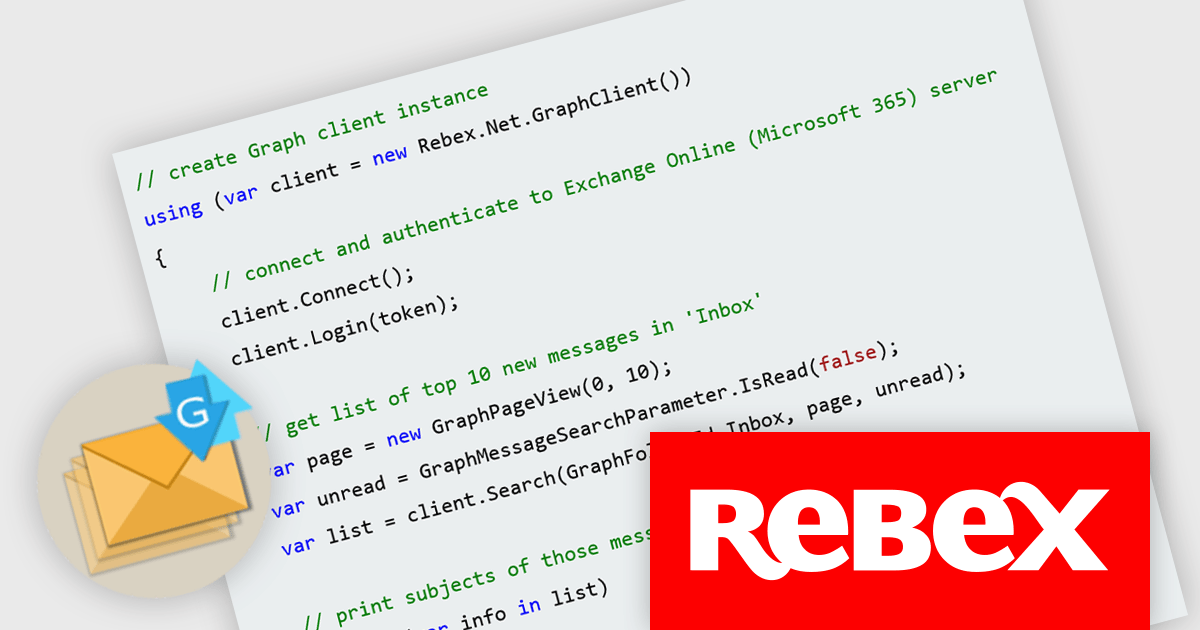
Rebex Graph is a powerful new .NET library designed to simplify working with Microsoft Graph, the central API for accessing Microsoft 365 services. It streamlines interaction with Exchange Online, a core component of Microsoft 365, enabling developers to leverage functionalities like sending, receiving, listing, and searching emails directly within their applications.
This streamlined access to Exchange Online unlocks a multitude of benefits for developers. Rebex Graph empowers them to build efficient email-centric applications without the need to deal with the complexities of the underlying protocols. It supports the latest security measures like TLS 1.3/1.2 and S/MIME, ensuring robust communication and data protection. These features make Rebex Graph a valuable tool for developers seeking to integrate secure and reliable email capabilities into their .NET applications.
Rebex Graph is licensed per developer and is available as a Perpetual License with a 1 Year Support Contract which includes priority support and all software updates. See our Rebex Graph licensing page for full details.
Learn more on our Rebex Graph product page.
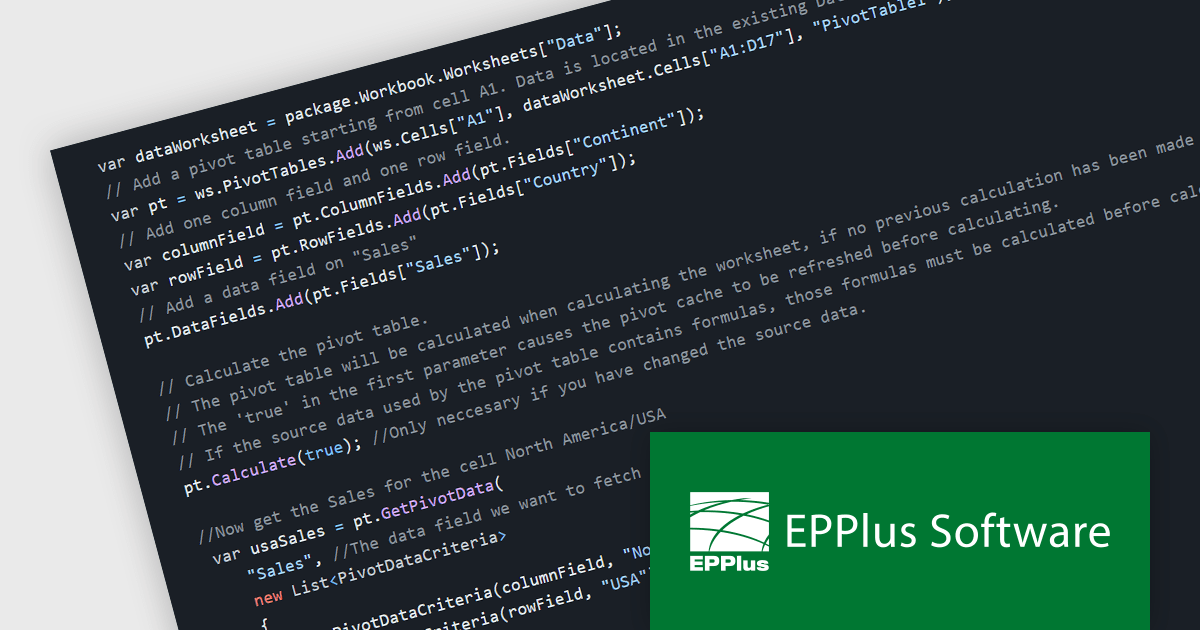
EPPlus is a powerful and versatile .NET library for managing and manipulating Microsoft Excel files using the Office Open XML (OOXML) format. It is a lightweight and efficient library that is easy to use and can be integrated into a wide range of applications. It allows developers to create, read and modify spreadsheets without dependencies on any other library. Features include pivot tables, styling, VBA/Form controls, conditional formatting, charts, tables, formula calculation, data validation, pictures/shapes, and more.
The EPPlus v7.2.0 update adds support for calculating and fetching data from pivot tables, allowing .NET developers to enhance the data analysis capabilities of their applications. This feature allows developers to dynamically summarize, analyze, and present large datasets by creating and manipulating pivot tables programmatically. It includes the ability to define calculations (sum, average, etc.) for rows and columns, format values as percentages or differences, and apply various filters (captions, numbers, dates, etc.) and sorting options. This streamlines data analysis workflows and fosters greater control over the final spreadsheet output, empowering developers to deliver more powerful data-driven solutions.
To see a full list of what's new in v7.2.0, see our release notes.
EPPlus is licensed per developer and is available as both perpetual licenses and subscription based licenses with periods of 1 year and 2 years, which include support and upgrades. See our EPPlus licensing page for full details.
For more information, see our EPPlus product page.
联系电话: (888) 850 9911
传真: +1 770 250 6199


