













官方供应商
我们作为官方授权经销商,直接提供超过200家开发厂家所发行超过1000个的产品授权给您。
查看我们的所有品牌。

Aspose.SVG for Python via .NET is a comprehensive software development library that empowers developers working in Python to seamlessly manipulate and manage SVG (Scalable Vector Graphics) files. This on-premise class library integrates .NET functionality within the Python environment, providing a robust suite of tools for SVG creation, editing, optimization, and conversion. Aspose.SVG for Python via .NET adheres to official SVG specifications, ensuring compatibility and efficient development.
This powerful solution unlocks a variety of use cases for developers. They can leverage Aspose.SVG for Python via .NET to construct SVG graphics from scratch, modify existing SVG content, and optimize file size for efficient storage and transmission. The library facilitates effortless conversion of SVGs into popular formats like PDF, PNG, and JPEG, fostering greater versatility within development projects. Aspose.SVG for Python via .NET empowers developers to create applications like SVG editors, image vectorizers, and document converters, streamlining SVG processing workflows.
Aspose.SVG for Python via .NET is offered as Developer Small Business, Developer OEM, Developer SDK, Site Small Business, Site OEM, and Site SDK licenses catering to a range of business needs. Licenses are perpetual, and include 1 year of support and maintenance. Subscription renewals are also available. See our Aspose.SVG for Python via .NET licensing page for full details.
Aspose.SVG for Python via .NET is available in the following products:

.NET reporting controls address the challenge of integrating existing reports into new .NET applications. These controls offer conversion tools that can import reports from popular third-party vendors, allowing you to seamlessly migrate your reporting functionality without starting from scratch. This not only saves development time but also ensures continuity for users familiar with the previous report format. These controls are ideal for scenarios where legacy applications are being modernized or when integrating reports from acquired systems.
Several .NET reporting controls offer third party report conversion, including:
For an in-depth analysis of features and price, visit our comparison of .NET reporting controls.
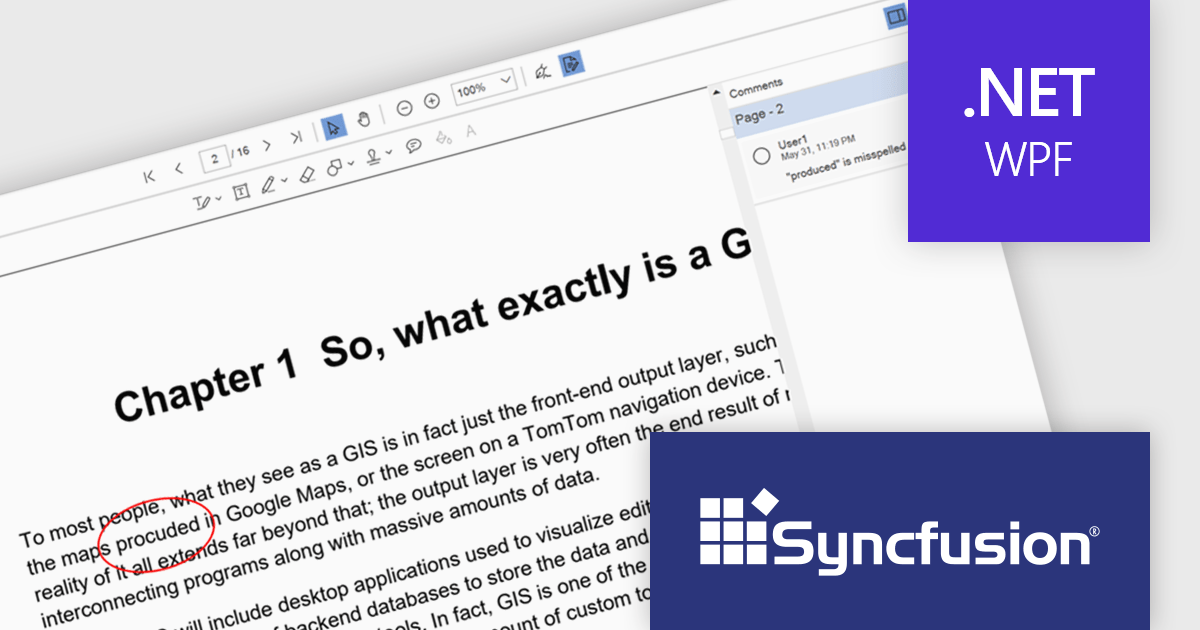
Syncfusion Essential Studio WPF, available as part of Syncfusion Essential Studio Enterprise, is a powerful suite of over 95 UI controls, 50+ charts, and document processing libraries designed to boost the development of high-performance line-of-business applications for the Windows Presentation Foundation (WPF) framework. With built-in themes, touch-friendly interfaces, and seamless Visual Studio integration, it empowers developers to craft modern, feature-rich, and cross-platform experiences with ease.
The Syncfusion Essential Studio WPF 2024 Volume 2 (26.1.35) release enhances the PDF Viewer by allowing users to add, edit, and delete comments on annotations within PDF documents. Users can reply to comments and set their status through the comment panel, facilitating dynamic and interactive document review. By enabling replies and status tracking, reviewers can have threaded discussions and ensure all feedback is addressed, improving the overall efficiency and clarity of the review process.
To see a full list of what's new in 2024 Volume 2 (26.1.35), see our release notes.
Syncfusion Essential Studio WPF is available as part of Syncfusion Essential Studio Enterprise which is licensed per developer starting with a Team License of up to five developers. It is available as a 12 Month Timed Subscription License which includes support and maintenance. See our Syncfusion Essential Studio Enterprise licensing page for full details.
Learn more on our Syncfusion Essential Studio WPF product page.
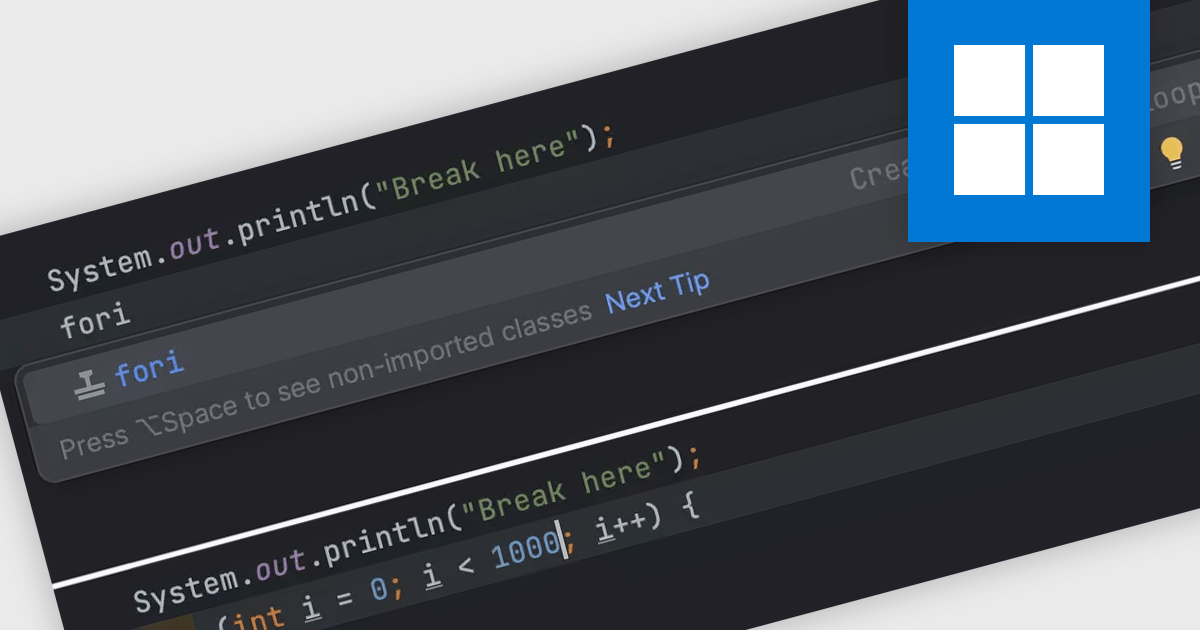
Integrated Development Environments (IDEs) commonly offer code templates, pre-written snippets that expedite coding. These templates can be for common code constructs (like loops or conditional statements) or entire files (like new classes). By leveraging code templates, developers can improve their coding efficiency, reduce errors from repetitive typing, and enforce coding standards by incorporating best practices into the templates themselves. This is particularly useful for frequently used elements or adhering to project-specific coding styles.
Several IDEs offer support for code templates including:
For an in-depth analysis of features and price, visit our IDEs comparison.
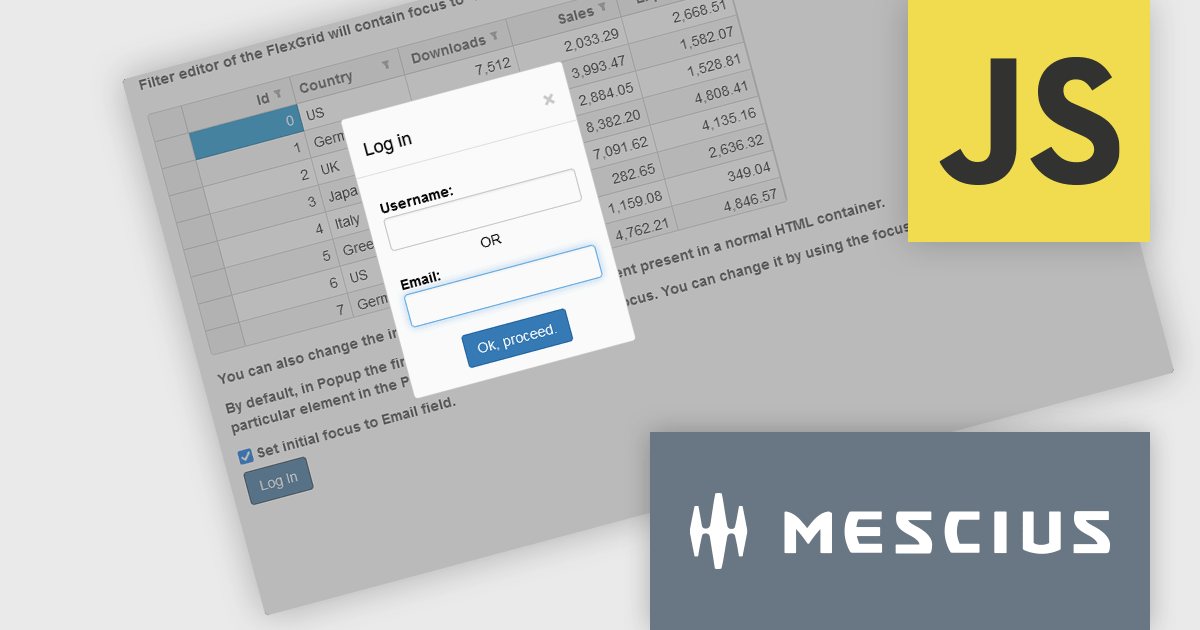
Wijmo by MESCIUS is a comprehensive JavaScript library offering a suite of high-performance UI components and data grids specifically designed to streamline the development of modern enterprise applications. It emphasizes reduced development time and improved maintainability, along with a focus on performance through its efficient design and small module size. Wijmo integrates seamlessly with popular JavaScript frameworks like Angular, React, and Vue.js, and supports cutting-edge technologies like TypeScript, making it a versatile solution for building complex web applications.
The Wijmo 2024 v1 (Build 5.20241.19) update introduces a new focusFirst Utility that allows developers to set which part of a component should get the initial focus. Setting the first interactive element upon loading a container control improves accessibility by ensuring a clear starting point for keyboard interaction. For example instead of the default focus point of a login dialog being the username field, the email address field could be set as the initial focus point.
To see a full list of what's new in 2024 v1 (Build 5.20241.19), see our release notes.
Wijmo is licensed per developer. Developer Licenses are perpetual and include 1 year Subscription which provides upgrades, including bug fixes and new features. See our Wijmo licensing page for full details.
Learn more on our Wijmo product page.
联系电话: (888) 850 9911
传真: +1 770 250 6199


