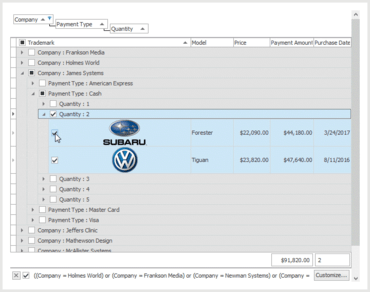
在 ExpressQuantumGrid 中添加 Web 风格行选择和对 ExpressPrinting 系统中条形码的支持。
6月 5, 2017
新版本
特性
Grid Control
Row Selection Improvements - v17.1 introduces the following row selection improvements:
Optional web-style row selection using check boxes.
Customizable check box position:
Data rows.
Group rows.
The column header.
The indicator or the first column.
A new mode that assists end-users with persisting the current selection during row navigation.
Optional synchronization of selected state between group rows and their child rows to help users make their selection with fewer mouse clicks.
Spreadsheet Control
Rich Text Content - v17.1 introduces the ability to display and edit rich text formatted content in worksheet cells, and supports the following rich text attributes:
Font face, size, style, and color
Subscript and superscript characters
In addition, the Spreadsheet Control and Report Designer now provide an event allowing you to track and limit scrolling the worksheet content.
Layout Control
Wrapped items now revert to a single-line layout on disabling the corresponding option of a layout control/group.
Simplified localization due to an optimized layout persistence that saves only the element captions modified at runtime, and the ability to provide default captions.
Ability to provide hints for group/item captions with additional information on UI elements.
Rearranging layout elements on a form produces fewer changes to its DFM file. This functionality is especially useful if you are using a version control system (VCS), allowing you to decrease the number of changes included in your revisions.
The layout control's background can be transparent regardless of the Windows theme setting.
Data Editors and Controls
Color Editor and Gallery Control Enhancements
Ability to show hints for color palette items.
Optional borders for color palette items.
Support for background transparency in the Gallery Control and its descendants, including the Color Gallery and Ribbon BackstageView Gallery Controls.
Incremental Filtering Options for Lookup Editors - The Lookup and Extended Lookup editors now include the following options for incremental filtering:
Display only the values that start with or include a given search string.
Highlight the search string in the results.
Installation
Quiet Mode - In this mode, no user interaction is required to configure and install the products. All you need is to run the VCL installer (Setup.exe) with the /Q command-line option. You can adjust default configuration settings, including the product list, target IDEs and memory platforms, by creating a specific XML file and referring to it using the /CONFIG command-line option.
Optional 64-bit Compilation - The installer now allows you to opt out of compiling 64-bit product libraries.
Miscellaneous
High-DPI Scaling Improvements - Support for per-monitor DPI awareness v1 to the following DevExpress VCL products:
All editors (except for the Extended Lookup Editor).
Ribbon and Toolbars.
Layout Control.
Docking Library.
Skins Library.
Page and Tab Controls.
Support for SVG Images - With this release, you can load and display SVG images using TdxSmartGlyph and TdxSmartImage containers and the TcxImageList control. In addition, DevExpress have replaced published TBitmap and TdxSmartImage properties in the controls with TdxSmartGlyph equivalents to enable built-in support for these vector graphics.
Optional web-style row selection using check boxes.