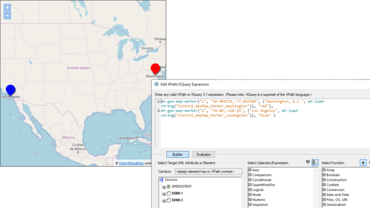
Adding to existing geolocation functionality in MobileTogether, a new Geolocation Map control lets developers display a map directly in their app. The map can display the street, satellite, or hybrid view of the specified geographic area. Points of interest in the area can be shown by different colored markers in the map.
Viewport, Control Width, and Control Height properties provide flexibility for controlling how the map is displayed.
The control has an OnGeoMapMarkerClicked event, which lets the app developer define actions to perform when a particular marker is clicked by the user.
New variables and extension functions have been created to support map functionality:
$MT_GeolocationMapMarker: dynamic variable that contains information about the marker last clicked or tapped by the user.
mt-geo-map-marker: creates a marker on a map.
geolocations-bounding-rectangle: creates a bounding rectangle around a set of submitted geolocations.
Record-video Action
The new Record-video Action makes it possible to record video from a MobileTogether app.
Developers can define triggers that start the device’s video recording app and specify:
The name and location of the video file to save when the recording ends.