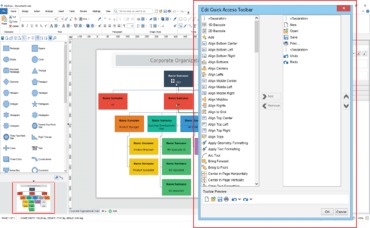
A new Sidebar Panel (Sidebar) has been added to the MyDraw User Interface.
The Sidebar allows you to modify the position and size of selected shapes, as well as styles of the shape's geometry and text.
New Quick Access toolbar
A new Quick Access toolbar has been added to the ribbon. The buttons of the Quick Access toolbar are fully customizable, allowing you to have quick access to your most frequently used commands.
Theme color pickers
All color pickers across the UI are updated to support a new Theme Color Picker, that allows you to choose a theme specific color. When you select a theme color, the actual color value will change when you change the drawing theme. This allows you to create drawings, the colors of which are synchronized with the current theme.
Enhanced shape shadows
The shadows have been extended to support alignment and skew. The combination of these features allows you to achieve perspective shadow effects.
Visio import and export improvements include:
Support for shape shadow import and export.
Export of tables as grouped shapes in Visio.
Various bug fixes and small improvements.
Localization improvements include:
UI translations.
Localization dictionaries now include a setting for the desired font size and for the Chinese and Japanese languages a larger font is used to make them more readable.