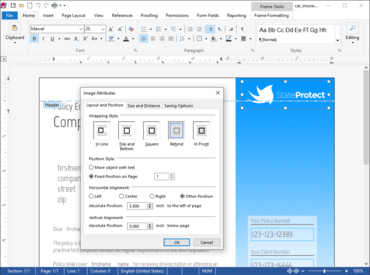
TX Text Control .NET for Windows Forms Enterprise 30.0 Service Pack 1

改进了邮件合并、功能区和打印。
2月 11, 2022
新版本

修补程序

Ribbon

  • QAT: Checked Quick Access toolstrip items are not displayed as checked.
  • Typo in the Track Changes tooltip.

Text Filters

  • CSS import: Font shorthand property is parsed incorrectly.
  • DOCX/DOC/RTF import: Out of range line spacing values.
  • Form fields are moved outside of table cells when saving.
  • PDF documents cannot be signed anymore.
  • Error 01-1D09 when loading specific Microsoft Excel file.
  • DOCX: only TOC title is exported for TOC with hyperlinks.
  • DOCX Export: Style based on [Normal] will be based on Normal after export to DOCX.
  • DocumentTargets are created and displayed when importing MergeBlocks.
  • Error message when opening DOCX file in Microsoft Word which has been saved with TX Text Control.

File IO

  • Errors when saving documents with the Trial version.

Mail Merge

  • Certain JSON data sources can cause a NullReferenceException when loaded with the DataSourceManager class.
  • MailMerge: First capital and Title case yield wrong results for culture "tr-TR".
  • NullReferenceException when merging charts.
  • MailMerge causes exception when merging barcode data.

Printing Problems

  • ServerTextControl only: When printing double-sided, copies are not separated when collation is activated.

Comments

  • Unknown Reviewer is replaced by the last used user after saving a document.

Dialog Boxes

  • Crash after closing the style modify dialog with Cancel.

Track Changes

  • Selecting and replacing one character in tracked change changes input position.
  • Tracked Changes mixed when changing the same position back and forth.

Styles

  • Document causes ArgumentOutOfRangeException.

N/A

  • Ribbon- and sidebar- buttons are active for inactive comments.
TX Text Control .NET for Windows Forms Enterprise

TX Text Control .NET for Windows Forms Enterprise

将文档编辑、创建和 PDF 生成添加到您的 Windows Forms 应用程序。

有任何疑问吗?

透过Live Chat与我们的Text Control 专家联络!