
官方供应商
我们作为官方授权经销商,直接提供超过200家开发厂家所发行超过1000个的产品授权给您。
查看我们的所有品牌。
getPrintersInfo function. Includes support for various icon sizes using the new PrinterIcon enum.getClientAppInfo function to get the Version, OS and CPU of the JSPrintManager Client App running on the client machine.getMAC function to get the Media Access Control (MAC) address of the client machine.InstalledPrinter class. Enable it by setting autoDetectRawModeDataType prop to true.getDefaultTrayName and getDefaultPaperName functions to get the default Tray Name and Paper Name for the specified printer.getTrays and getPapers functions to get the list of supported Trays and Papers for the specified printer.getPaperInfo function to get paper related info (width, height, printable area) for the specified printer and paper name.ExternalURL option to FileSourceType enum.TcpComm class. Send/Write and Receive/Read data to any IP Address and Port reachable from the client system. The Address should be in the client's allow list.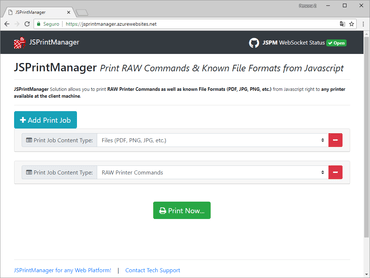
用于 JavaScript 的高级客户端打印和扫描解决方案。
透过Live Chat与我们的Neodynamic 专家联络!

自 2005 的官方分销商
联系电话: (888) 850 9911
传真: +1 770 250 6199


