Axosoft 新版本发表
Released: Oct 6, 2016
16.5 中的更新
特性
- @ mentions that allow you to notify specific team members by inserting their handle in the item your writing.
- New some source control hooks for Bitbucket (Git), GitLab and Visual Studio Team Services (Git + TFVC).
- “Audit Trails” has been renamed to History.
- Work logs are now logged in the main History tab.
- Moved the ability to show/hide inactive projects to a tab setting, so you can easily reference projects in either state per tab rather than globally.
- When the search input is focused...
Released: Aug 22, 2016
16.4.1 中的更新
特性
- Microsoft Azure AD login - This is a new “External Login” extension, allowing your team members to login to Axosoft using your company’s Microsoft Azure AD credentials. This saves you the hassle of creating credentials for each individual team member.
- Search - All list fields (including multi-select lists) as well as customer and contact fields are now searchable
- Source Control Details - Now show commit date, in addition to the time, author, message and file change info.
- Quick-add a Sub...
Released: Jul 25, 2016
16.4 中的更新
特性
- New In-app Tutorial - Automatically triggered when you log in for the very first time. The new tutorial bar can also be turned on for existing users.
- Notifications - They now include details on what a field was changed from, along with what it was changed to.
- See More Items - In List View, there is a new column that shows the number of related items.
- Combo Search Box - Search release and project fields by typing the first few letters of the name of your release or project folder.
- New User...
Released: Jun 2, 2016
16.3 中的更新
特性
- Work Log Field Templates - It is now possible to default and require a Work Log Type, and add other custom fields. These along with customer contact related fields are available as columns in the Work Logs tab and Bottom Panel suited for tracking or reporting on the amount of work done.
- Cycle Time and Flow - Added two new dashboard gadgets for you. The Flow chart tells you how many items are in a workflow step or status by day over a period of time. Cycle Time tells you how long between the...
Released: Apr 19, 2016
Updates in this release
Updates in 16.2
- Audit Trails- Audit Trails now include new audits on several objects including Projects, Releases, Users and Teams, across the application
- Context Menu Improvements - Copy, move, and duplicate up to 100 items at once via the context menu
- Resource Allocation for Release Planner - When you plan your upcoming release and add a user, the software lets you know if the user already has work allocated to them in existing, overlapping releases.
- Remove Users with no Items - A new button...
Released: Jan 26, 2016
Updates in this release
Updates in 16
- Global Holidays in Release Planner - To set a holiday for sprint or release, select your iteration inside the planner and then navigate to the calendar icon to black out global vacation days for all users.
- Item Chart Drill Down - The item chart has been updated to provide sum and average aggregation types.
- UI Improvements
- Set default field templates when adding items with the All Projects folder selected.
- When creating an item from a Zendesk ticket, the release selection is now...
Released: Dec 15, 2015
Updates in this release
Updates in 15.3.2
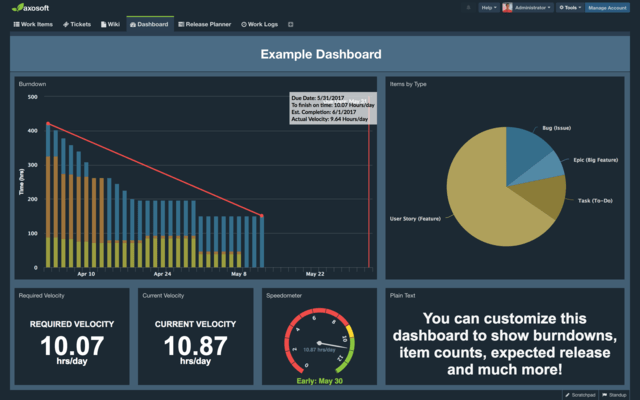
- Updated burndown charts to accommodate scope change.
- If you add work to an existing sprint or release, then that work will be added to today’s burndown bar and also as series to all the days prior.
- If you remove scope then you have the option to view work removed from your burndown legend.
- If you log a worklog and determine that something will take longer than expected, your update will show in your burndown.
- If you remove items that were worked on during the sprint, the...