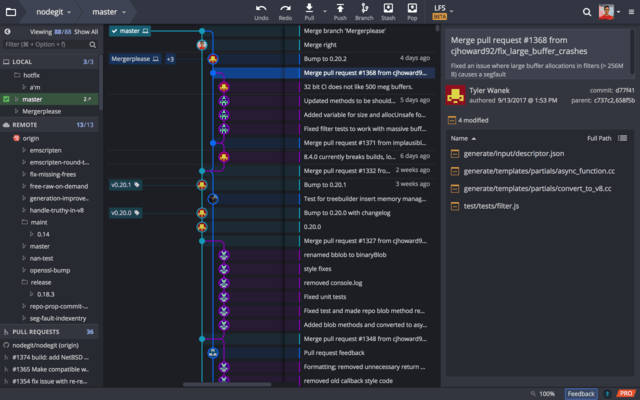
GitKraken 新版本发表
Released: Oct 10, 2022
GitKraken Desktop V8.10.0 中的更新
特性
- GitKraken Client has been updated to Electron 17.
New Tab layout has been rearranged to make it easier to access Repositories, Workspaces, and the Terminal Tab.- You can now double click a section header in the left panel to maximize that section. This option is also available in a context menu.
修补程序
- Fixed an issue where the breadcrumb in Azure repo tabs would direct users to add the repo to a Workspace when this is not supported.
- Fixed an issue where the SSH key options were not being...
Released: Sep 14, 2022
GitKraken Desktop V8.9.1 中的更新
修补程序
- Fixed an crash on some Windows machines when opening the
Preferences menu.
Released: Sep 7, 2022
GitKraken Desktop V8.9.0 中的更新
特性
- Team Overview - Added a new Team Overview section for Workspaces. This new broad view shows all Pull Requests and all Issues for the repos in your Workspace - giving you a high level view of your team’s coding efforts. (This view is in Preview with more improvements coming):
- Team Pull Requests - Shows all Pull Requests for repos in Team Workspace and provided quick actions. If your Workspace repos are hosted on GitHub, you may filter the Team Pull Requests by assignee or author. The Team Pull...
Released: Aug 10, 2022
GitKraken Desktop V8.8.0 中的更新
特性
- Added the ability to sign in using Single Sign On (SSO).
- GitKraken can now initiate an Oauth authentication flow with the following supported Identity Providers (IdPs):
- Microsoft Azure Active Directory.
- Okta.
- Google Identity Platform.
- Added a new
Overview section to Workspaces that focuses on the work most important to you across all the repos in a Workspace.
- Added support for partial stashing.
- You can now right-click on a single file or a selection of files in the commit detail panel to see...
Released: Jul 13, 2022
GitKraken Desktop V8.7.0 中的更新
特性
- GitKraken Client now supports the ability to create and apply patches. You can:
- Create a patch from commit(s).
- Create a patch from uncommitted file(s).
- Create a patch from Command Palette.
- Apply a patch from Command Palette.
- Left panel improvements - Left Panel now has a context menu to toggle visibility of the different sections.
- New Tab update - Updated UI and layout. There are now distinct sections for Repositories, Workspaces, Integrations and Other app actions.
- Terminal Tab - Repo...
Released: Jun 14, 2022
GitKraken Desktop V8.6.0 中的更新
特性
- Users can now create Workspaces using Bitbucket Server repos.
- Users can now select Git Bash as their default shell in Microsoft Windows for GitKraken CLI.
- Repo and Terminal Tab aliases:
- Users can now set an alias for a repository:
- Setting an alias through a Repo Tab will cause GitKraken Client to store that name for the repo and reference it as an “Alias Repository”.
- Users can now set an alias for individual Terminal Tabs:
- Setting an alias to a Terminal Tab results in only renaming that...
Released: May 17, 2022
GitKraken Desktop V8.5.0 中的更新
特性
- GitKraken WorkSpaces now support Microsoft Azure DevOps repositories.
- Any Workspace created for Azure DevOps will automatically include repos for a selected Azure Project.
- Workspaces can currently support up to 100 repositories for an Azure Project.
- Visual interactive rebase can now be initiated from the GitKraken CLI, which you can access from a Terminal Tab or a Repo Tab by clicking the Terminal icon in the top toolbar.
- Git LFS Improvements:
- Users will now experience a reduced delay in...
Released: Apr 12, 2022
GitKraken Desktop V8.4.0 中的更新
特性
- GitKraken Workspaces:
- Workspaces now include a Pull Requests view:
- Users can filter PRs to see items "Assigned to me".
- At-risk pull requests are now highlighted through a label and are filterable.
- Selecting any GitHub pull request now shows the user a new Pull Request view that presents users options to quickly manage PRs across a whole Workspace.
- Clicking on any repo in a Workspace now shows 'see more info' and 'options'. Users will see the repository's README, as well as quick access...
Released: Mar 16, 2022
GitKraken Desktop V8.3.3 中的更新
特性
- Improved user experience when users are creating an account or signing in.
Released: Mar 7, 2022
GitKraken Desktop V8.3.2 中的更新
特性
- GitKraken Client now supports GitHub’s new GraphQL query types.
修补程序
- GitHub users will now see creating, commenting and reviewing pull requests work as expected.