Released: Dec 17, 2020
2020 Volume 4 中的更新
特性
Spark/Micro Charts (Preview)
- Spark charts (micro charts) are lightweight charts that fit in a very small area. They display the trend of the data and convey quick information to the user.
- Chart types - Render the following chart types:
- Line chart.
- Area chart.
- Column chart.
- Win-loss chart.
- Axis types - Render the following axis types:
- Numeric axis.
- Category axis.
- Date-time axis.
- Markers and data labels - Added the ability to render markers and data labels to display additional information about data points.
- Trackball - Display additional information about data points on interaction with a trackball.
- Plot band - Highlight a particular vertical range using a specific color.
Calendar
- Builders - Allows you to design and set your own custom view to the special time regions and appointments view of the calendar.
- Animation improvement - Smooth animations have been added for view navigation and view switching. Also, improved header pop-up appearance animation for better UI experience.
- Resource header interaction - Added hovering support for resource headers in the web. Also, allows getting the tapped resource header details in the calendar.
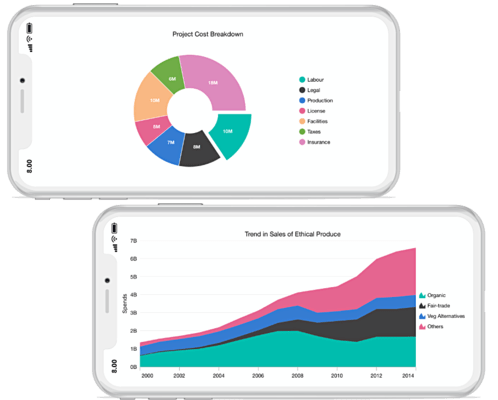
Charts
- Maximum width for axis labels - Display trimmed axis labels if they exceed the specified maximum width value. Complete label text will be shown in the tooltip on tapping or clicking the trimmed labels.
- Template support for trackball - Add any custom widget as a trackball tooltip.
- Pixel-to-point conversion - Convert a logical pixel value to a chart data point and vice versa. This helps in adding the data points dynamically.
DataGrid
- Stacked headers - This feature allows users to show unbound header rows. Unbound header rows span stacked header columns across multiple rows and columns.
- Load more - Display an interactive view when the grid reaches its maximum offset while scrolling down. Tapping the interactive view triggers a callback to add more data from the data source of the grid at runtime.
Date Range Picker
- Builders - Allows you to design and set your own custom view to the month and year cells of the date range picker.
- Hijri date picker - In addition to the Gregorian calendar, the date range picker supports displaying the Islamic calendar.
- Vertical picker - Displays two Date Range Pickers side by side in a vertical direction, allowing you to select ranges of dates within two separate months easily.
Maps
- Load JSON from different sources - Load GeoJSON data in the shape layer from different sources such as files in network, assets, and data in memory.
- Tooltip for markers - Add a tooltip for both the built-in markers and custom markers to show additional information about them.
- Bar legend with gradient support - In addition to the existing legend style, you can use a bar-style legend. You can render this bar legend with a gradient background.
- Shape sublayer - Add a shape sublayer with GeoJSON data in another shape layer or tile layer to show more details about a particular region.
- Vector shapes - Add shapes such as polylines, lines, polygons, circles, and arcs as a sublayer in the shape and tile layers.
- Animation improvements - Animation is included for zooming and panning functionalities for both shape and tile layers during toolbar interactions and property changes.
PDF Viewer
- Text selection - This feature allows users to select the text presented in a PDF document. The selection can be changed by dragging the selection handler.
- Text search - Users can search the text and navigate to all its occurrences in a PDF document.
- Document link annotation - Document link annotation in the TOC (Table Of Content) of a PDF document will now navigate to its respective positions.
- Page spacing - Allows users to set the spacing between PDF pages.
PDF Library
- Encrypt and decrypt a PDF document - Encrypt new or existing PDF documents with encryption standards like 40-bit RC4, 128-bit RC4, 128-bit AES, 256-bit AES, and advanced encryption standard 256-bit AES Revision 6 (PDF 2.0) to protect documents against unauthorized access. You can also decrypt existing encrypted documents.
- Layers - Create, read, and edit layers in PDF documents.
- PDF conformance - Create PDF conformance documents, such as:
- PDF/A-1B
- PDF/A-2B
- PDF/A-3B
- Image pagination - Paginate an image from one PDF page to another.
- PDF attachment - Add attachments to PDF documents.
Microsoft Excel Library
- The Flutter Excel library has now been added with new features to generate Excel reports that are flexible and can be customized easily:
- Add hyperlinks to texts and images.
- Insert and delete rows and columns.
- Autofit rows and columns.
- Create Excel documents with logical functions, string functions, and nested formulas.
- Added chart types: Area, AreaStacked, AreaStacked100, ColumnStacked100, BarStacked100, LineStacked100.
- Protect Excel workbooks and worksheets.