








Offizieller Lieferant
Als offizieller und autorisierter Distributor beliefern wir Sie mit legitimen Lizenzen direkt von mehr als 200 Softwareherstellern.
Sehen Sie alle unsere Marken.
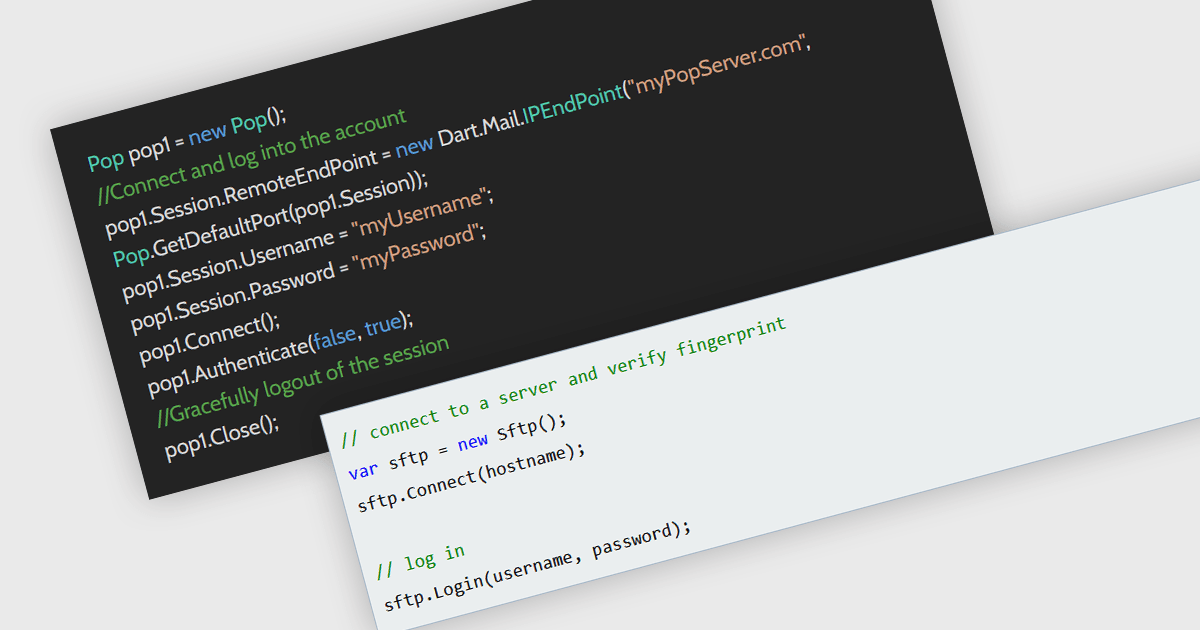
Password authentication is a method of verifying a user's identity by requiring a valid username and password before allowing access to a service or system. It is widely used because it is simple to implement, broadly supported across protocols, and familiar to users and developers. In applications that interact with services such as email servers using Simple Mail Transfer Protocol (SMTP), Internet Message Access Protocol (IMAP), or Post Office Protocol version 3 (POP3), or file transfer systems using Secure File Transfer Protocol (SFTP), password authentication provides a reliable way to establish authenticated connections. Its compatibility with existing infrastructure and standards makes it a practical choice for enabling authenticated access in messaging and communication scenarios.
Several .NET communication and messaging components support password authentication methods, including:
For an in-depth analysis of features and price, visit our comparison of .NET communication and messaging components.
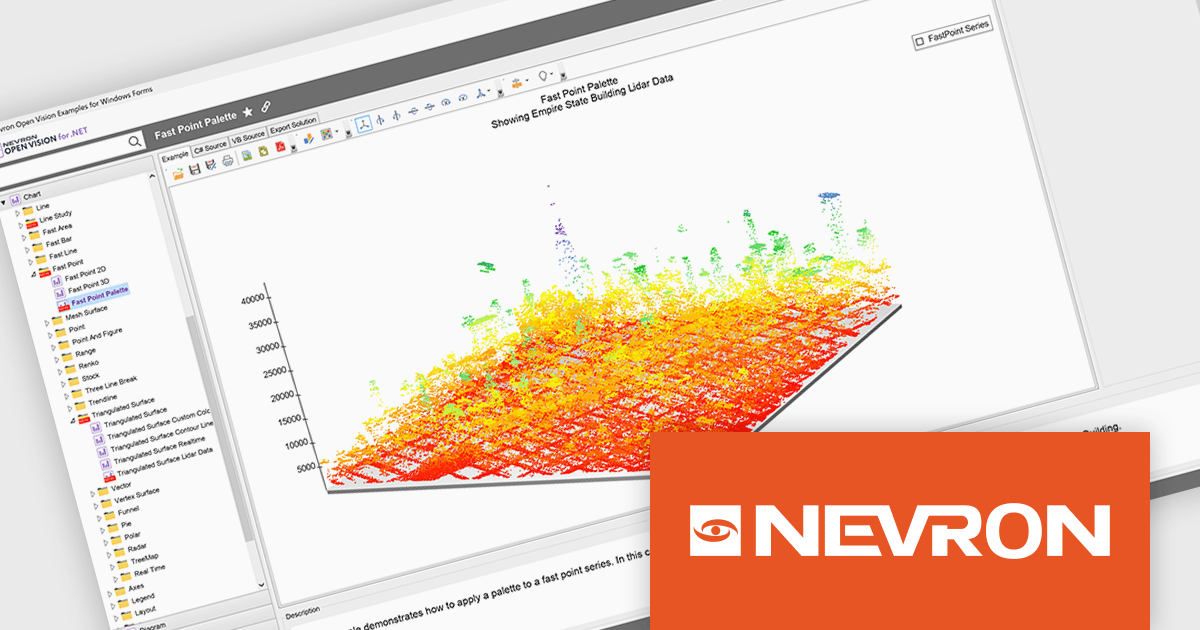
NOV Chart for .NET by Nevron is a comprehensive .NET charting component suite designed for cross-platform application development. It offers an array of 2D and 3D chart types, along with smart data labeling, an advanced chart axes model, numerous interactivity features and GPU-accelerated real-time rendering based on OpenGL. This library allows developers to seamlessly integrate rich, dynamic and interactive business, scientific, financial and presentation data visualizations into their .NET applications for more effective communication.
The NOV Chart for .NET 2026.1 update introduces a new Palette Fill Mode for Fast Area, Fast Bar, Fast Line, and Fast Point Series, giving developers greater control over how colors are applied across high performance charts. This enhancement makes it easier to create visually consistent and professionally styled data visualizations while reducing the effort required to maintain a unified appearance across multiple chart types. The added flexibility helps developers produce clearer dashboards, reporting interfaces, and analytics applications that better align with application branding and design requirements.
To see a full list of what's new in 2026.1, see our release notes.
NOV Chart for .NET is licensed per developer and is available as a perpetual license with 1 year support and maintenance. See our NOV Chart for .NET licensing page for full details.
NOV Chart for .NET is available in the following products:
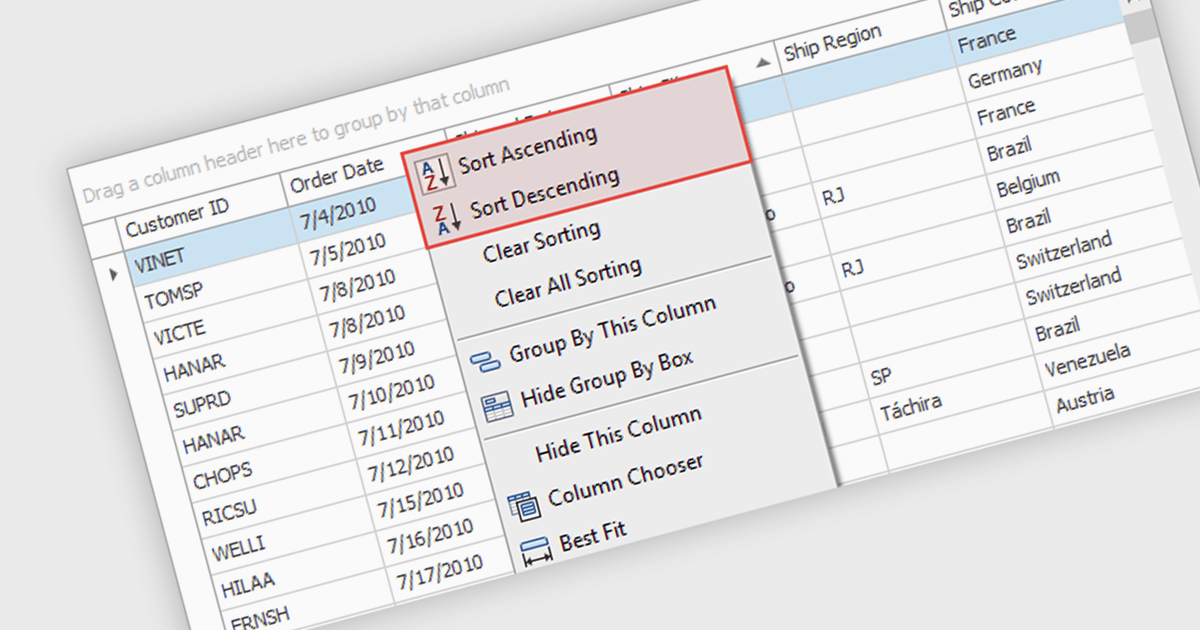
Sorting (local) is a feature in .NET WinForms Grid controls that orders the data currently loaded into the grid on the client, without requesting a new sorted result from a database or remote data source. It enables users to quickly sort rows by one or more columns using the data already available in memory, providing immediate visual feedback and a responsive user experience. For developers, local sorting can reduce unnecessary network requests, improve the perceived performance of data exploration, and simplify interactive scenarios where users need to reorganize and compare displayed data without affecting the underlying data source.
Several .NET WinForms Grid controls offer Sorting (Local) including:
For an in-depth analysis of features and price, visit our comparison of .NET WinForms Grid controls.
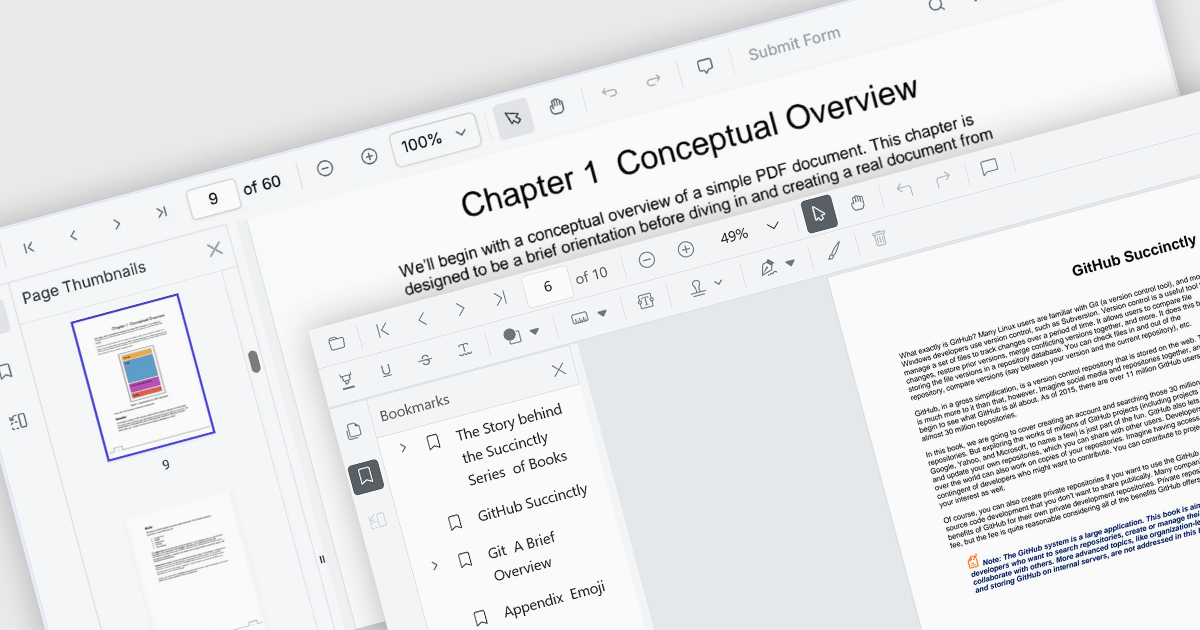
ASP.NET Core PDF viewer components provide several features for the seamless and efficient navigation of complex documents, enhancing the user experience in web applications. These viewers allow users to move through PDFs using intuitive controls that support structured document exploration. By leveraging advanced navigation features, developers can integrate smooth, user-friendly access to content, whether through previews in the form of thumbnail images, internal links, or predefined document structures i.e. a table of contents.
Common features include:
For an in-depth analysis of features and price, visit our ASP.NET Core PDF viewer components comparison.
Rebex Total Pack is a comprehensive suite of .NET libraries that enables developers to add secure networking, file transfer, email, compression, encryption, and remote access capabilities to their applications through a single package. It includes components for protocols such as SFTP, SCP, FTP, FTPS, HTTP, HTTPS, WebSocket, SMTP, IMAP, POP3, SSH, and Telnet, along with support for Microsoft Graph, Exchange Web Services (EWS), ZIP compression, TLS (Transport Layer Security), and cryptographic functions. Designed for modern .NET and .NET Framework applications, the suite provides a consistent API, extensive documentation, and sample code, making it well suited to enterprise software that requires reliable, secure communication across a range of protocols.
The Rebex File Server (included in Rebex Total Pack) now features a fully asynchronous SSH and SFTP server core, replacing the previous synchronous implementation with an architecture designed to make more efficient use of system resources. By reducing the number of threads required to handle client connections, the update improves scalability and enables applications to support higher levels of concurrent activity while maintaining responsive, reliable performance.
To see a full list of what's new in version Rebex Total Pack 8.0.9673, see our release notes.
Rebex Total Pack is licensed per developer and is available as a Perpetual License with a 1 Year Support Contract which includes priority support and all software updates. See our Rebex Total Pack licensing page for full details.
Learn more on our Rebex Total Pack product page.





Tel.: (888) 850 9911
Fax: +1 770 250 6199


