Studio Controls .NET Features
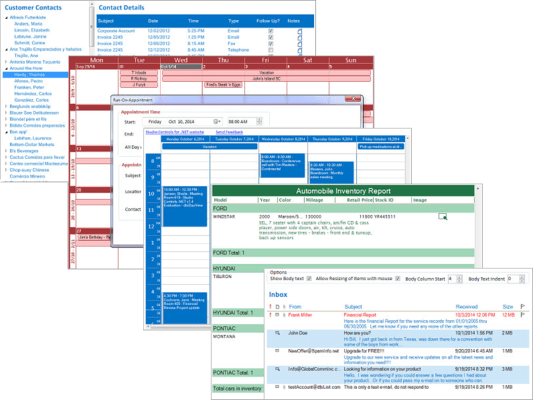
Office Style Scheduling - providing uncommon functionality and choice for developers looking to create high performance enterprise resource management applications:
- Calendar - Office style Month view and Week View presentations.
- Multi Column DayView - Outlook style Columnar, Mulit-Data (appointment, contact, location, task) DayView Scheduler.
- Multi-format Month View.
- Animated Date Presentation.
- Drop Date.
- Scheduler.
Data Presentation + Visualization
- ListView - for snap-in reporting and data insight, perfect for financial reports.
- Treeview - drill-down reporting and hierarchical data presentations.
- Progress Meter - integrated into ListView and TreeView.
UX Design - intuitive component design for developer imposed effeciency, Analytics Dashboards and UI design experience
- App Navigation.
- Buttons.
- Calculator.
- Dials.
- Explorer Bar.
- Gauges.
- Labels.
- Meters.
- Progress Bars.
- Slider.
- Tab.
- Tool Tips, developer design graphical tool tip presentations.
Included with each Studio Controls .NET subscription license:
- Detailed, per component help file including Developing With Tutorials.
- Sample applications, per component, demonstrating key functionality of each control written in C# and VB .NET.
- Each Sample Application fully documented for a quick start on integrating Studio Controls .NET with your projects.
- Each Sample application compiled (.exe) for emmediate run and control evaluation.
- Annual product maintenance, product upgrades and component updates, bug fixes abd direct access to technical support.