Who needs DEXTUpload.NET Pro
DEXTUpload.NET Pro is the most powerful and useful upload component for those who want to upload files to web servers. If you are operating Web mailing services, forums, web-based cloud services and web-based photo shop, you are the one who absolutely needs DEXTUpload.NET Pro.
Main Features of DEXTUpload.NET Pro
- Powerful Uploading Function
- It’s possible to upload 2GB files.
- .NET technology and optimal parsing algorithms enable fast upload speeds and low system resources.
- It supports transaction when multi-file uploading error happens.
- Users may rewrite uploaded files, save files with different names and automatically create a folder.
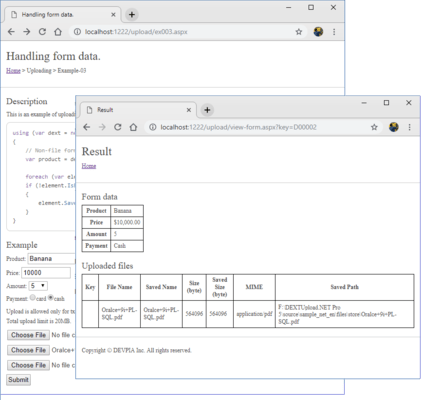
- It’s possible to upload files with various form data.
- It supports file extension filtering, individual / full capacity limit setting function.
- It supports upload timeout setting function.
- It supports flexible processing of filtered files.
- It perfectly supports Unicode-based Form data and file names.
- This provides file upload for the ASP.NET MVC environment.
- It supports unlimited large capacity (2G or more) upload function by linking with client products. (DEXTUploadX5)
- Powerful downloading Function
- Partial Content Download
- It supports Partial Content Download using only Range headers.
- Users can directly download files without opening the files on the Browser.
- Stream(System.IO.Stream) Data Download
- Image Processing Function
- Users can watermark uploaded images to write letters on the images.
- Users may thumbnail uploaded images to adjust the size of images.
- Users can flip or rotate the image.
- It supports various file convert formats (BMP, JPG, GIF, TIFF, PNG)
- It supports meta data extraction for TIFF, JPEG, and EXIF images.
- Users do not need to buy additional Component for simple image processing.
- Compatibility notes with previous versions (Before and after version 5.0)
- Blob-related functions that were supported until 4.X version are no longer supported
- Self Progress is no longer supported due to compatibility differences in each browser.
- Source code written in previous versions (Web.config and implementation source) is not compatible. (If you want to keep the old version code, you should use the old product version.)
- It provides unified 32-bit and 64-bit install versions
- Because there is no authentication process at the time of installation, the process of installing the product on the server becomes very easy.