Über Document Solutions for Excel Java

Hochgeschwindigkeits-Java-Excel-Tabellen-API-Bibliothek.

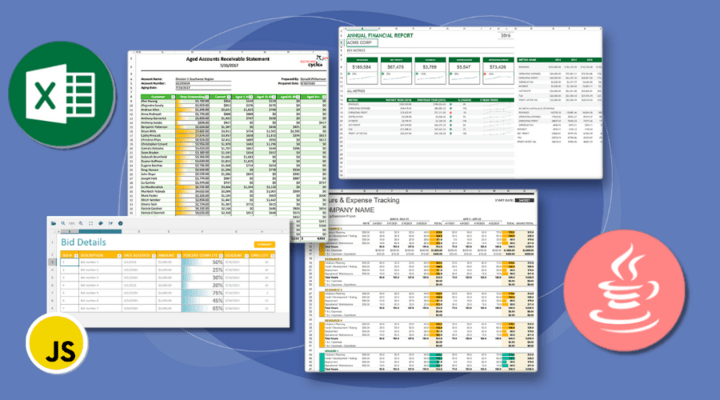
Document Solutions for Excel Java (DsExcel, previously GcExcel) is a high-speed Java Excel spreadsheet API library that requires no dependencies on Microsoft Excel. Users can programmatically create, edit, import, and export Excel XSLX spreadsheets from Java applications. With DsExcel, you can develop in Java for Windows, Linux, and Mac and deploy to the Cloud, including Azure, AWS, and AWS Lambda. Its powerful calculation engine and breadth of features mean you'll never have to compromise design or requirements. The interface-based API is modeled on Excel's document object model, which means you can import, calculate, query, generate, and export any spreadsheet scenario. Using DsExcel, you can create full reports, sort/filter tables, sort/filter pivot tables, dashboard reports, add charts, sparklines, conditional formats, import and export Excel templates and also convert spreadsheets to PDF, HTML, or an Image type. It also includes Document Solutions Data Viewer (DsDataViewer), a JavaScript viewer to open and view data documents on the client side.

Document Solutions for Excel Java API Features

Generating Excel Files

  • Create XLSX from Scratch - Create a new Excel workbook from scratch and save it as an XLSX file using Java, ideal for automating Excel file generation in Java applications.
  • Open & Save Workbook - Easily open and save workbooks in various formats.
  • Custom Data-Bound Excel Reports - Generate customizable, data-bound Excel reports that are dynamically populated with live data, enabling easy creation of tailored, real-time reporting solutions within your application.
  • Worksheet Management - Manage worksheets within a workbook by adding, deleting, copying, and protecting sheets, along with advanced capabilities for organizing and securing data.
  • Data Binding - Bind various data sources such as JSON, DataTables, or custom objects to worksheets, cells, or tables in Excel spreadsheets, enabling dynamic, real-time data integration for reports.
  • Form Controls - Add interactive form controls to Excel worksheets, such as buttons, checkboxes, dropdowns, and more, enabling user input and data manipulation directly within the workbook.
  • Themes & Colors - Customize the appearance of Excel workbooks by applying built-in or custom themes and color schemes, enhancing readability and visual appeal.
  • File Operations - Perform a variety of file operations including importing, exporting, and converting Excel workbooks to multiple formats such as .xlsx, .csv, .json, PDF, and more.

Import/Export Features

  • Import/Export XLSX - Import and export Excel .xlsx files from your Java application, allowing users to load and save workbooks with full control over data, formatting, and structure.
  • Import/Export CSV - Enables seamless CSV file import and exporting using the Java Excel API; supporting advanced open and save options.
  • Import/Export JSON Stream - Importing and exporting JSON streams for workbooks and worksheets, enabling seamless integration with SpreadJS.
  • Export to PDF - Export Excel workbooks, worksheets, or selected data to high-quality PDFs with customization options.
  • Export to HTML - Easily export workbooks, worksheets, or specific ranges to HTML with customizable formatting.
  • Import Data - Effortlessly import data from collections, arrays, tables, or entities into a Java server-side Excel worksheet.
  • Import DataTable - Easily import DataTable objects into a Java Excel worksheet. Define table columns, populate data, and insert it into a spreadsheet for seamless data management.
  • Import Portions of Data from Existing Files - Quickly import only data from a Java worksheet, table, or cell range without loading the entire Excel file using Java.
  • Convert to Image - Convert Java Excel worksheets, cell ranges, and shapes to images in PNG, JPG, SVG, or GIF format.
  • Import/Export Macros .xlsm - Import and export macro-enabled Excel files (.xlsm) while preserving macros, form controls, and ActiveX controls.
  • Import/Export to SpreadJS Files .sjs - Easily import and export SpreadJS files (.sjs, .ssjson, JSON), using Java, while preserving complex spreadsheet structures and features.
  • Import/Export Excel Templates .xltx - Easily import and export Excel template files (.xltx) to streamline spreadsheet creation and reuse predefined layouts.
  • Convert Excel Templates .xltx to PDF - Convert .xltx templates to interactive PDF forms (AcroForms) while preserving checkboxes, dropdowns, and option buttons for user interaction.

Data Visualization Features

  • Create & Delete Charts - Easily create and delete charts in Excel worksheets, providing dynamic visualizations with customizable data ranges and chart types.
  • Column & Bar Charts - Create dynamic column and bar charts to visually compare and present data in Excel, supporting various chart types like stacked, clustered, and 3D options.
  • Line & Area Charts - Generate line and area charts to visualize trends over time, allowing for smooth data comparison and analysis in Excel with customizable styles and data ranges.
  • Pie & Donut Charts - Create visually engaging pie and donut charts to represent proportions of a whole, with options for customizing slices, labels, and chart styles in Excel.
  • Scatter & Bubble Charts - Create scatter and bubble charts to display relationships between data points, with support for customizing axis ranges, chart styles, and bubble sizes.
  • Combo Charts - Create combo charts by combining multiple chart types (e.g., column, line) in one visualization to highlight different data series with varied chart styles.
  • Waterfall Charts - Create waterfall charts to visualize the cumulative effect of sequentially introduced positive or negative values, useful for financial analysis and data flow tracking.
  • Specialized Charts - Create specialized charts like radar, surface, and treemap charts to represent complex data in unique, insightful ways that enhance data interpretation and analysis.
  • Pivot Charts - Create pivot charts to visualize aggregated data from pivot tables, enabling dynamic data exploration and interactive reporting within Excel.
  • Sparklines - Insert sparklines into Excel worksheets to display compact, mini charts within cells, providing a quick visual summary of data trends and patterns.
  • Shapes & Pictures - Add and manipulate shapes and pictures within Excel worksheets, enhancing document presentation with customizable graphics, logos, and visual elements.
  • Conditional Formatting - Apply conditional formatting to Excel cells, allowing dynamic styling based on data values, such as color scales, data bars, or icon sets, to improve data visualization.

Data Analysis

  • Create Tables - Create and manage structured tables in Excel, allowing for efficient organization, sorting, filtering, and formatting of large datasets.
  • Table Slicers - Add slicers to Excel tables for interactive filtering, allowing users to easily control data visibility and improve analysis with visual filtering tools.
  • Pivot Tables - Create and manipulate pivot tables to summarize and analyze large datasets, enabling users to dynamically explore and visualize data in Excel.
  • Pivot Slicers - Add slicers to pivot tables for intuitive and interactive data filtering, enabling users to quickly adjust data views and improve analysis.
  • Grouping & Subtotaling - Group rows or columns and apply subtotals to organize large datasets, improving navigation and analysis in Excel worksheets.
  • Advanced Sorting - Perform advanced sorting on Excel data, including sorting by values, colors, fonts, or icons, for enhanced data organization and analysis.
  • Custom Filters - Apply custom filters in Excel to refine data views based on specific conditions such as numbers, text, dates, colors, and icons.
  • What-If Analysis (Goal Seek, Scenario Manager) - Perform What-If analysis using tools like Goal Seek and Scenario Manager to model different outcomes and find the necessary input values for a desired result.
  • Error Checking & Tracing Precedents/Dependents - Trace and identify precedent and dependent cells in Excel to analyze formulas and troubleshoot errors in worksheets.
  • Cross-Sheet References & Linking - Link data across multiple workbooks with cross-workbook formulas, enabling users to reference and update values from external Excel files.

Powerful Calculation Engine

  • Formulas (450+ Excel Functions) - Leverage hundreds of built-in functions and operators for complex calculations, external formulas, and custom functions tailored to your needs.
  • Create Custom Functions - Custom functions allow you to easily create new calculation functions for use in cell formulas using custom logic to return a value in your Java app.
  • Set Dynamic Array Formulas - Use dynamic array formulas to perform multiple calculations across a range of cells, allowing for efficient data manipulation and results display in Excel.
  • Iterative Calculation - Enable iterative calculation in Excel to repeatedly calculate formulas until a specific condition is met, such as a set number of iterations or a desired result difference.
  • Formula Parse & Parse Format Options - Parse and format Excel formulas using a syntax tree, offering control over the conversion of formulas between A1 and R1C1 reference styles and enabling in-depth formula manipulation.
  • Formula Tracing - Trace formula dependencies in Excel by identifying precedent and dependent cells, helping users understand the flow of data and diagnose issues in complex formulas.
  • Cross Workbook Formula - Use cross-workbook formulas to reference and perform calculations on data from external Excel workbooks, facilitating dynamic and linked data across multiple files.
  • Localized Formulas - Set and retrieve formulas in Excel that automatically adjust to local language conventions, ensuring correct function names based on the user's regional settings.
  • Defined Names - Defined names simplify formulas by assigning names to tables, ranges, and constants, making calculations easier to read and manage.
  • Set Table Formula - Set and apply structured table formulas in Excel to dynamically reference and calculate data within tables using custom column names and row specifiers.
  • Pivot Table Formulas - Apply custom calculations to pivot table fields using built-in functions and manage the visibility of totals and layout options for enhanced analysis.
  • Asynchronous Functions - Enhance performance by running functions asynchronously, enabling multiple calculations to occur concurrently without blocking other tasks.
  • Linked Picture - Create dynamic, real-time snapshots of Excel ranges that automatically update when the original data changes, ideal for dashboards and reports.
  • Ignore Errors in Excel - Prevent the display of error indicators, like the green triangle, in Excel cells by ignoring specific types of errors in a given range.
  • Excel Calculation Mode - Control Excel's calculation behavior by selecting between automatic, semiautomatic, and manual modes to optimize performance, especially with large workbooks or when exporting data.

Cell Level Features

  • Cell Types - Enhance spreadsheet interactivity with button, checkbox, combo box, and hyperlink cell types for custom user interactions.
  • Range Template Cell - Use Range Template cells to apply structured, reusable layouts to multiple cell ranges while binding data dynamically.
  • Data Validation - Ensure data accuracy in Excel files by programmatically applying validation rules that restrict input formats, set value ranges, and display error messages.
  • Set Styles for Cells - Customize cell styles using this Java Excel API, including fill styles, fonts, borders, alignment, and number formats.
  • Merge Cells - Combine multiple cells into one using the Java Excel API, preserving only the top-left cell's data.
  • Auto Merge Cells - Automatically merge adjacent cells with identical content when exporting spreadsheets to various formats, improving readability.
  • Protect Cell Range - Secure worksheet data by locking specific cell ranges or hiding formulas, ensuring controlled access and data integrity.
  • Hyperlinks - Insert and manage hyperlinks in Excel workbooks to reference external files, web pages, email addresses, or specific locations within a workbook.
  • Barcodes - Generate and display barcodes in spreadsheet cells, supporting various barcode types and conversion to images for enhanced document processing.
  • Rich Text in Cells - Apply rich text formatting in spreadsheet cells to customize font styles, colors, sizes, and effects for enhanced data presentation.

Advanced Features

  • Excel Templates - Create reusable, data-driven Excel reports using the API's Excel template support with dynamic data binding.
  • Comments - Add, format, and manage comments in spreadsheets to provide context and annotations without cluttering cells.
  • Find & Replace Data - Easily locate and update data across large spreadsheets using this Java Excel API's find and replace functionality, supporting values, formulas, and formatting.
  • Digital Signatures - Digitally sign Excel spreadsheets using the Java Excel API to ensure document authenticity. Add visible or invisible signatures, verify signatures, and manage signature lines within worksheets.
  • Print - Customize page layout, orientation, and print ranges in your Excel spreadsheets with full control using this Excel Java API.
  • Generate Paginated Spreadsheet Reports - Generate paginated spreadsheet reports using Java to create structured, multi-page templates for invoices, catalogs, and other reports.
  • Client-Side Data File Viewer - Includes a JavaScript-based client-side viewer for previewing data files, including XLSX, CSV, ARROW, PARQUET, and SpreadJS formats.
  • Support for SpreadJS Features - Document Solutions for Excel supports JSON .ssjson, and .sjs I/O of the popular SpreadJS JavaScript spreadsheet files. You can import, modify, and export files created with SpreadJS in Java apps. This allows you to programmatically create spreadsheets files on the server using Document Solutions for Excel, send them up to the client to edit using the Excel-like spreadsheet SpreadJS UI then send any changes back down to the server for any further processing, creating a comprehensive spreadsheet viewing and editing solution for both the server and client needs.