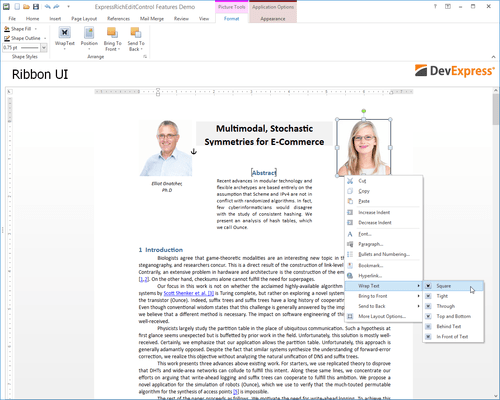
ExpressNavigationPack

Fügen Sie Ihren VCL-Anwendungen Multifunktionsleisten, Symbolleisten sowie Layout- und Skinning-Funktionen hinzu.

Veröffentlicht von DevExpress
Wird von ComponentSource seit 2001 vertrieben

Preise ab: US$ 287.99 Version: 26.1.3 NEU Letzte Aktualisierung: Jun 18, 2026 5.00 Stern Durchschnittliche Bewertung5.00 Stern Durchschnittliche Bewertung5.00 Stern Durchschnittliche Bewertung5.00 Stern Durchschnittliche Bewertung5.00 Stern Durchschnittliche Bewertung (1)

i

New licenses for ExpressNavigationPack are no longer available. Existing customers can continue to renew. If you are looking for a new license, please consider DevExpress VCL Subscription, which includes all ExpressNavigationPack components plus more.

ExpressNavigationPack Releases

Released: Dec 24, 2019

Updates in 19.2.3

Fehlerkorrekturen

All VCL products

  • A bar manager displays drop-down trees of all its TdxBarTreeViewCombo items as top-level windows at design time
  • An error occurs on compiling the dxExpressionEditorHelper unit if the "Emit runtime type information" compiler option is enabled
  • Compile errors occur if the "Code inlining control" option is set to Auto in compiler settings

ExpressBars Suite

  • Ribbon - TdxBarLargeButton whose ButtonStyle property is set to bsDropDown is incorrectly painted if the rs...

Released: Dec 4, 2019

Updates in 19.2.2

Funktionen

NavBar Control

  • Hamburger Menu - This release includes a new skin-based View with a collapsed state. The new Hamburger Menu allows you to deliver user experiences that mirror those found in Windows 10 (displays a button or a narrow strip of icons when collapsed). As a hybrid of the Accordion View and Navigation Pane View, the Hamburger Menu ships with features common to the Accordion/Navigation Pane, including nested groups and expand/collapse animation effects.

New Formatted Label

  • The...

Released: Nov 27, 2019

Updates in 19.1.7

Fehlerkorrekturen

ExpressBars Suite

  • Ribbon - Customization Form - The "Reset all customizations" option does not restore the ribbon tab order after reopening the Form

ExpressDocking Library

  • Dock panels insufficiently increase their captions for a large font size specified by a dock panel or a docking manager

ExpressEditors Library

  • cxComboBox - The item selection state in a combo box dropdown window does not update according to the combo box edit value in certain cases, provided that the...

Released: Oct 15, 2019

Updates in 19.1.6

Fehlerkorrekturen

ExpressBars Suite

  • A custom color assigned to the bar manager's DockColor property at design time has no effect on dock controls at runtime
  • A submenu/popup menu whose ItemOptions.Size property is set to misLarge incorrectly paints icons for in-place editor bar items
  • Ribbon - Activating a tab of a minimized Ribbon control located on a secondary form disables the form's standard actions (TAction objects)

ExpressDocking Library

  • TdxContainerDockSite descendants created by a dock...

Released: Sep 11, 2019

Updates in 19.1.5

Fehlerkorrekturen

ExpressBars Suite

  • Button icons flicker when a bar manager repaints their toolbars using any built-in look & feel style, except for the native style.
  • Ribbon - KeyTips double their font size if the system DPI value is not 96.
  • Ribbon - TdxCustomRibbonGalleryItem descendants - The gallery is incorrectly painted in response to a content modification that does not alter its size.
  • TcxBarEditItem - An AV occurs when the internal search engine shared by multiple OfficeSearchBox...

Released: Jul 8, 2019

Updates in 19.1.3

Fehlerkorrekturen

ExpressBars Suite

  • A bar popup menu cannot be bound to another bar manager via the BarManager property.
  • Ribbon - Office 2016 style - The Tab Area Toolbar or Tab Area Search Toolbar is incorrectly scaled in an application built with a manifest recreated by the project "Enable High-DPI" option if the system DPI value is 144 and a certain skin is applied.
  • Ribbon - The CapitalizeTabCaptions property does not capitalize multi-byte characters.
  • TdxRibbonGalleryItem - All custom values...

Released: Jun 18, 2019

Updates in 19.1.2

Funktionen

Right-To-Left Support

  • This release adds Right-to-Left (RTL) support to the following DevExpress VCL components:
    • Toolbars, Menus, and Ribbon Control

Ribbon and Toolbars

  • Office 2019 Style - The DevExpress VCL Ribbon Control now ships with a Ribbon style that replicates the look & feel of the latest Microsoft Office version. This style includes new tab styles and animation effects. Also added IDE templates to make it easy to create Office 2019 Ribbon style applications and Ribbon...

Released: Jun 4, 2019

Updates in 18.2.8

Fehlerkorrekturen

ExpressBars Suite

  • TdxBarCustomPopupMenu and descendants - A bar's popup menu is always scaled according to the monitor DPI, even if the menu's invoker is programmatically scaled to a different target DPI.
  • TdxRibbonStatusBar - An AV occurs when an editor on the status bar's toolbar panel receives focus if the Ribbon property is set to nil.
  • TdxStatusBar - The font of an individual panel scales twice if the panel's PanelStyle.ParentFont property is set to True, and the system DPI...

Released: May 7, 2019

Updates in 18.2.7

Fehlerkorrekturen

ExpressBars Suite

  • A large bar button's down arrow is incorrectly scaled at high DPI settings (more than 96).
  • A minimized secondary Ribbon form's title bar buttons do not work if the form's DisableAero property is set to False and the application is running under Windows 10 version 1809.
  • Cannot scale TcxStyleRepository styles when in data module.
  • Ribbon Form - On using skins, the form's borders are painted incorrectly in the opened Backstage View if the ribbon style is rs2013 or...

Released: Mar 28, 2019

Updates in 18.2.6

Fehlerkorrekturen

ExpressBars Suite

  • Ribbon - The Customization Form fails to reset a toolbar whose caption is modified at runtime.
  • Ribbon Form - Office 2016 style - The window buttons are incorrectly painted if the Colorful color scheme is applied.
  • TdxBarControlContainerItem that hosts a standard or third-party control whose AutoSize property is set to True increases twice in width when displayed for the first time on the monitor whose DPI differs from 96.
  • TdxBarLargeButton text and dropdown not...