













공식 공급 업체
200 이상의 소프트웨어 개발처와 판매 계약을 맺은 공인 디스트리뷰터로서 합법적인 라이선스를 제공합니다.
모든 브랜드 보기.
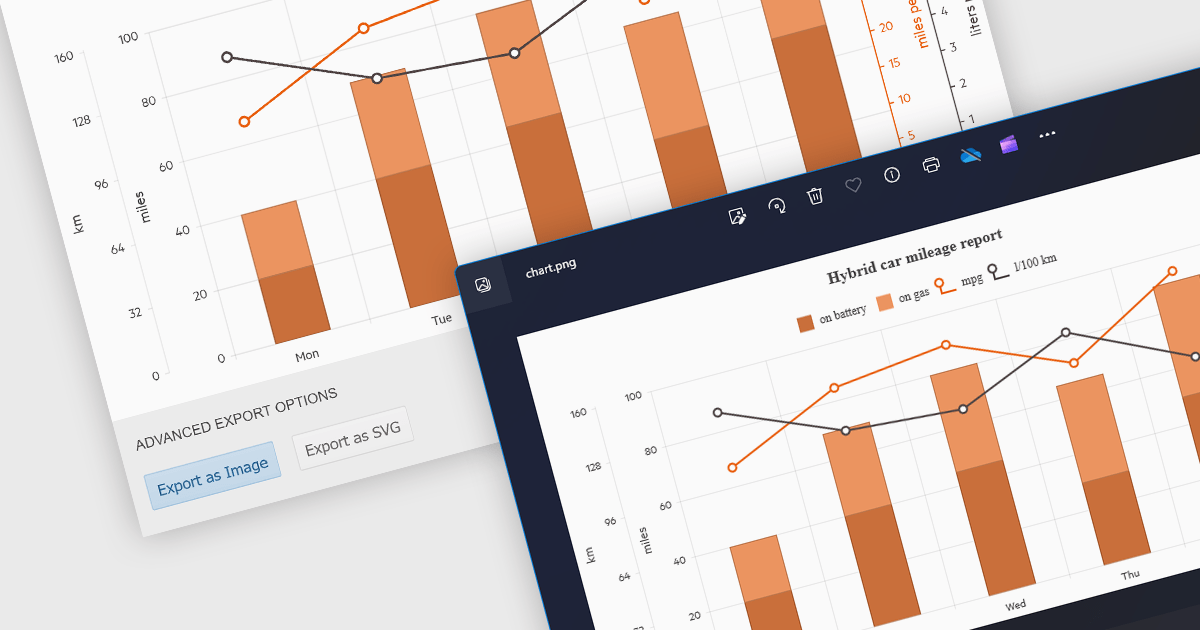
Exporting charts as images offers several advantages. It allows for easy sharing in documents, presentations, and social media without relying on the recipient having the original software. Popular formats include JPEG, PNG, and SVG. JPEGs offer small sizes for low bandwidth scenarios, while PNGs are ideal for charts with sharp lines and flat colors. SVGs are vector-based, enabling infinite scaling without quality loss, making them perfect for charts that may be resized frequently.
Several ASP.NET Core chart controls offer the ability to export charts to images including:
For an in-depth analysis of features and price, visit our ASP.NET Core chart controls comparison.
Syncfusion Essential Studio ASP.NET Core, available as part of Syncfusion Essential Studio Enterprise, empowers developers with a comprehensive suite of over 80 enterprise-grade UI components specifically designed for building modern and highly functional web applications. Leveraging the latest advancements in ASP.NET Core, it offers exceptional performance and scalability, streamlining development by eliminating the need for extensive custom coding. From data visualization tools like interactive charts and grids to sophisticated navigation elements and responsive layouts, Essential Studio equips developers with the building blocks to create rich user experiences, improve application efficiency, and accelerate time-to-market.
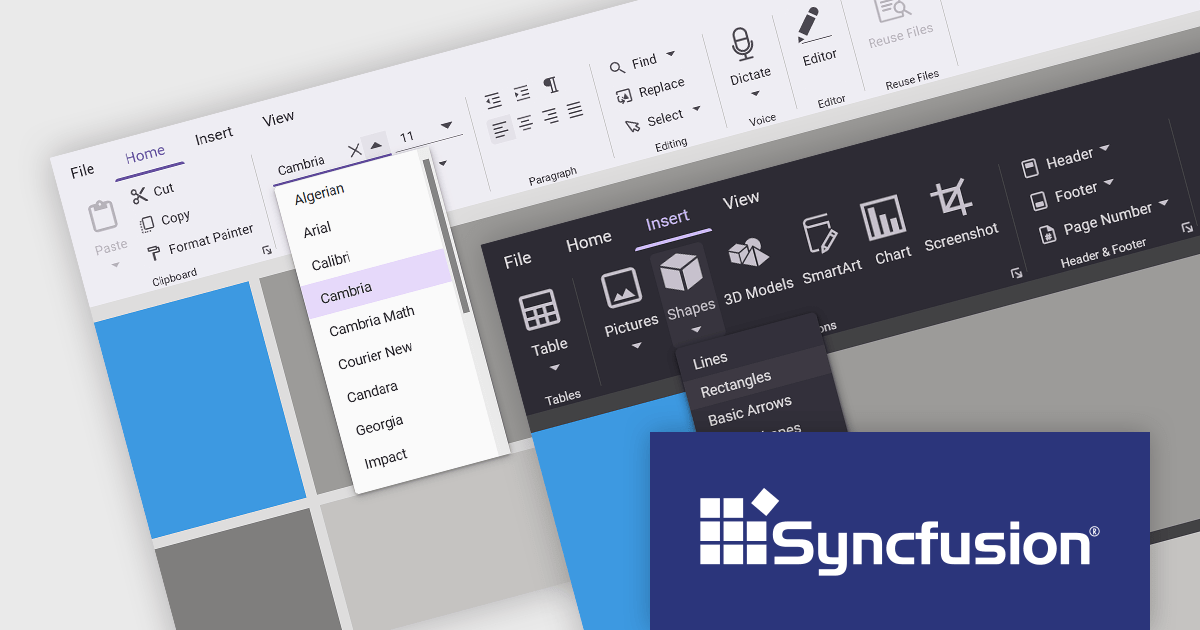
The Syncfusion Essential Studio ASP.NET Core 2024 Volume 1 (25.1.35) release introduces the production-ready Ribbon component which offers a user-friendly interface for web applications. It mimics the Microsoft Office ribbon with a tab-based structure, allowing users to access features and functions efficiently. The control boasts numerous features including the option to display keyboard shortcuts, a customizable backstage view, and built-in themes.
To see a full list of what's new in version 2024 Volume 1 (25.1.35), see our release notes.
Syncfusion Essential Studio ASP.NET Core is available as part of Syncfusion Essential Studio Enterprise which is licensed per developer starting with a Team License of up to five developers. It is available as a 12 Month Timed Subscription License which includes support and maintenance. See our Syncfusion Essential Studio Enterprise licensing page for full details.
For more information, visit our Syncfusion Essential Studio ASP.NET Core product page.
Syncfusion Essential Studio ASP.NET Core, available as part of Syncfusion Essential Studio Enterprise, empowers developers with a comprehensive suite of over 80 enterprise-grade UI components specifically designed for building modern and highly functional web applications. Leveraging the latest advancements in ASP.NET Core, it offers exceptional performance and scalability, streamlining development by eliminating the need for extensive custom coding. From data visualization tools like interactive charts and grids to sophisticated navigation elements and responsive layouts, Essential Studio equips developers with the building blocks to create rich user experiences, improve application efficiency, and accelerate time-to-market.
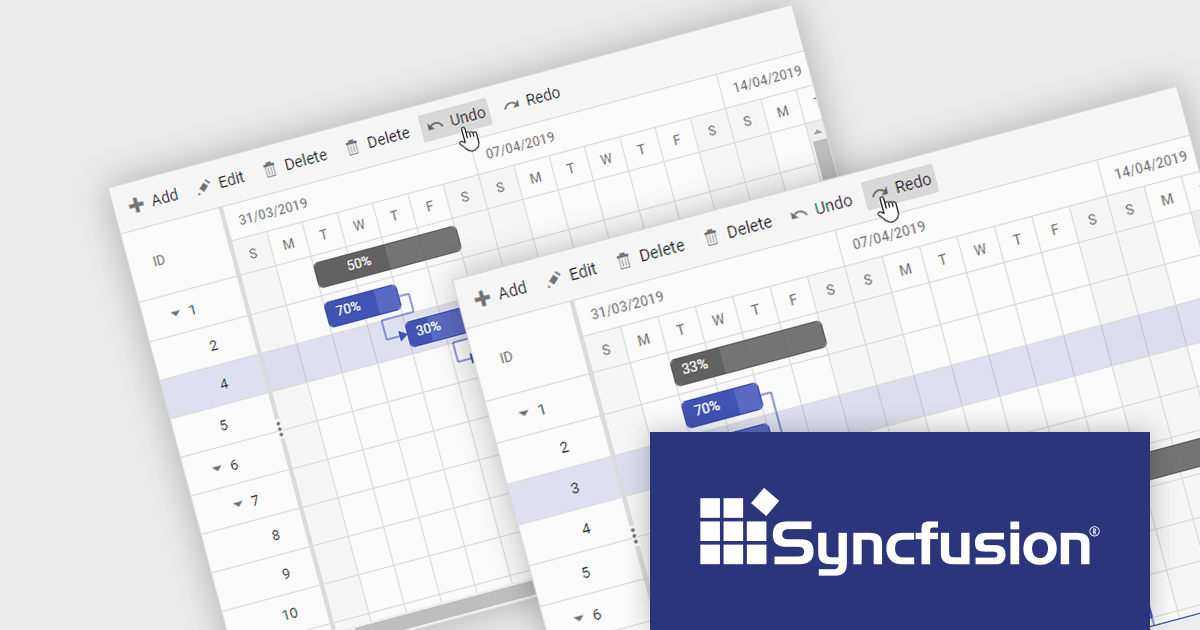
The Syncfusion Essential Studio ASP.NET Core 2024 Volume 1 (25.1.35) release adds undo and redo functionality to the Gantt chart component, making it easy for users to revert or reapply changes. Modifications in task scheduling, resource allocation, and other changes will be tracked, allowing for quick correction of mistakes and refinement of project plans.
To see a full list of what's new in version 2024 Volume 1 (25.1.35), see our release notes.
Syncfusion Essential Studio ASP.NET Core is available as part of Syncfusion Essential Studio Enterprise which is licensed per developer starting with a Team License of up to five developers. It is available as a 12 Month Timed Subscription License which includes support and maintenance. See our Syncfusion Essential Studio Enterprise licensing page for full details.
For more information, visit our Syncfusion Essential Studio ASP.NET Core product page.
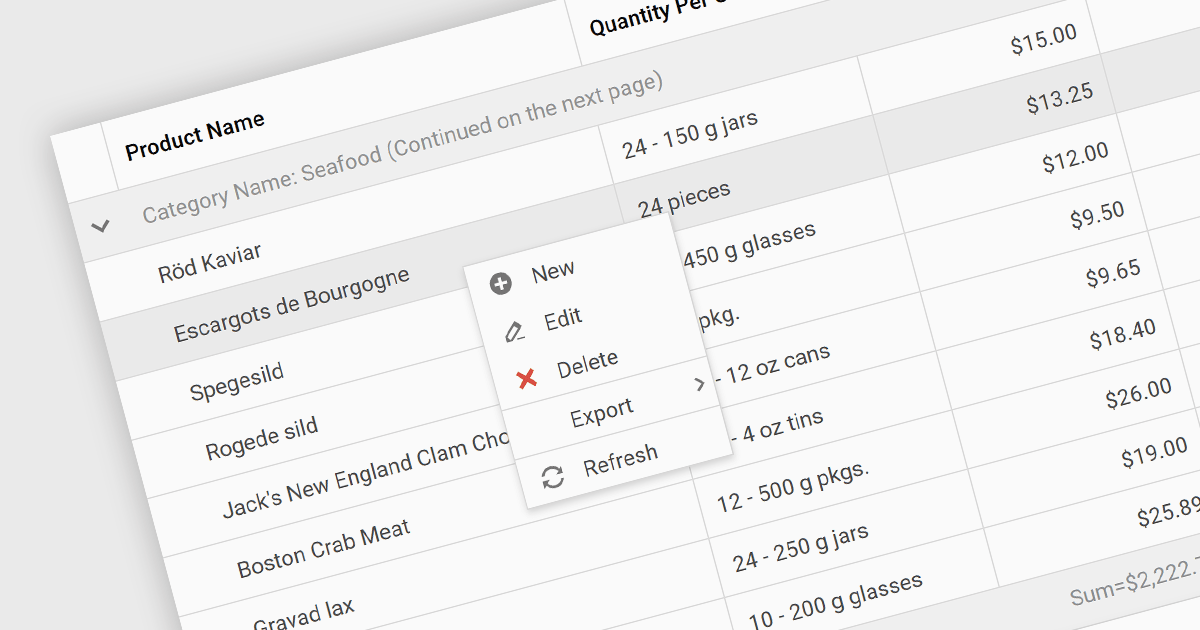
Context menus in grids are user-activated dropdown menus that appear when the users right-clicks a cell. They provide quick access to relevant actions for the selected data, like copying cells, editing rows, or performing custom operations specific to the grid's content. This functionality enhances user experience by offering contextual options without having to navigate away from the grid.
Several ASP.NET Core Grid controls offer context menus including:
For an in-depth analysis of features and price, visit our ASP.NET Core Grid controls comparison.

ComponentSpace is a software company specializing in developer tools for the Microsoft platform, particularly focused on secure single sign-on (SSO) solutions. Founded in 1995, they boast one of the world's leading deployments of SAML libraries, enabling developers to easily integrate secure login experiences leveraging SAML and OpenID Connect into their ASP.NET and ASP.NET Core applications.
ComponentSpace's recent product releases have added support for .NET 8 with example projects specifically targeting the latest version of Microsoft's .NET 8 framework. ComponentSpace components can now seamlessly integrate with applications developed using the latest version of the .NET framework, ensuring that developers can leverage the newest features and improvements provided by .NET 8 without worrying about compatibility issues.
.NET 8 support and example projects have been added to the following ComponentSpace products:
ComponentSpace products are licensed per developer. Licenses are perpetual and royalty-free and are available for single developers, four developers, and sites. Source Code is available as an option for Site Licenses. Priority Support is also available which provides enhanced technical support and software updates for 1 year. For more information see:
전화 : 00798 14 800 6332
팩스 : +1 770 250 6199


