













공식 공급 업체
200 이상의 소프트웨어 개발처와 판매 계약을 맺은 공인 디스트리뷰터로서 합법적인 라이선스를 제공합니다.
모든 브랜드 보기.
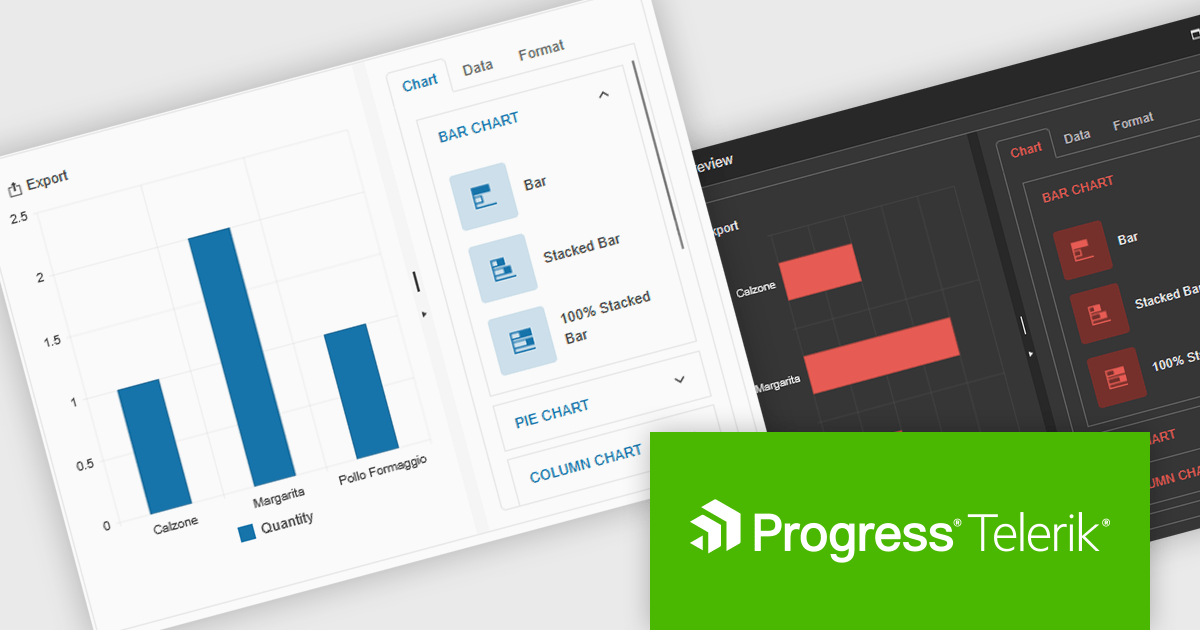
Kendo UI by Telerik is a comprehensive suite of JavaScript UI components designed to accelerate web application development. Offering pre-built, customizable elements for grids, charts, schedulers, and more, it streamlines UI creation across popular frameworks like jQuery, Angular, React, and Vue. Key features include responsive design, accessibility, and high performance, enhancing user experience. Developers benefit from reduced development time, consistent UI patterns, and the ability to build feature-rich applications faster.
The Kendo UI for jQuery v2025 Q1 update introduces the Chart Wizard, a streamlined tool that simplifies chart creation by allowing developers to generate data-driven visualizations directly from grids, data-bound components, or external sources. This feature reduces manual configuration, enhances workflow efficiency, and ensures a seamless integration process, enabling developers to quickly transform raw data into meaningful insights while maintaining full customization control.
To see a full list of what’s new in v17.1.0 (2025 Q1), see our release notes.
Kendo UI is licensed per developer and has two licensing models: an annual Subscription License and a Perpetual License. The Subscription license provides access to the latest product updates, technical support, and exclusive benefits for a flat annual fee, and must be renewed to continue using the software. The Perpetual license is a one-time purchase granting access to the current released version and includes a one-year subscription for product updates and technical support. After this initial period, users can choose to renew the subscription element to continue receiving updates and support; otherwise, they may continue using the installed version available during their active subscription term but will forgo future updates and support. See our Kendo UI licensing page for full details.
Kendo UI is also available to buy individually or as part of:

Stimulsoft Reports.PYTHON provides a collection of tools for creating, viewing, exporting, and printing reports within your Python applications. It allows you to connect to various data sources and leverage client-server technology for efficient report generation. Additionally, Stimulsoft offers powerful features for visualizing and analyzing your data.
The Stimulsoft Reports.PYTHON 2025.1.1 update introduces a new Export List Settings feature, allowing users to streamline the export options available in the Viewer. By using the new "Hide Unlisted Exports in The Viewer" parameter, developers can define which export formats are visible in the Save menu for reports and dashboards. This provides greater control over the user interface, enabling a more focused and tailored experience while maintaining flexibility to align with specific project requirements. By default, all export formats remain accessible, ensuring compatibility with existing setups.
To see a full list of what's new in 2025.1.1, see our release notes.
Stimulsoft Reports.PYTHON is licensed per developer and is available as a Perpetual license with 1 year support and maintenance. See our Stimulsoft Reports.PYTHON licensing page for full details.
Stimulsoft Reports.PYTHON is available individually or as part of Stimulsoft Ultimate.

Converting a PDF into an image format like PNG, JPEG, or TIFF improves performance by allowing documents to load instantly without requiring a dedicated PDF viewer. This is particularly useful for web applications, where rendering a full PDF can be slow and resource-intensive. Additionally, converting PDFs to images enhances security by preventing direct text extraction or modification, ensuring sensitive content remains intact. It also simplifies embedding and sharing, making documents more accessible across different devices and platforms. These benefits make PDF-to-image conversion a practical choice for optimizing document handling in modern applications.
Several PDF controls offer PDF to image conversion support including:
For an in-depth analysis of features and price, visit our JavaScript PDF controls comparison.

SpreadJS by MESCIUS is a high-performance JavaScript spreadsheet component designed to seamlessly integrate Excel-like functionality into web applications. It empowers developers to deliver robust spreadsheet experiences within their applications, complete with features like data import/export, complex formulas, conditional formatting, and extensive customization options. SpreadJS caters to a wide range of use cases, from financial modeling and data analysis to project management and interactive dashboards, ultimately allowing developers to build feature-rich and user-friendly web applications.
In this blog post, MESCIUS Product Manager Kevin Ashley shows you how to use the powerful and extensible SpreadJS component to import and export Excel files. Steps include:
Detailed source code is included and you can also download the sample app.
Read the full blog to get starting working directly with Excel files in your Blazor applications.
SpreadJS is licensed per developer and includes 1 Year Maintenance (major and minor version releases and unlimited support phone calls). SpreadJS requires an Annual or Perpetual Deployment License. The optional Add-ons are available at an additional cost, and require a SpreadJS license. See our SpreadJS licensing page for full details.
For more information, visit our SpreadJS product page.
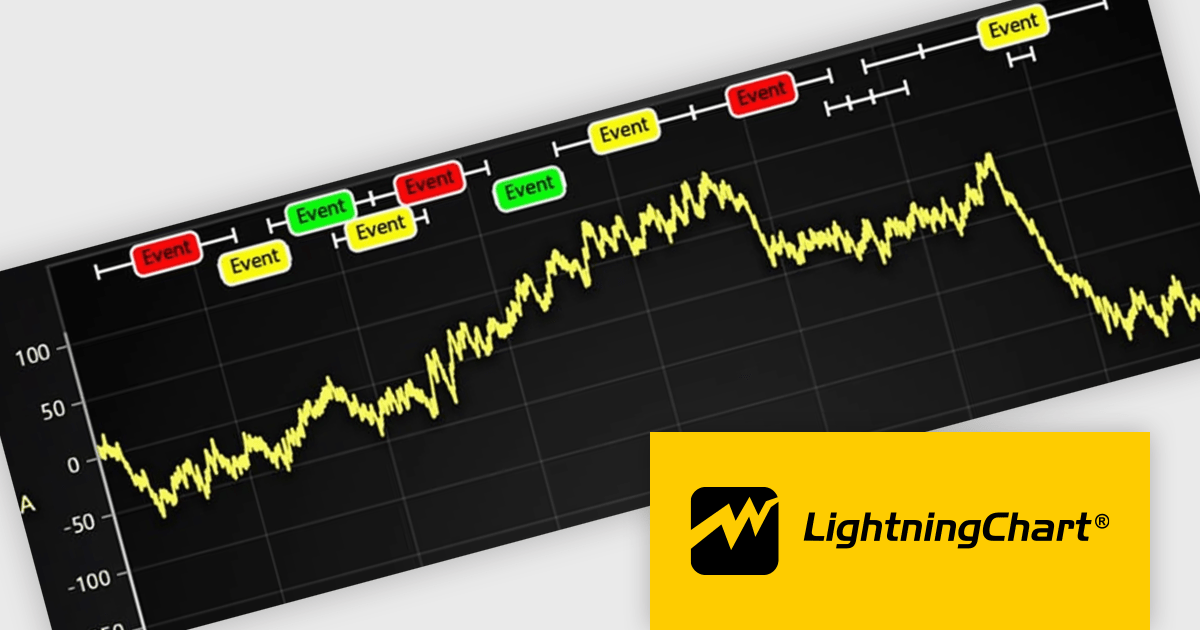
LightningChart JS is a JavaScript/TypeScript library developed by LightningChart that specifically targets the creation of financial and trading applications. It provides high-performance, 2D, 3D, and real-time charting controls and a comprehensive suite of visualizations including candlestick, bar, line, and various technical indicators and drawing tools. This library enables software developers to craft interactive technical analysis tools without the need for server-side setup as it runs completely on the client device.
The LightningChart JS v7.0.1 update introduces the Text Series API, providing a more efficient and flexible way to render text within ChartXY. This new approach enhances performance by optimizing text rendering, supports viewport clipping to maintain clean chart visuals, and offers precise control over text size and boundaries. Designed as a more seamless alternative to chart.addUIElement(), it simplifies development by integrating text elements directly within the chart while ensuring scalability for large datasets.
To see a full list of what's new in v7.0.1, see our release notes.
LightningChart JS is licensed per developer and is available as an annual license with 1 year support. See our LightningChart JS licensing page for full details.
For more information, see our LightningChart JS product page.
전화 : 00798 14 800 6332
팩스 : +1 770 250 6199


